How Enterprises Are Connecting AI Assistants to Internal Systems and Data




A vast majority of organizations have already acquired AI clients and tools. The primary challenge lies in linking these AI assistants with the CRM, support queue, finance system, and warehouse operations where primary business activities occur. Lacking these connections, AI merely summarizes documents and composes email drafts while core operational systems remain disconnected.
This article details the actual mechanics of enterprise AI integration today, the associated security concerns, and strategies to implement it without surrendering data governance.
Key Takeaways
- Enterprises link AI to corporate repositories predominantly via the Model Context Protocol (MCP), enabling AI agents to engage with platforms like Jira, Salesforce, GitHub, and HubSpot through a standardized interface.
- Hooking AI agents up to organizational data without proper controls exposes companies to major risks: prompt injection, tool poisoning, PII leakage, and audit deficiencies that violate GDPR, HIPAA, and DORA regulations.
- Operating between AI clients and MCP servers, an MCP gateway provides IT and security teams with unified monitoring, authorization policies, safety guardrails, and audit logging across every integration point.
- Safeguards do not hinder AI deployment. Research on AI security and governance demonstrates that firms possessing thorough AI governance policies experience nearly twice the adoption speed of early agentic AI relative to those still drafting rules.
- The organizations leading the market are those that established the infrastructure required to approve enterprise-wide AI utilization, rather than those that prohibited it or permitted unmonitored execution.
The Problem: AI Adoption Has Outpaced Governance
Every enterprise AI integration initiative encounters the same hurdle. Teams want to connect AI to the tools they use daily. Leadership wants to say yes. (They mandated AI transformation, after all.) However, no party holds the necessary capabilities to control how data and capabilities from SaaS tools connect to AI. This forces companies to either forbid the technology or proceed with unmonitored risk.
The Two Failure Modes
Organizations generally fall into one of two unideal scenarios.
- Scenario #1: AI remains strictly restricted. MCP access is blocked, native integrations are disabled, and enterprise-wide AI investment yields nothing more than an isolated chat interface disconnected from valuable assets.
- Scenario #2: AI functions actively without oversight. Engineers and employees wire agents to internal systems without approval, without logging, and without guardrails. There’s no real security here, just an honor system.
Both scenarios end the same way: the company falls behind competitors who figured out how to connect AI agents to company data with the right controls in place.
83% of organizations plan to deploy agentic AI into their business functions, but only 31% feel fully equipped to secure those systems. — Cisco, AI Readiness Index 2025
Why This Is Urgent Now
Staff members are actively deploying MCP regardless of official authorization (otherwise known as shadow MCP). They routinely link external data and utilities directly to their AI agents, clients, and workspace applications. Data from the Cisco AI Readiness Index 2025 highlights that while an overwhelming majority of enterprises intend to implement agentic AI, a significantly smaller fraction feels prepared to secure these systems. Furthermore, minimal numbers of companies have fully deployed operationalized responsible AI practices.
The gap compounds. Companies that enable governed AI now are shipping product. Companies still waiting on approval are watching their competitors move faster and achieve compounding productivity gains.
Ungoverned connections between AI and business systems lack the
visibility and control companies need to safely deploy AI at scale
What Is MCP and Why Does It Matter for Enterprise AI Integration?
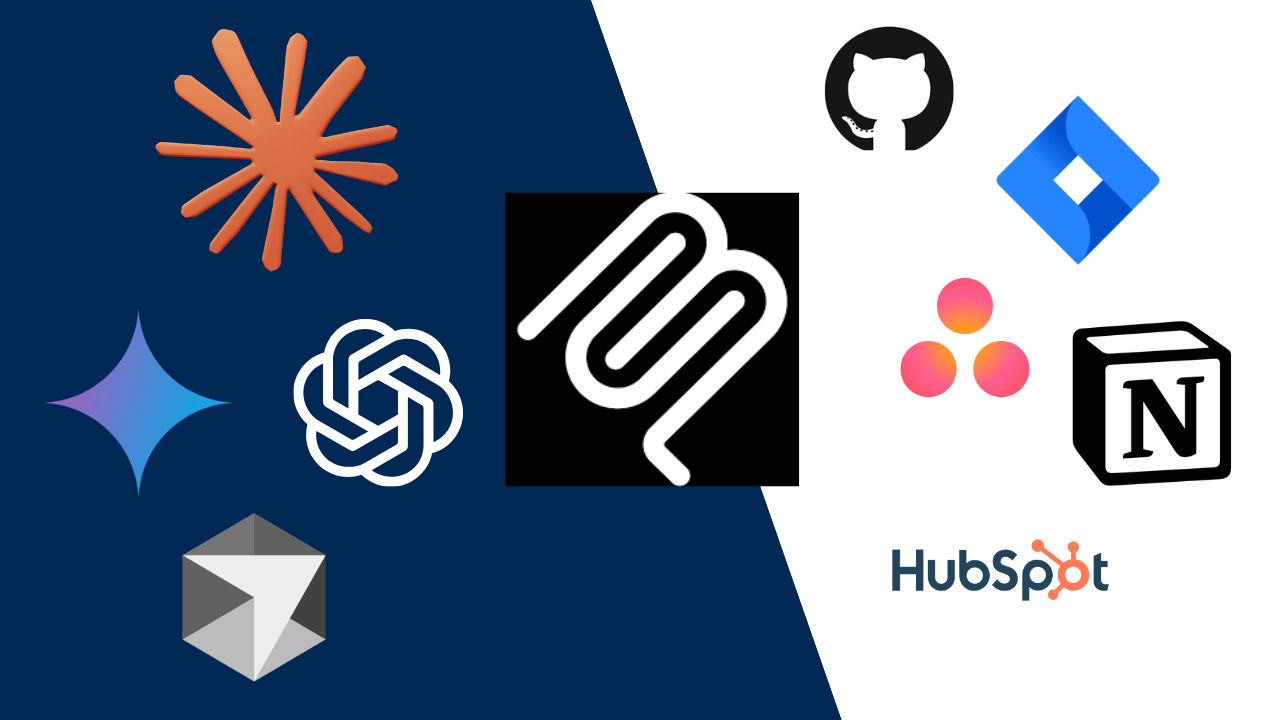
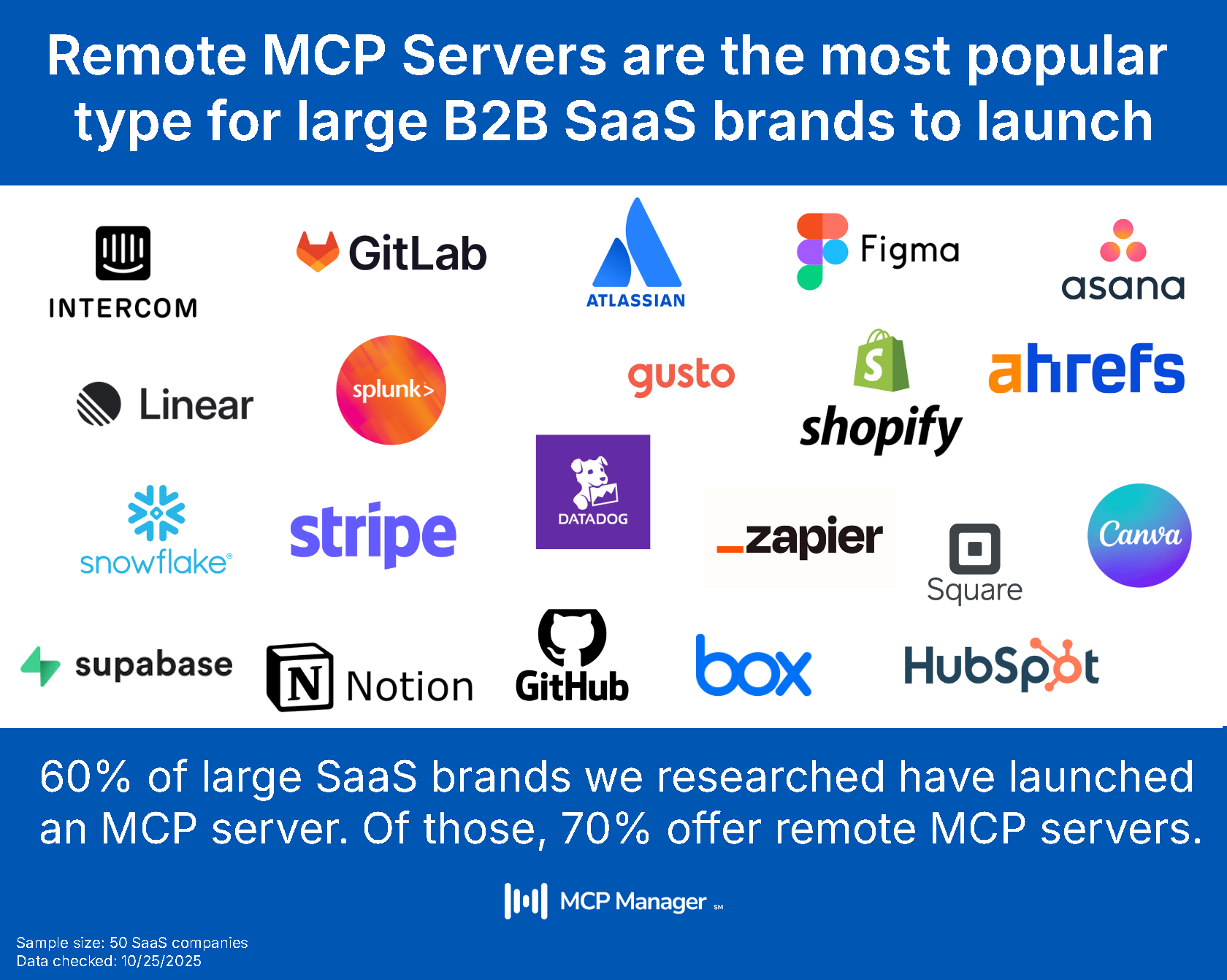
MCP, the Model Context Protocol, serves as the standard methodology for bridging AI agents with corporate tools and infrastructure. It supplies AI assistants with a structured interface designed to interact with business software like Jira, Salesforce, GitHub, Google Drive, and HubSpot.
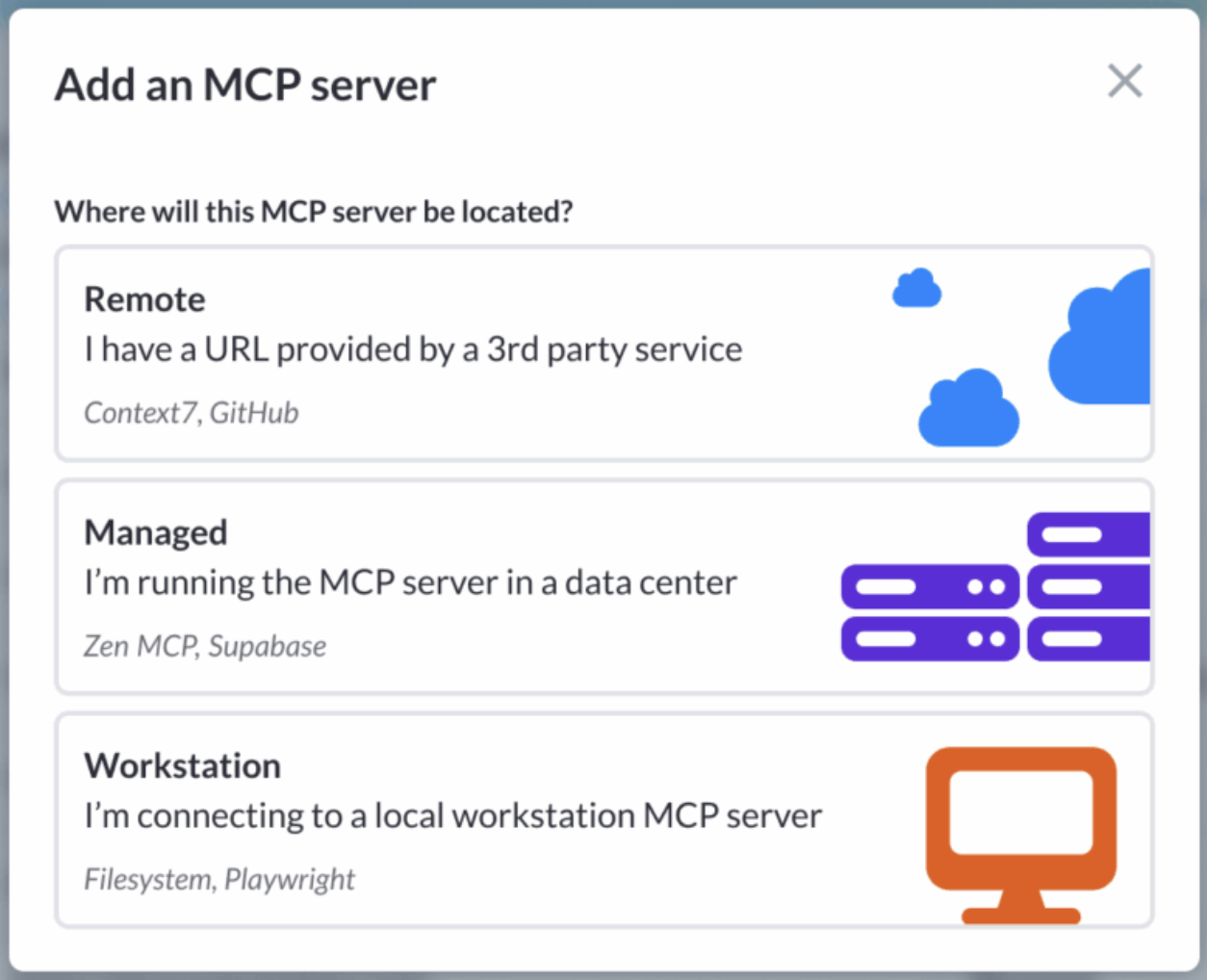
Remote MCP servers are the most popular type of MCP servers, but there are also local MCP servers that work on an employee’s workstation.
How MCP Works
MCP acts like “USB for AI” by standardizing how models plug into software, eliminating custom code. However, unlike simple hardware, there are many ways that MCP can deploy. We often say at MCP Manager that MCP has a lot of “dialects” and enterprises need to be able to speak them all. The MCP spec has many recommended (but not required) elements, resulting in a less homogenous set of servers to choose from than the “USB for AI” metaphor may imply.
Nonetheless, this standardized connection can facilitate the following things to flow bi-directionally to and from your AI client:
- Tools (executable actions for the agent)
- Resources (read-only context like documents and reference materials that the server offers on demand)
- Prompts (not the prompt your user types, rather server-authored templates a user invokes)
Tools are the most relevant and widely used for MCP. Fetch and search tools are also what enable the transfer of data from SaaS tooling to AI.
An AI client like Claude, ChatGPT, or Cursor connects to these servers and uses whatever tools and data they expose. Individual users can alter what tools an MCP server can access within their settings, but an admin can’t do this org-wide (or even team-wide).
For a single developer experimenting on their laptop, this works fine. For an enterprise with 15 teams running agents against 20 MCP servers, you’re looking at an unruly amount of connection points. Each one is a data flow that needs visibility, access control, and logging.
MCP vs. Traditional APIs
Traditional APIs have functioned as the core foundation of enterprise software integration for decades, excelling at predefined, highly structured data exchanges. However, they demand custom software development for each connection point and were not constructed to handle the fluid, context-dense interactions required by modern AI software.
MCP was designed specifically to support AI ecosystems. It enables agents to autonomously identify available tools, assess data access parameters, and execute operations using patterns natural to large language models. The variance between the technologies is pronounced: standard APIs are static and architected by software engineers, allowing users to approve a pinned version. In contrast, MCP is dynamic, directed by AI agents, and passes information at runtime. This elevated flexibility makes strong governance protocols essential.
For a detailed breakdown of how these protocols differ in security, context handling, and architecture, read our full comparison on MCP vs. APIs.
How Companies Safely Give AI Access to Internal Tools
The recommended approach involves deploying an MCP gateway. Positioned between AI clients and target MCP servers, this gateway intercepts and routes all traffic through a unified enforcement layer where IT and security personnel can apply organizational policies.
What an MCP Gateway Does
Consider this central layer between AI and MCP servers as the essential component for making MCP viable across large enterprises. MCP functions as an underlying protocol rather than a complete management suite. Just as email via SMTP required Microsoft 365 and identity management via SAML required Okta, standard MCP requires an administrative platform to handle company-wide deployment and security.
An enterprise MCP gateway delivers:
- A private registry listing vetted and permitted MCP servers, maintaining clear IT visibility over active integrations.
- Role-based access controls (RBAC) governing precisely which personnel can interact with designated servers and capabilities.
- Operational guardrails designed to intercept PII and confidential information before it reaches the model.
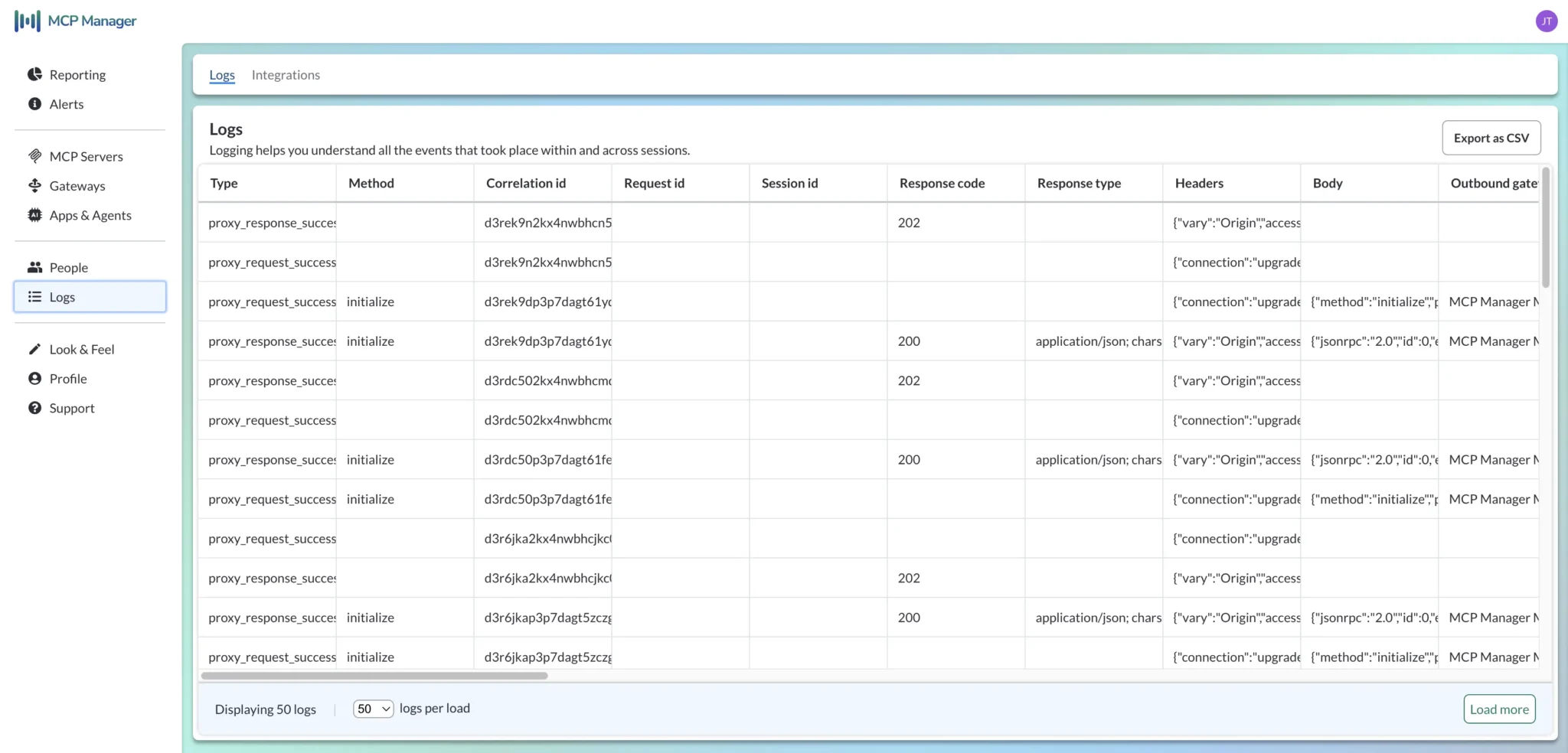
- Comprehensive audit logs that record every tool call, every data flow, and which user initiated it.
- A single gateway URL configured as the universal endpoint for all AI clients, including Claude, Cursor, and ChatGPT.
The end-user workflow remains entirely frictionless. Employees do not directly log into the MCP gateway; they simply launch Claude, select connect, complete a single authentication prompt, and begin working.
The Architecture in Practice
Here’s what a governed enterprise AI integration looks like:
- System administrators register sanctioned MCP servers within the private repository of the gateway.
- User groups are granted specific access privileges to designated tools and servers based on organizational roles.
- Custom guardrail configurations are applied per team: standard regex filters capture structured records like SSNs, Presidio (Microsoft’s open-source PII detection library) processes names and contact information, and optional custom configurations integrate directly with enterprise safety services like AWS Bedrock Guardrails or Azure AI Content Safety.
- Every enterprise AI client is pointed to the centralized gateway URL.
- When an employee links Claude to Jira, the connection passes directly through the gateway, which verifies identity permissions, inspects payload contents for PII, logs the transaction metadata, and either authorizes or blocks the transfer.
- System administrators retain complete operational visibility, while the end user experiences a seamless, standard Claude session.
What Are the Risks of Connecting AI to Internal Systems?
The associated security risks are concrete and clearly categorized rather than theoretical concerns. They involve actionable threat vectors and compliance vulnerabilities caused by unmonitored agent interactions with enterprise infrastructure.
MCP-specific Security Threats
- MCP Rug Pull: A compromised or malicious MCP server alters its exposed tool set following the initial connection setup. Because the system previously verified the server, the agent continues trusting it despite modifications in backend behavior—a tactic often called an “MCP rug pull.”
- Prompt injection through content: An agent retrieves information stored on an MCP server. If an external attacker embedded instructions inside that data, the agent may interpret and execute those commands. This vector, known as indirect prompt injection, poses severe risks because the model views incoming payload data as verified input.
- Privilege escalation: Agents possessing destruction tool access (rather than read-only or read- and write-only rights) have the capacity to delete database records or destructively modify system settings. Lacking granular tool-level controls that differentiate read and write operations from destructive actions, unintended actions can trigger significant technical disruption.
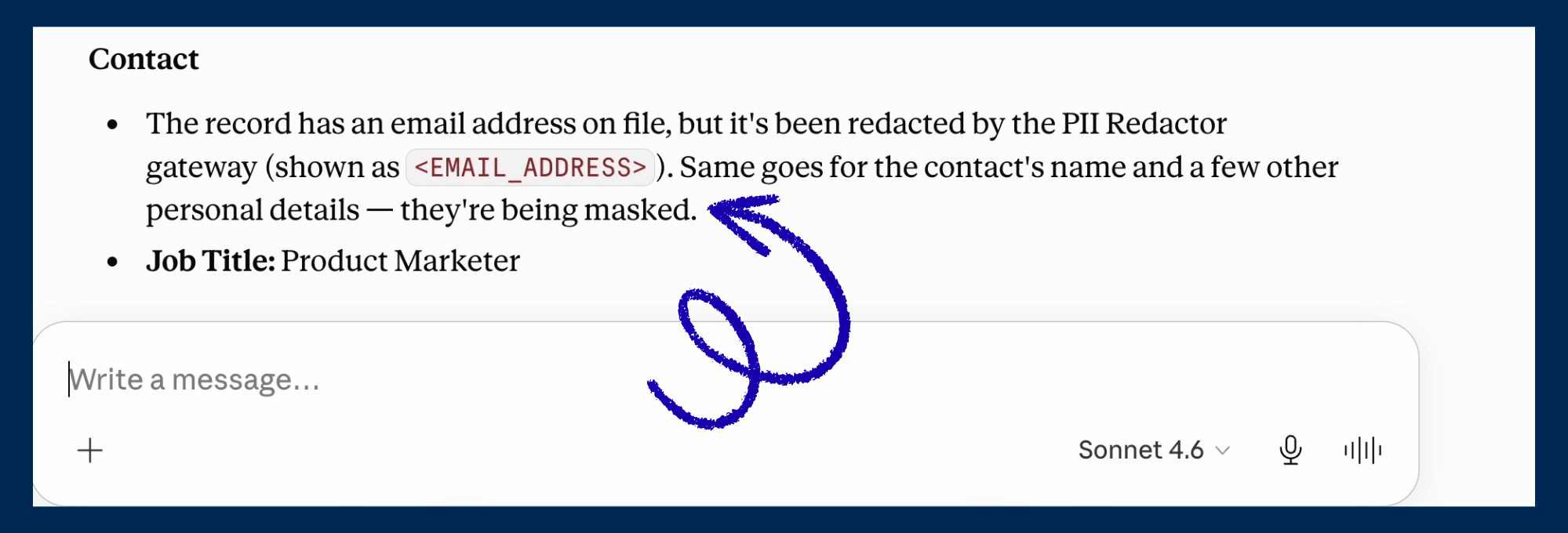
- PII leakage: An agent given access to enterprise support platforms or CRM systems can scan large quantities of data at computational speeds. While a human user reviews files selectively, an automated agent can systematically extract all readable records within its permission scope and transmit them to external models. Most buyers assume an agent operating under a user’s standard credentials carries no extra risk, but this is inaccurate; organizations routinely realize mid-deployment that AI agents must be restricted to access levels below human permission thresholds.
PII Redaction in Claude via MCP Manager’s Gateway:
Compliance and Audit Failures
For businesses operating in regulated markets, unmonitored integrations threaten regulatory standing:
- GDPR introduces strict mandates regarding erasure rights. Once personal data enters a model’s training or contextual processing flow, extracting that specific data becomes technically infeasible, leaving right-to-be-forgotten requests unfillable.
- DORA (the EU’s Digital Operational Resilience Act) requires complete event logging tied to specific individual users. Utilizing shared service credentials destroys this traceability, making it impossible to assign automated agent actions back to a single human actor.
- HIPAA mandates the removal or masking of explicit identifiers (including individual names, contact emails, birth dates, and Social Security numbers) prior to model processing. Healthcare organizations typically present HIPAA requirements alongside SOC 2 and HITRUST validation expectations.
- Failing to generate comprehensive log records constitutes a regulatory breach in itself, regardless of whether an active data compromise occurred.
What the Standard Enterprise AI Architecture Looks Like Today
Organizations successfully navigating these challenges utilize a repeatable framework. Instead of treating AI integration as a series of isolated implementations, they engineer scalable infrastructure. This often involves an AI governance platform that provides the controls enterprises need to connect business systems to AI.
The Governed AI Stack
A modern production enterprise AI stack consists of:
- User-facing AI clients (such as Claude, ChatGPT, Cursor, and Copilot) utilized for daily operations.
- An MCP gateway routing every agent-to-tool request through a single, centralized policy engine.
- Corporate identity providers (including Okta, Entra ID, and Google Workspace) tied in via SSO to match software permissions against pre-existing user directories.
- Enterprise observability platforms (such as Datadog, Splunk, Sentinel, and Grafana) capturing log streams exported via OpenTelemetry for long-term audit preservation and threat detection.
- Automated guardrail engines (built on regex, Presidio, or AWS Bedrock Guardrails) inspecting data streams prior to language model ingestion.
This architectural pattern allows IT and security leadership to answer key operational questions: identifying active users, tracking data destinations, and reconstructing event timelines when anomalies occur.
MCP gateways act as a central layer to monitor
and control data flows between MCP and AI:
Supporting Both Local and Remote Servers
A majority of enterprise AI solutions focus exclusively on managing cloud-based remote MCP servers. However, software engineers frequently run local servers directly on their development workstations, creating an equivalent management blind spot. A complete management architecture must govern both environments.
Through a CLI tunnel utility, tools like MCP Manager enable developers to install a local client that bridges STDIO-based laptop servers directly to the central gateway, ensuring local environments receive identical security oversight to remote cloud infrastructure.
How to Get Started with Enterprise AI Integration
Implementation does not require an immediate, total overhaul of all operations. Focus first on high-priority systems and scale outwards incrementally.
- Catalog existing usage. Identify the specific MCP servers and AI platforms currently active across departments. Knowing what tools agents can access and what AI tools employees are using is table stakes for proper AI governance.
- Select an appropriate gateway. Assess available MCP gateway products based on core administrative criteria: detailed access management, automated PII filtering, full transaction logging, support for local alongside remote servers, and compatibility with your existing identity management and security logging stack.
- Restrict client connectivity. If operating tools like Claude Enterprise, establish strict allow-lists specifying that connections must pass exclusively through the designated gateway, eliminating unmonitored workarounds without interrupting daily usage.
- Define team-specific rules. Uniform global restrictions can work in some instances (e.g., disallowing agents from accessing PII or sensitive data). However, operational requirements vary: customer support teams interacting with HubSpot need only read-only access, whereas software developers connecting to GitHub may need write and even destructive tool access.
- Route log streams to your SIEM. Standard MCP native logs are sufficient for basic troubleshooting, but lack the depth required for regulatory compliance audits. Send telemetry data to platforms like Splunk, Sentinel, or Datadog via OpenTelemetry to retain complete context metadata.
Audit logs in MCP Manager:
How Proper Governance Powers the Next Generation of Enterprise AI Integration
Integrating AI into enterprise environments is no longer primarily a technological hurdle. The MCP protocol is established, functional AI clients are deployed, and compatible MCP servers exist for platforms like Jira, Salesforce, GitHub, and Google Drive. The main missing element is the overarching governance infrastructure needed to connect these platforms without sacrificing visibility or security control.
Market leaders are those moving past the false choice between blocking AI usage entirely or allowing unmonitored execution. They have put essential governance foundations in place: an enterprise gateway, clear data guardrails, structured audit trails, and role-based access rules that let teams safely utilize AI alongside actual corporate data.
If you’re evaluating how to connect AI to internal data across your org, MCP Manager is worth a look. Start a free trial or book a demo to see how it works with your stack.
FAQ
How are enterprises connecting AI assistants to their internal systems and data?
Most organizations implement the Model Context Protocol (MCP) to link AI interfaces like Claude or ChatGPT directly to corporate software such as Jira, Salesforce, and GitHub. Deploying an MCP gateway routes all interactions through a centralized control layer that applies access management, data filtering, and logging.
What is the standard way to connect AI agents to enterprise data?
MCP has emerged as the industry-standard protocol, supplying AI agents with a structured layout to query and manipulate operational systems. Within enterprise deployments, traffic is routed through a dedicated gateway supplying RBAC, PII masking, and unified auditing.
What are the risks of connecting AI to internal systems without governance?
Core risks involve unauthorized PII extraction (agents scanning accessible records systematically), tool poisoning attacks (compromised integrations altering operational behavior post-connection), indirect prompt injection through data files, and compliance breaches stemming from absent audit trails.
Can an MCP gateway work with any AI client?
Yes. A single gateway endpoint accepts connections from Claude, ChatGPT, Cursor, Copilot, and various custom agents. Incoming requests route through the shared address where permissions, security policies, and activity logging are processed universally.
Does enterprise AI integration require replacing existing security tools?
No. An MCP gateway complements existing infrastructure, integrating directly with identity providers (Okta, Entra ID), monitoring systems (Datadog, Splunk), and cloud security options (AWS Bedrock, Azure AI Foundry) to add a governance layer tailored specifically to AI traffic.
How do I prevent employees from bypassing the MCP gateway?
A gateway is best paired with client-level restrictions. Using administrative settings such as Claude Enterprise allow-lists, network policies, and endpoint MDM profiles, organizations can restrict permitted callback targets to the gateway URL, making it the primary accessible path.
What about local MCP servers running on developer laptops?
Standard management solutions frequently miss local environments. Systems like MCP Manager solve this via a CLI tunneling client that connects local laptop-based STDIO servers back to the central gateway, enforcing identical security controls across cloud and local endpoints.
How long does enterprise AI integration take?
Initial setup can be completed quickly; technical leaders have configured working guardrails in under 30 minutes using standard documentation. Complete corporate rollouts scale incrementally, starting with an initial group to validate security models before expanding across additional teams.
Is PII filtering reliable enough for regulated industries?
Because PII inspection mechanisms are non-deterministic, organizations must list third-party AI sub-processors within relevant data processing agreements. Nevertheless, intercepting PII prior to model transmission offers a strong operational control necessary for meeting HIPAA, GDPR, and DORA standards.