AWS Bedrock Guardrails for MCP: Block PII from MCP Manager




MCP Manager now supports AWS Bedrock Guardrails using our enhanced custom rules engine. This integration allows you to block or mask sensitive data that MCP servers would otherwise send to agents.
When you create fine-grained guardrail policies in AWS Bedrock and integrate them into any MCP gateway, you can then do things like mask names and emails or block financial data. You can even block certain topics (e.g., salary information) from hitting models.
Key Takeaways
- When you connect a tool to an AI agent via MCP, the agent can access sensitive data in that tool.
- Once data reaches a model, there’s no taking it back. Therefore, you must enforce controls before MCP servers send data to agents, not after it.
- MCP Manager now supports AWS Bedrock Guardrails as a custom rules engine, applied at the MCP gateway layer. This is an improvement to our regex-based content filtering and Microsoft Presidio PII detection.
- You can mask PII types including names, emails, and financial data. You can even block topic categories and words. Setup takes as little as 15 minutes.
How does the AWS Bedrock Guardrails integration work in MCP Manager?
Setup has two parts: configuring the guardrail in AWS, then connecting it to MCP Manager.
You can watch the video demo below to see how this works, or keep reading to get an overview.
Step 1: Create PII Guardrails in AWS Bedrock
In AWS Bedrock, you create a guardrail and define your policies: which PII types to mask, which topics to block, whether to enable prompt injection detection.
Once done, you will get an ARN and version number, along with some other details you’ll input into MCP Manager when creating your custom riles engine.
Step 2: Integrate Bedrock Guardrails Into MCP Manager
In MCP Manager, go to Integrations and select Rules Engines.
Add a new rules engine, select AWS Bedrock Guardrails as the provider, give it a name, and paste in the guardrail ARN. MCP Manager parses the region and guardrail ID from the ARN automatically. Then attach the rules engine to any gateway under the Rules tab.
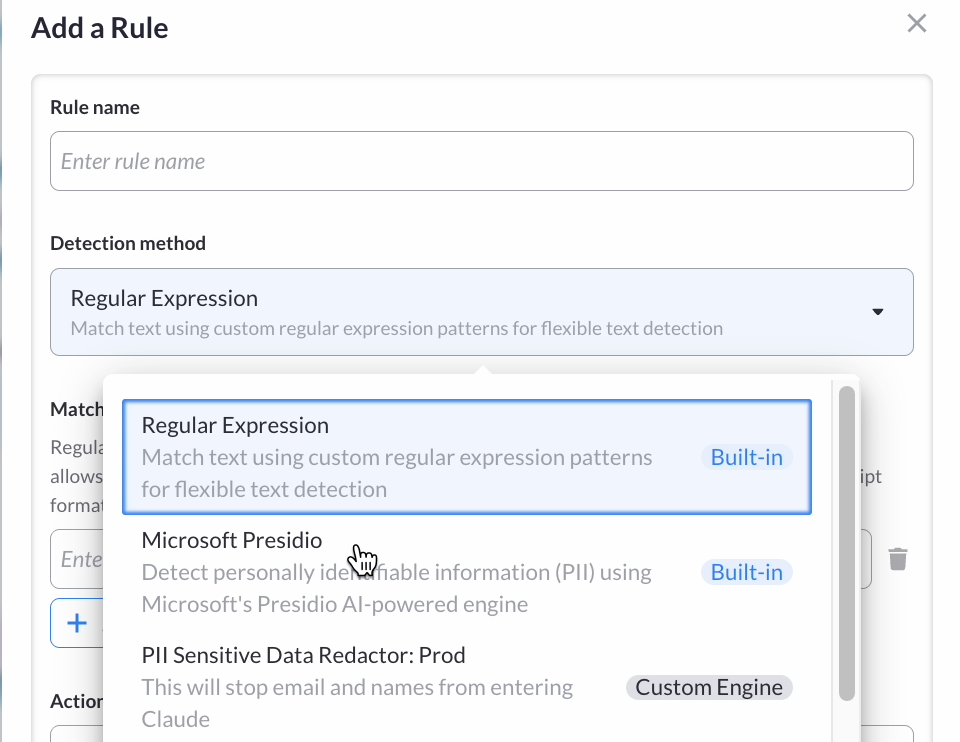
From that point, every request through that gateway runs through your Bedrock policy. Masked values are replaced with identifier tags. Blocked topics reject the call. The whole thing takes about 15 minutes if your guardrail is already set up in AWS.
What Masking PII Looks Like in AI Clients
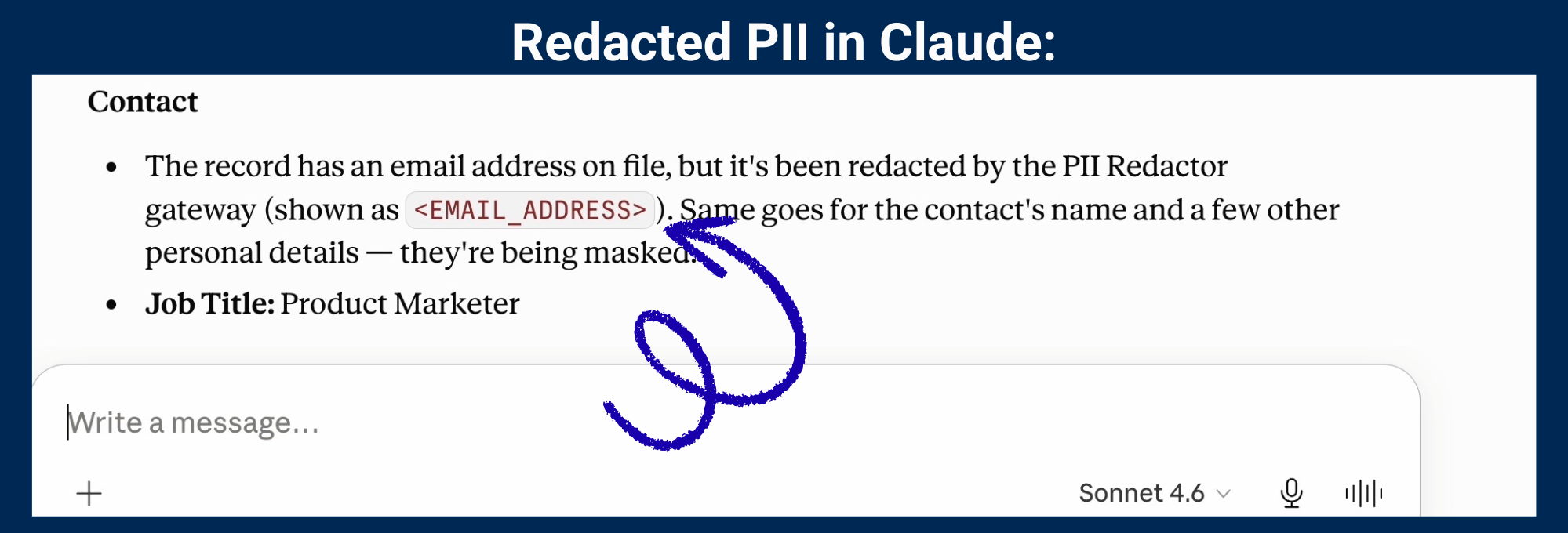
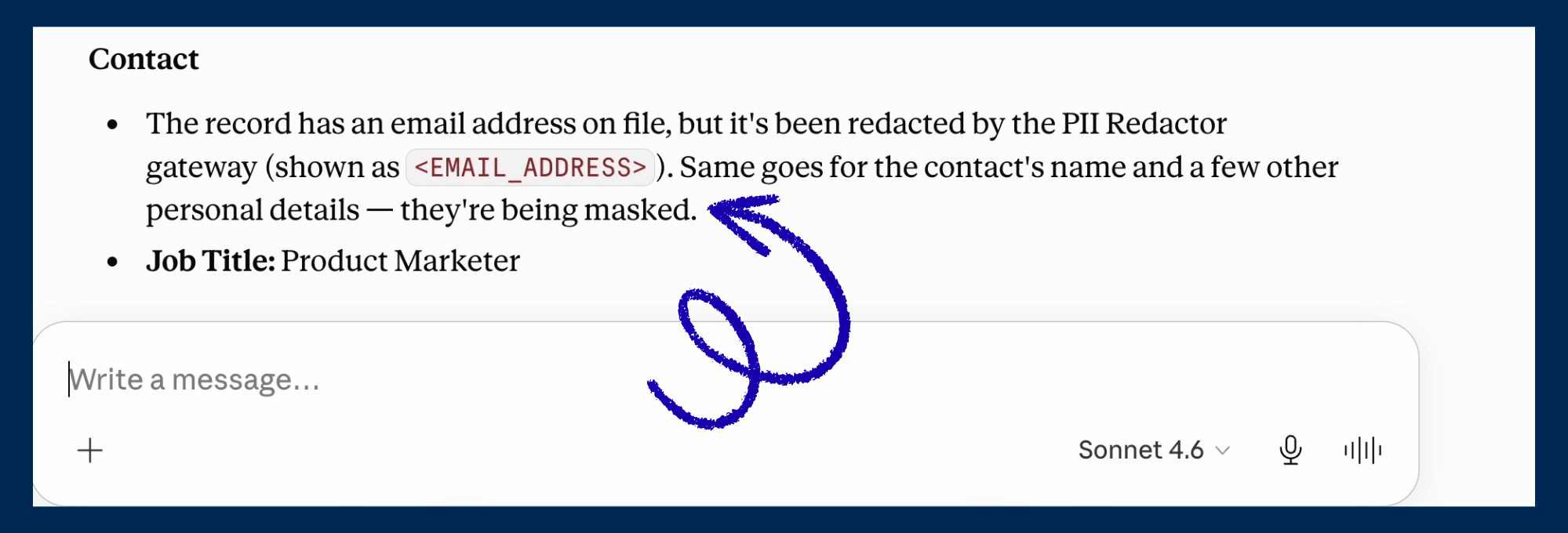
Once you query for the data in clients like Claude, you’ll see redacted information (if you choose the mask option in AWS). If you choose the block option, you will get even less information back from the MCP servers.
What PII types and content can you block or mask with Bedrock Guardrails?
AWS Bedrock Guardrails supports PII detection across a wide set of sensitive data types, with options to block requests entirely or mask the sensitive value and replace it with an identifier tag. Built-in PII categories include:
- Names and email addresses (the most common requirement for teams connecting CRMs under GDPR)
- Phone numbers and physical addresses
- Financial identifiers: credit card numbers, bank account numbers
- Government identifiers: social security numbers, driver’s license numbers
- Technical credentials: AWS access keys and other secrets
Other PII blocking and masking options in AWS Bedrock
You can also define custom regex patterns for data types specific to your org, like internal account IDs or booking references.
Beyond individual fields, topic blocks let you restrict entire content categories by plain-language description. Define “employee salary information” as a blocked topic and Bedrock will block any request that falls into it, regardless of how it’s phrased. This is useful for teams using Google Drive or Notion via MCP who want to make sure certain document types never reach an agent.
Bedrock Guardrails also expanded its prompt injection detection in November 2025 to cover code-related use cases, including harmful content in code comments, variable names, and string literals.
FAQ
What is AWS Bedrock Guardrails?
AWS Bedrock Guardrails is a configurable safety layer inside Amazon Bedrock. Teams use it to define policies for PII detection and redaction, topic blocking, content filtering, and prompt injection detection. Policies apply to model inputs and outputs and can be enforced across all AI interactions via IAM policy-based enforcement, announced by AWS in March 2025.
How do I connect AWS Bedrock Guardrails to MCP Manager?
After creating your Bedrock Guardrails in AWS, go to Integrations in MCP Manager and select Rules Engines. Add a new engine with AWS Bedrock Guardrails as the provider. Paste in your guardrail ARN, authenticate with an API key, and attach the rules engine to any gateway. Every request through that gateway then runs through your Bedrock policy before reaching a model.
What happens if AWS Bedrock is unreachable when a request comes through?
The default is to block the request. MCP Manager fails closed, not open. If that’s too restrictive for your use case, you can configure it to allow requests through when AWS can’t be reached.
Do I need to be running AI workloads on AWS to use this integration?
No. You need an AWS account to create and manage the guardrail, and AWS charges for tokens evaluated. But the integration works with any MCP-compatible AI client, including Claude Desktop, Cursor, and others.
Does the Bedrock Guardrails integration protect against prompt injection?
Yes, if you configure it. Bedrock’s prompt attack filter can be included as part of your guardrail policy. MCP Manager applies it at the gateway layer, so it covers all traffic through that gateway regardless of which server or client is involved.
Does this work for teams with GDPR or DORA compliance requirements?
PII masking at the gateway layer is directly relevant to both. Under GDPR (2016/679), personal data like names and email addresses requires a lawful basis to process. Masking before the data reaches a model helps maintain that boundary. Under DORA (in force January 2025), financial firms need individual-level audit trails for AI interactions touching customer data. MCP Manager’s audit logs, combined with Bedrock’s guardrail policies, support both requirements.