How to Secure Local MCP Servers with an MCP Gateway




Local MCP servers run on employees’ workstations, accessing files and programs in the process. They are also the servers your security team can’t see.
A remote MCP server sits at a URL. You can easily put an MCP gateway in front of it, log every call, and apply policy. A local server is different. Because it runs ons someone’s laptop, talks over stdio, and touches things like the file system, IDE, browser, and whatever credentials happen to be sitting on that machine, not all MCP gateways work with them. However, we will cover how you can.
In this post, we unpack:
- challenges and security threats that come with local MCPs
- an end-to-end demo of how to secure local MCP servers
- the three things you’ll want to adjust when governing local MCPs
Local MCP Security Threats and Challenges
Let me just state the obvious: most AI users will never use local MCPs.
Local (or workstation) MCP servers are generally popular with developers. Servers like Playwright that automate testing (and, thus, need browser access) or Filesystem MCP (which offers secure file operations) are prime examples of local MCPs.
However, local servers require configuration that most knowledge workers/non-engineers won’t feel comfortable doing. To be honest, this is a good thing because if IT teams had to configure servers across all employees’ workstations, they’d be even more overburdened than they already are.
It’s generally engineers who are pushing the limits of AI that want to use local MCPs. However, this is also problematic as it’s not unusual for these engineers to have IT access keys, bearer tokens, API token and other secrets sitting on their workstation—perhaps even in an mcp.json file.
Production-access tokens can sit on a user’s machine. Any kind of vulnerability that can read files (even rogue VS Code extensions) could just extract them and place them somewhere nefarious.
In short, local MCP servers are powerful for developers but offer challenges like:
- their proximity to production-access tokens can increase attack surface
- lack of visibility / audit logs (which regulated industries need)
- no governance IT can impose
This is why you see so many MCP servers are remote. If I didn’t scare you off too much from local MCPs, then let’s proceed. As MCP gateways that provide governance for local servers (such as MCP Manager) can help you.
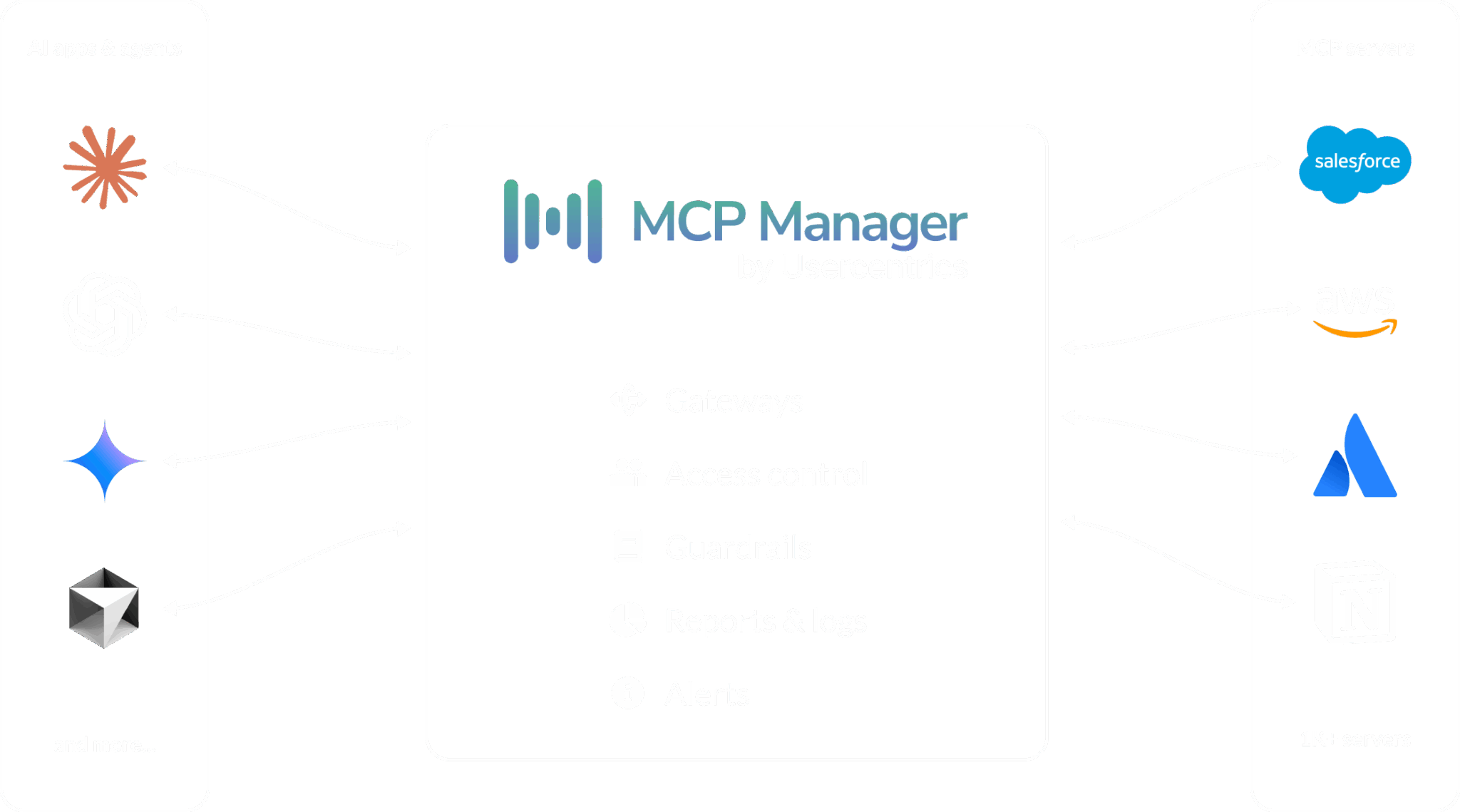
Most MCP gateway users connect remote servers. (See below.)
But MCP Manager also can work with local servers.
MCP Gateway Demo for Local MCP Security
I sat down recently with Sam Batista, an engineer at MCP Manager. Sam provided an end-to-end demo of how our MCP gateway (which acts as a central layer to control data flows and tool calls between MCPs and AI systems) works with local MCPs.
In this demo, Sam used Chrome DevTools MCP, a server that drives a real browser on his machine. We first showed how he ran it through MCPJam and then Claude, all with the governance, auditing, and controls imposed by the gateway.
If you’re too busy to watch this video at even 2x speed, here is a quick TL;DW of the demo above:
- Add a local server in MCP Manager. Sam then added an instance, pointing it at the command that starts the local server (in this case npx chrome-devtools-mcp, running on port 8008), along with any environment variables and arguments that the server needs.
- Run two generated commands. Run two generated commands. The first starts the MCP server itself. The second starts our local proxy, which opens the encrypted tunnel back to MCP Manager. The proxy runs as a terminal dashboard, showing each connection step. (It turns green when each step is complete.)
- Test the connection. MCP Manager runs the initialize handshake and a tools/list call to discover what the server can do. Sam has the tunnel’ log view open while he does it, so you can actually watch that traffic move in real time.
- Assign the server to a gateway. Then connect to a client. Sam used MCPJam Inspector to call tools by hand, including the OAuth handshake between client and gateway. He then connected to Claude for funsies.
- Invoke a tool. He calls new_page on google.com, and a browser opens on his machine, driven through the gateway. Each message in both directions is logged in the terminal and in MCP Manager.
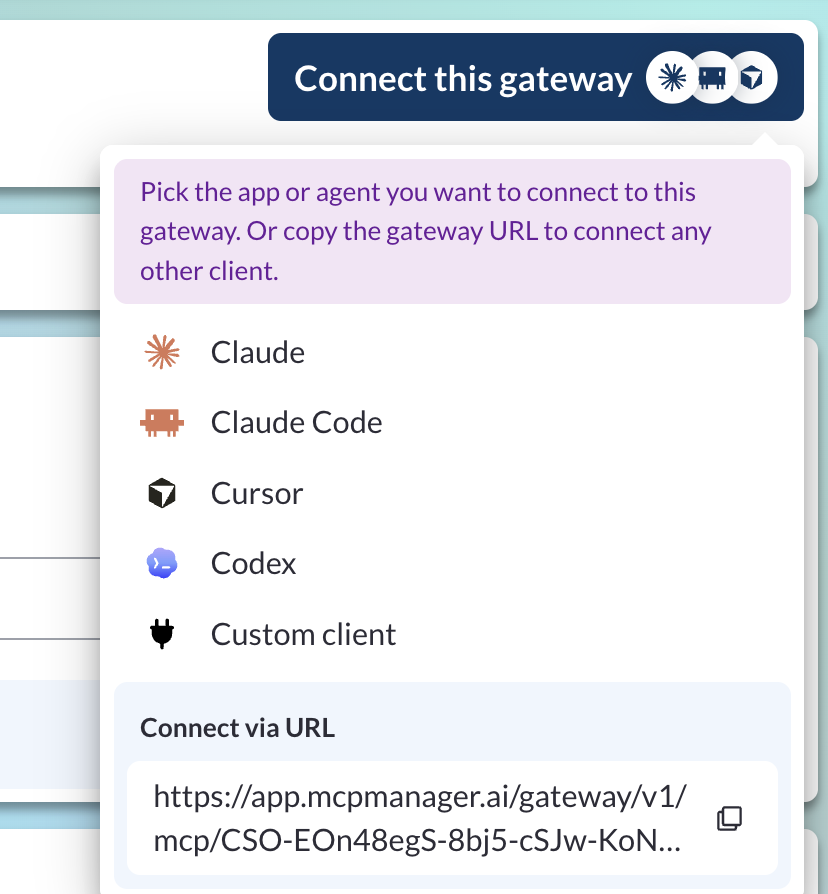
One thing I’ll add: connecting an AI client to the gateway that has the local MCP server in it takes only the gateway URL. Auth type and flow are negotiated automatically through the protocol. MCP Manager has a “Connect this gateway” button that pre-fills the configuration for popular clients, so adding the gateway to Claude is a couple of clicks.
3 Things to Change Once Local MCPs Are Behind a Gateway
Gateways offer a lot of governance and visibility. Here’s what admins will want to adjust when putting local MCPs behind a gateway:
- Limit what sensitive data the server can access. MCP Manager’s rule engine lets you apple rules to the connection. Examples include blocking access to sensitive IT access keys/secrets and filtering PII out of MCP responses (important for regulated industries).
- Tool-level provisioning. The moment the server is on a gateway, admins decide which tools are exposed. You can decide to disallow destructive tools, only only read-only tools, or even pin the version of the tools you approve (which would prevent threats like MCP rug pulls).
- Get an audit trail. Every call through the gateway will get logged (unless you choose the ZDR logging options in your workspace). Teams working under DORA or HIPAA regulations need AI audit trails.
Explore MCP Manager’s MCP Gateway
Want to add governance and observability to your local and remote MCP servers?
Book a demo to explore how MCP Manager can do things like:
- redact PII and PHI from ever hitting AI systems
- get audit logs for forensic analysis and auditors
- control what teams and agents can access what tools
- decrease exposure AI has to sensitive systems
You can also sign up for a free 7-day trial. Or check out the demo below to explore more how MCP gateways work.