New in MCP Manager: Host and Secure Your Own MCP Servers




Some of the MCP servers that your company wants to use might exist only as code. Whether it’s an open-source project on GitHub or a server your engineers built for an internal API, you need to figure out how to deploy it before anyone can use it.
Oh, and let’s not forget that you also have to run, maintain, and secure it. That’s where an MCP gateway can help, especially because MCP Manager now turns self-hosted MCP servers into an easy-to-follow guided setup.
Just point MCP Manager to the server you want to spin up, run one prompt in your coding agent, and voila… the server deploys to your own Railway account. You can then connect the server to our MCP gateway so that you can enforce policies and prevent security threats.
How It Works
Hosting an MCP server with Railway and MCP Manager is easy. Just follow these steps.
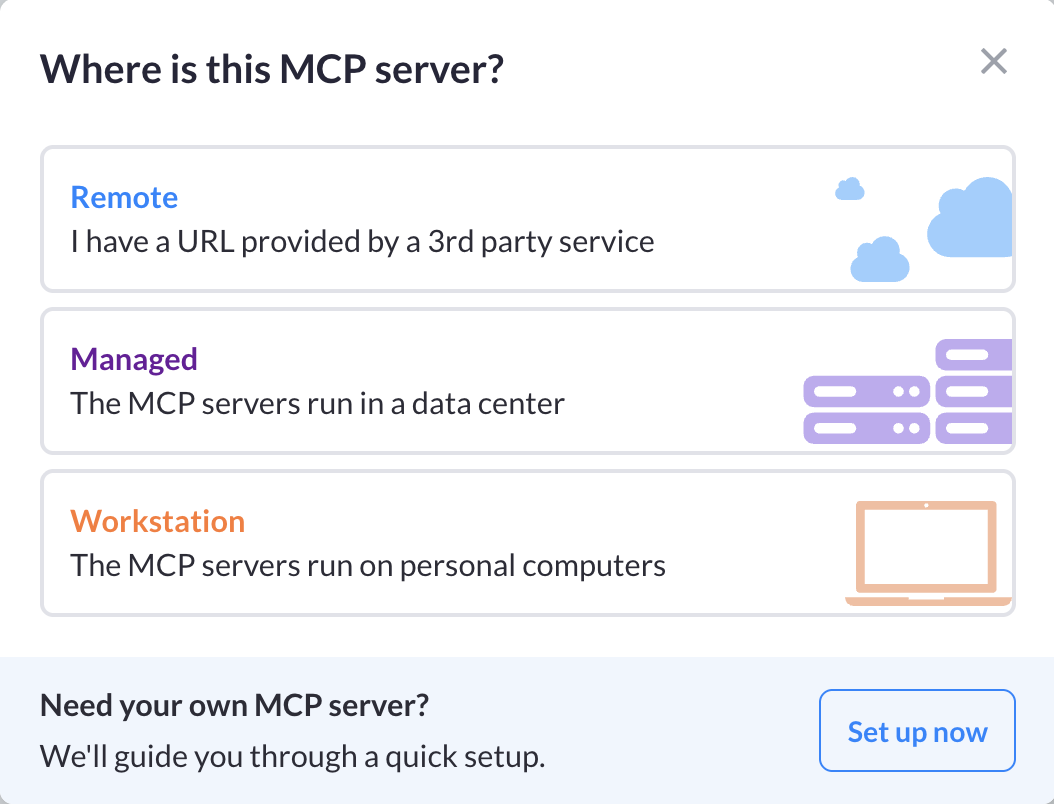
STEP 1: Click “Add server” in MCP Manager
Then, choose “Set up now” under the workstation option.
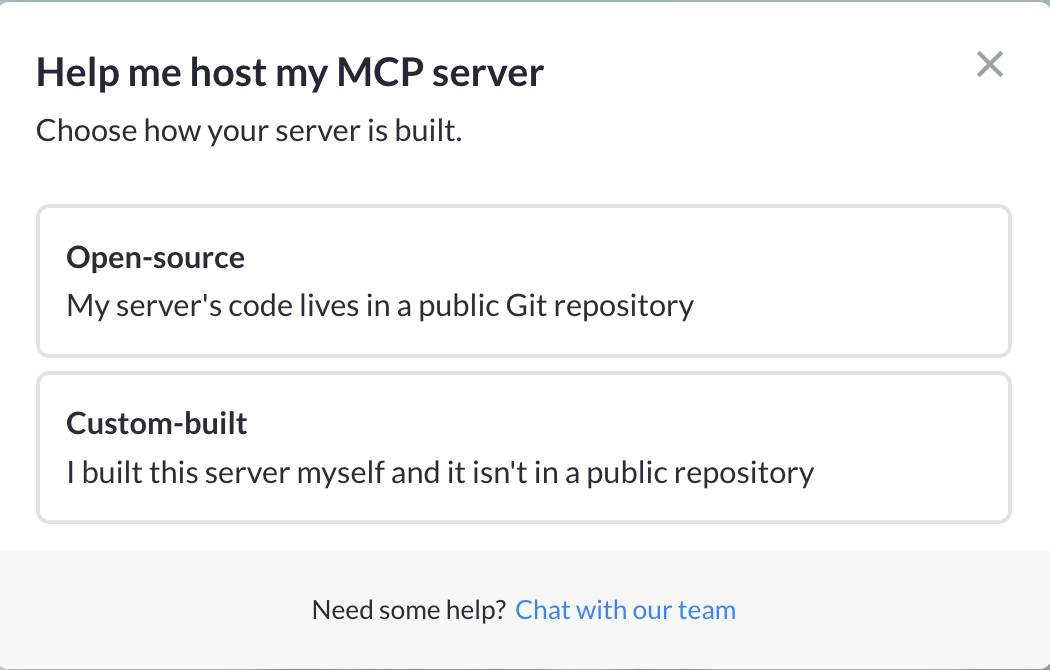
STEP 2: Pick the build type
Tell MCP Manager whether it’s an open-source server or one you built.
STEP 3: Connect the repo
Past the server’s HTTPS repo URL (public or private).
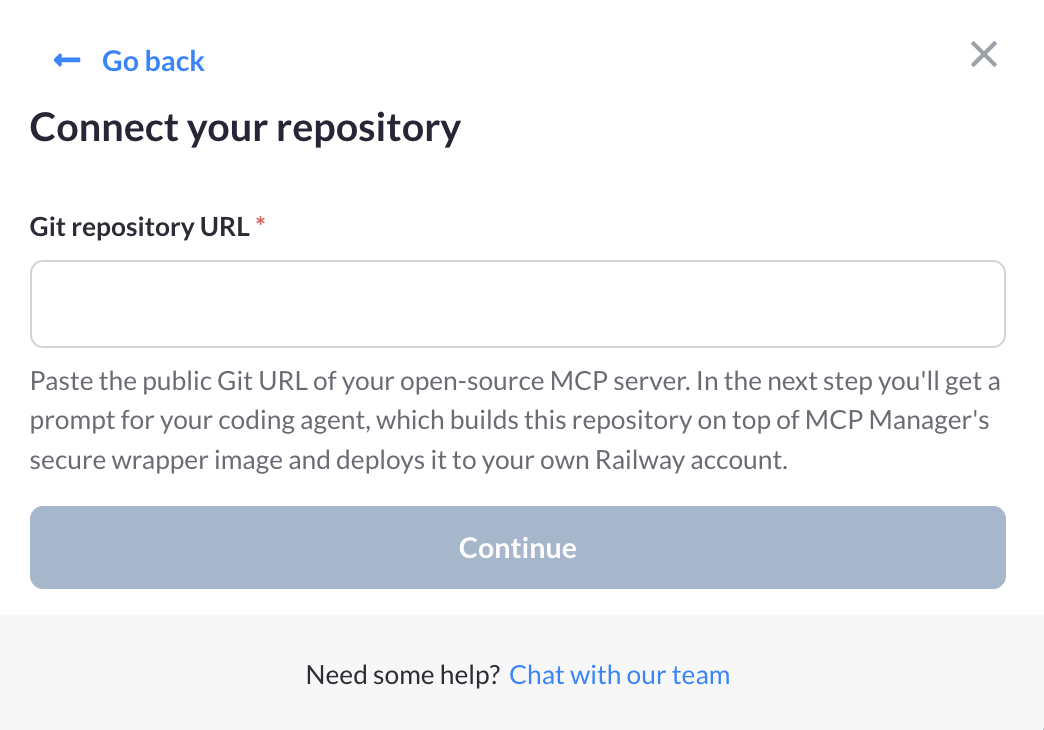
STEP 4: Run one prompt
Choose Claude Code, Codex CLI, or Gemini CLI. Simply copy the generated prompt into it. Your agent will then install the Railway CLI, wrap the server in MCP Manager’s secure base image, and deploy it to your Railway account.
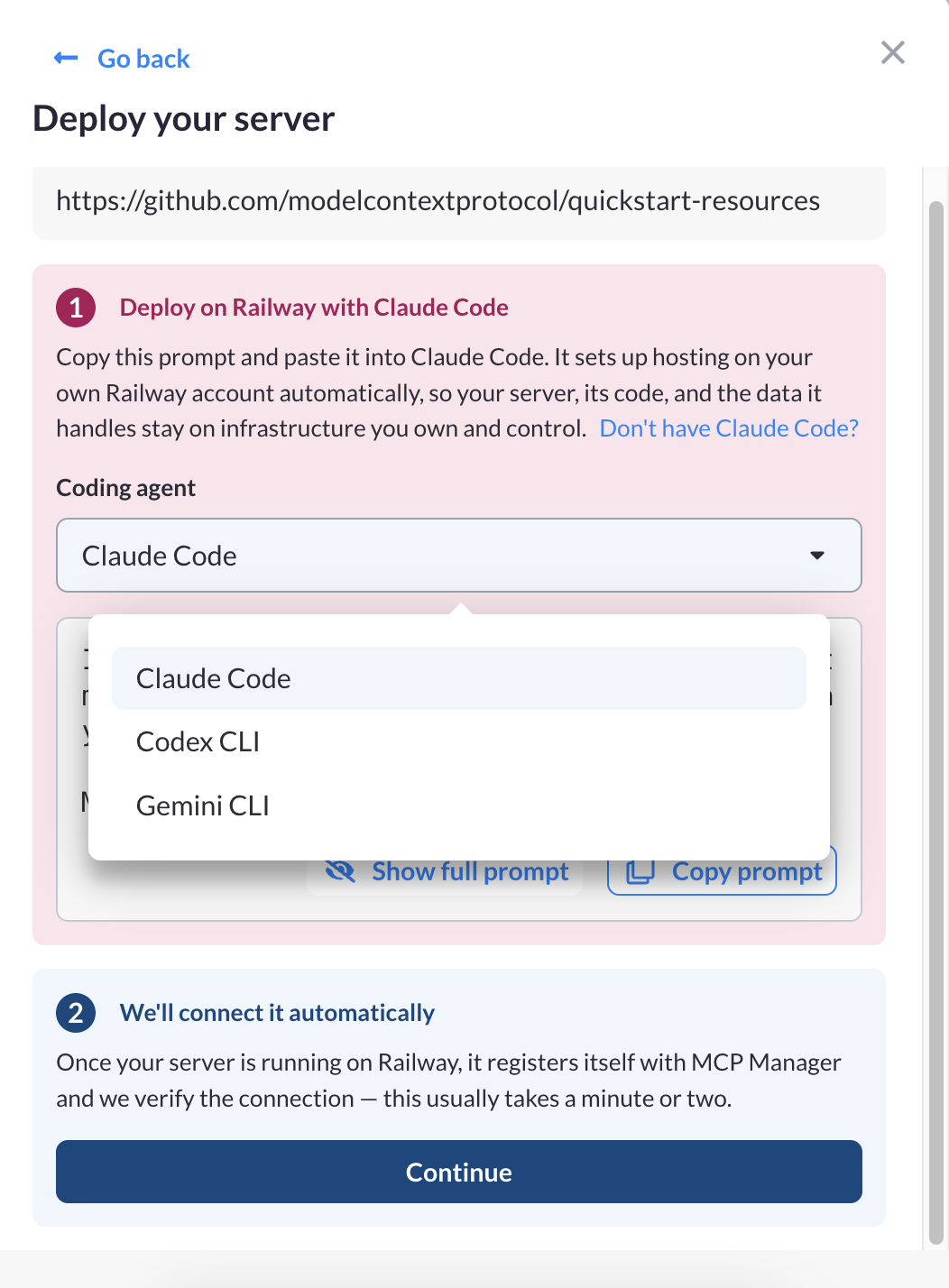
STEP 5: Watch it connect
Once the server is live, it will check in with MCP Manager. Our gateway will verify it, learn its tools, and mark it as connected. (Just like we do with all remote and local MCP servers.)
You can then add policies to it to secure and govern your server.
Demo: Self-Host MCP Servers with Railway and MCP Manager
Check out the video below to see it in action! Our engineer manager, Patrick Shanley, will show you how it works.
Who This Helps
Teams kept asking us how to run MCP servers that dont’ come with a hosted version. (We even had people using our local MCP server support to stand up open-source servers). We wanted to offer a guided self-hosting option (that was cost effective) to make working with custom built or open-source MCP servers easier.
Teams using this option in MCP Manager can expect:
- Governance from the first call. The gateway governs what tools and data flow through the server to AI (and vice versa). And because MCP Manager works as a managed server instance, your self-hosted MCP will get the same identity, access policies, and logging as every other server behind your gateaway
- Your infrastructure = your keys. The server runs on your own Railway account (which is very affordable — check pricing below). MCP Manager never runs it on our own hardware and never holds a Railway or git credential.
- Locked down by default. Open-source servers and custom-built servers need auth (like the others do). We help you figure that out easily, while also providing security threat prevention from attacks like MCP rug pulls.
- Your AI does the setup. Your coding agent handles the Railway CLI, the Dockerfile, and the deploy.
- Clean teardown. When you delete the server in MCP Manager, you will get a teardown prompt for your agent, so nothing keeps running on Railway by accident.
- Clean teardown. When you delete the server in MCP Manager, you get a teardown prompt for your agent, so nothing keeps running on Railway by accident
Why We Chose Railway
Agents can run Railway end to end. Its CLI covers everything from first deploy to teardown, which is what makes a one-prompt setup possible.
Its pricing and functionality also fit how MCPs behave. Most servers sit idle between calls, and Railway’s usage-based billing suits that.
Railway Pricing
Railway current offers a free plan and a free trial with no credit card required (as does MCP Manager). So, you can test a server before paying anything. Our own team runs MCP servers on Railway’s entry paid plan.
| Plan | Railway Pricing Info |
| Trial | Free for 30 days, no credit card |
| Hobby Plan | minimum of $5/month usage |
| Professional Plan | minimum of $20/month usage |
| Enterprise Custom | inquire to Railway |
Railway is a seperate company, not affiliated with MCP Manager by Usercentrics. You sign up and pay Railway directly, and its terms and pricing are its own. Check Railway’s pricing page for more info.
Get Started
You can book a demo to explore what else our MCP gateway does. Alternatively, you can start a free one-week trial and dive right in.
Not sure what an MCP gateway is? Check out the overview below where we explain how MCP gateways help you deploy servers safely and securely.