How to Block Google Drive Folders from AI with MCP an Gateway




Connecting the Google Workspace MCP server directly to an AI client is quick and easy. However, it doesn’t offer the controls that many enterprises often need to confidently move forward with an org-wide MCP and AI rollout.
Once Google Drive is reachable to AI systems, everything a user can see becomes something an agent can also pull. This can include sensitive information from HR folders (e.g., employee compensation), legal files, finance documents, and whatever else a company has amassed over the course of its history in Google Workspace. Often, companies block Google Workspace MCP because of these concerns.
However, there is another way: MCP Manager offers a Google Drive Folder Blocker as one of our MCP gateways rules. Admins can apply this rule on the gateway, enforcing policies from the office of AI or IT departments.
In this post, we’ll cover:
- Why RBAC is not always the right boundary for MCP connectors
- How the Folder Blocker works as a managed rule engine you attach to an MCP gateway
- What secure blocking entails, including how blocking a top-level folder blocks other child folders within it
- Google’s own Workspace MCP server being available in Developer Preview only (and what to use instead)
Why RBAC is not always the right boundary for MCP
Access control assumes intent. When an employee opens a folder, the org relies on that person knowing what they are opening and why. There’s also a reason why this person has access to this folder.
However, just because a human has access to files does not mean that agents need to. Similar to how you want to redact MCP servers (like CRMs or finance tools) from sending PII, you don’t need to send every piece of data over to an agent. There is a reason user data lives in a CRM. There isn’t a valid reason why it lives in Claude.
Similarly, you don’t need to give the agent the same level of access to Google Drive files as the human authorizing the MCP connection has. That’s where an MCP gateway comes in.
Google Drive permissions decide what a person can open. An MCP gateway rule decides what their AI clients and agents can open.
How MCP Manager’s Gateway Helps Teams Go Beyond RBAC
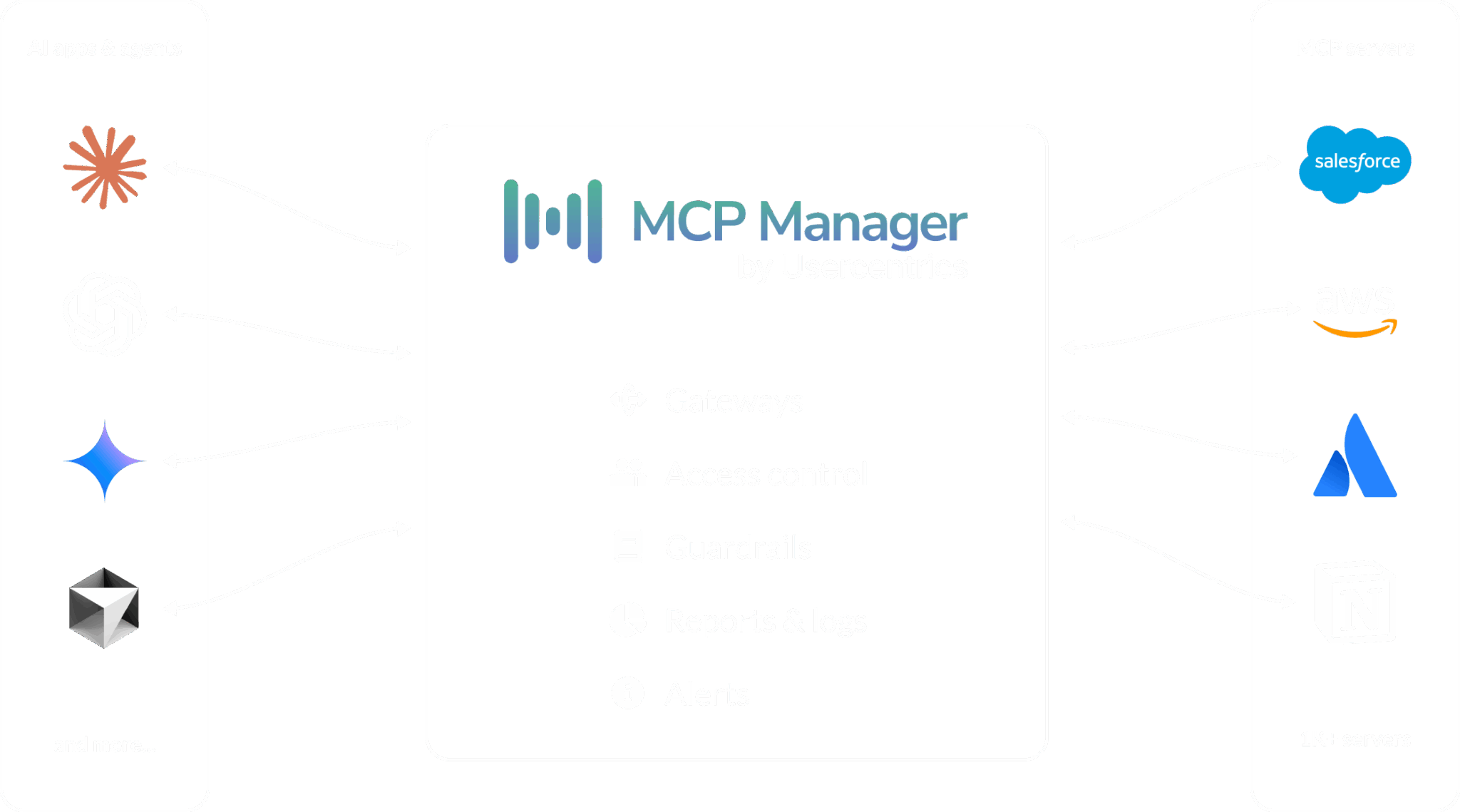
An MCP gateway allows you to centralize and control how data and tools flow between AI systems and MCP servers. Without an MCP gateway, companies deploying MCP across their org have a tangled web of connections that lack the visibility and controls that IT needs to sleep well at night (and appease auditors if in regulated industries).
By using an MCP gateway, companies can decide what data and tools AI can access via MCP.
However, most MCP gateways do not allow companies to go beyond RBAC.
MCP Manager is the only gateway on the market that offers the ability to choose what Google Drive folders get blocked. This way, IT teams can confidently roll out MCPs with sensitive data in them without losing control over what AI systems get access to that data.
Want to learn more about MCP gateways before we dive into how MCP Manager’s Google Drive Folder Blocker works? Watch the video below to get a more granular understanding of MCP gateways. Or book a demo with our team to explore how we can help you control what AI can access.
Setting it up is a list of folder IDs
A protected entry is a Google Drive folder ID or shared drive ID, the segment after /folders/ in the URL when you open the folder. Most teams build the list the same way: whoever owns the policy, usually legal or compliance, catalogs the folders that should stay out of AI in a sheet, and IT converts them to IDs. It is a copy and paste job.
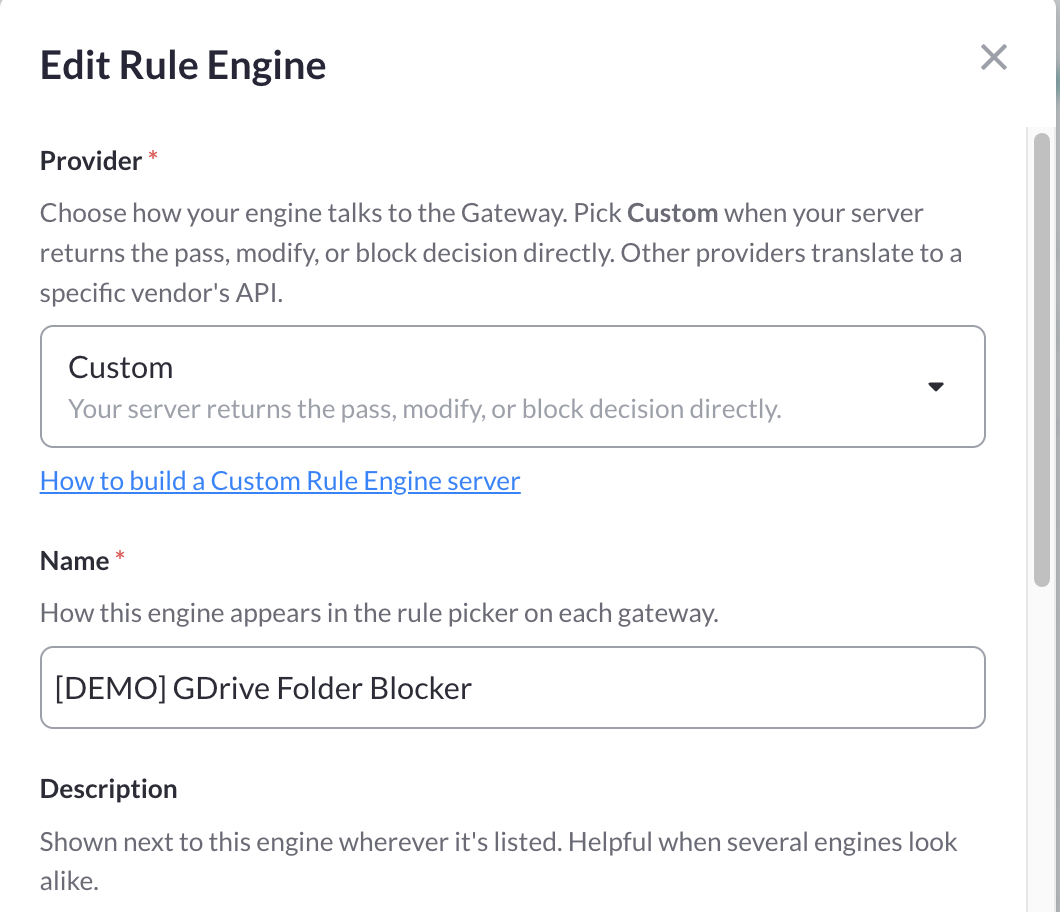
In MCP Manager, add a rule engine under Rule Engines, choose the Custom provider, name it Google Drive Folder Blocker, and set the endpoint URL to our hosted engine. As soon as the platform recognizes that URL it configures the rest for you: HTTP method, the internal access token, header forwarding, and the mcpm-gdrive-blocked-folders header. Paste the folder IDs in as the header value, separated by commas, whitespace, or one per line, and save. Then add a rule on the gateway’s Rules tab and pick the Folder Blocker as the detection method.
Do subfolders inherit the block?
Yes, and this decides how long your list needs to be.
On every Drive-touching tool call the engine extracts every file and folder ID it can find, in the arguments and in the results, then checks each one against its ancestor chain. A file sitting in Protected/2026/Q3/board-deck is blocked because Protected is on the list. You do not enumerate subfolders. List the few high-level folders that bound the sensitive content and let inheritance do the rest.
Three related paths close the same way. A shortcut that lives in an allowed folder but points into a protected one is resolved to its target. Shared drive items resolve correctly, so a protected shared-drive folder behaves like a My Drive folder. And the rule fires in both directions: on the request leg for tools that take a file ID as an argument, and on the response leg for tools like search_drive_files that only return IDs in the result. If the engine cannot fully verify a call it returns an error rather than guessing, and the rule’s failure mode decides. The default is Block.
Verification takes about a minute. Ask your MCP client to open a file you know sits inside a protected folder and confirm it is refused, then ask for one outside every protected folder and confirm it works. Both results show up in your logs.
What a custom rule engine is
A custom rule engine is a webhook MCP Manager calls while an MCP message is in flight. The gateway hands your engine the tool call or the tool result, your engine inspects it, and it answers with one of four verdicts: pass, modify, block, or could not decide. The gateway applies that verdict inline, before the MCP client sees the message.
The piece that makes folder blocking work is header forwarding. With it on, headers from the inbound connection, including the calling user’s identity, pass through to the engine. That is what lets the engine call the Drive API as the requesting user and resolve each file’s parent folders, which is what separates an identity-aware guardrail from a regex. You can build your own engine on this to plug in internal DLP, enforce classification labels, or allowlist Slack channels and Jira projects. The Folder Blocker is the one we built, host and maintain.
Blocking many folders? Put them all in a single rule engine. Every custom engine on a gateway adds the latency of an external call, so one engine with a long list beats several with short ones.
Google Workspace MCP Server: How to Use While in Developer Preview
Google’s Workspace MCP servers are in Developer Preview, which requires users to enroll in the Developer Preview Program. From there, they must enable APIs in a Google Cloud project and configure an OAuth consent screen along with credentials before anyone connects anything.
That’s a tall order for most teams, especially teams that want to roll out Google MCP to non-technical folks.
As an alternative, MCP Manager hosts a Google Workspace MCP server so you do not have to wait. Our option also makes it must easier to roll out this server org-wide.
MCP Manager hosts a Google Workspace MCP server so you do not have to wait for Google’s server to be in GA.
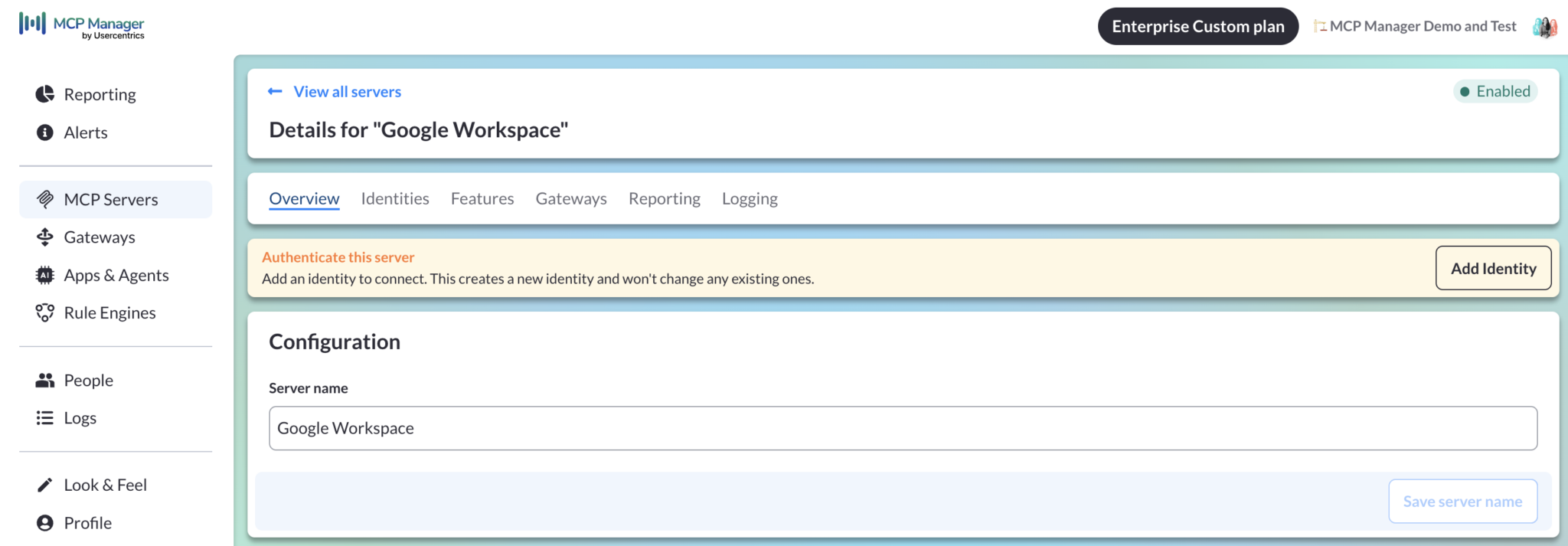
All you have to do is add it as a remote MCP server, paste the URL, and complete the Google OAuth handshake once. We run this server statelessly and never store OAuth tokens. Instead, the auth header is forwarded on each call, which is exactly what the Folder Blocker needs to resolve folders as the requesting user. End users see none of this though. They just need to point their MCP client (e.g., Claude) at the gateway URL, authenticate once per connector, and protected folders will not be reachable through it.
Explore MCP Manager’s Google Drive Folder Blocker and MCP Gateway
While you can register for a free week trial, you’ll need to get configured with Enterprise Custom features to block Google Drive Folders. Book a demo with us to learn more and get your hands on our platform.
Want to do a deep dive into how MCP gateways work? Watch the demo below to get a feel for how our MCP gateway gives you the access controls, observability, governance, and security you need to successfully roll out MCP across your whole org. We work with all spec-compliant MCP servers (and there are new ones added everyday).
This demo also covers how companies like Finimize use our platform to stay GDPR compliant by filtering out PII. Learn how companies use our MCP gateway to keep their security posture solid while still saying yes to AI.
Connecting the Google Workspace MCP server directly to an AI client is quick and easy. However, it doesn’t offer the controls that many enterprises often need to confidently move forward with an org-wide MCP and AI rollout.
Once Google Drive is reachable to AI systems, everything a user can see becomes something an agent can also pull. This can include sensitive information from HR folders (e.g., employee compensation), legal files, finance documents, and whatever else a company has amassed over the course of its history in Google Workspace. Often, companies block Google Workspace MCP because of these concerns.
However, there is another way: MCP Manager offers a Google Drive Folder Blocker as one of our MCP gateways rules. Admins can apply this rule on the gateway, enforcing policies from the office of AI or IT departments.
In this post, we’ll cover:
- Why RBAC is not always the right boundary for MCP connectors
- How the Folder Blocker works as a managed rule engine you attach to an MCP gateway
- What secure blocking entails, including how blocking a top-level folder blocks other child folders within it
- Google’s own Workspace MCP server being available in Developer Preview only (and what to use instead)
Why RBAC is not always the right boundary for MCP
Access control assumes intent. When an employee opens a folder, the org relies on that person knowing what they are opening and why. There’s also a reason why this person has access to this folder.
However, just because a human has access to files does not mean that agents need to. Similar to how you want to redact MCP servers (like CRMs or finance tools) from sending PII, you don’t need to send every piece of data over to an agent. There is a reason user data lives in a CRM. There isn’t a valid reason why it lives in Claude.
Similarly, you don’t need to give the agent the same level of access to Google Drive files as the human authorizing the MCP connection has. That’s where an MCP gateway comes in.
Google Drive permissions decide what a person can open. An MCP gateway rule decides what their AI clients and agents can open.
How MCP Manager’s Gateway Helps Teams Go Beyond RBAC
An MCP gateway allows you to centralize and control how data and tools flow between AI systems and MCP servers. Without an MCP gateway, companies deploying MCP across their org have a tangled web of connections that lack the visibility and controls that IT needs to sleep well at night (and appease auditors if in regulated industries).
By using an MCP gateway, companies can decide what data and tools AI can access via MCP.
However, most MCP gateways do not allow companies to go beyond RBAC.
MCP Manager is the only gateway on the market that offers the ability to choose what Google Drive folders get blocked. This way, IT teams can confidently roll out MCPs with sensitive data in them without losing control over what AI systems get access to that data.
Want to learn more about MCP gateways before we dive into how MCP Manager’s Google Drive Folder Blocker works? Watch the video below to get a more granular understanding of MCP gateways. Or book a demo with our team to explore how we can help you control what AI can access.
FAQs about setting up a Google Drive Folder
Below are some of the most common questions that we encounter from customers configuring our Google Drive Folder Blocker.
How does MCP Manager know what folders to block?
To block folders, you’ll need the string that app a Google Drive folder IT or shared drive ID provides. This protected entry is the segment after /folders/ in the URL when you open the folder.
Typically a legal or compliance team will catalog the folders that should stay out of AI in a sheet. IT will get the IDs from them and then copy and paste them into a custom rules engine in MCP Manager.
What is a Custom Rules Engine?
A custom rules engine allows you to apply AI usage policies like redacting PII and blocking sensitive information.
MCP Manager integrates with guardrails systems like AWS Bedrock Guardrails and Google Cloud Armor for these custom rules engines, and offers more simple rules engines that utilize regex or Microsoft Presidio. However, when using the Google Drive Folder, you’ll want to choose the Custom provider and set up what you need to get Google Drive Folder Blocker working.
Do subfolders inherit the block?
Yes, nested subfolders will also be blocked.
On every Drive-touching tool call, the engine extracts every file and folder IT can find in the arguments and in the results. Then it checks each one against its ancestor chain. A file sitting in Protected/2026/QR/board-deck is blocked because Protected is on the list.
Google Workspace MCP Server: How to Use While in Developer Preview
Google’s Workspace MCP servers are in Developer Preview, which requires users to enroll in the Developer Preview Program. From there, they must enable APIs in a Google Cloud project and configure an OAuth consent screen along with credentials before anyone connects anything.
That’s a tall order for most teams, especially teams that want to roll out Google MCP to non-technical folks.
As an alternative, MCP Manager hosts a Google Workspace MCP server so you do not have to wait. Our option also makes it must easier to roll out this server org-wide.
MCP Manager hosts a Google Workspace MCP server so you do not have to wait for Google’s server to be in GA.
All you have to do is add it as a remote MCP server, paste the URL, and complete the Google OAuth handshake once. We run this server statelessly and never store OAuth tokens. Instead, the auth header is forwarded on each call, which is exactly what the Folder Blocker needs to resolve folders as the requesting user. End users see none of this though. They just need to point their MCP client (e.g., Claude) at the gateway URL, authenticate once per connector, and protected folders will not be reachable through it.
Explore MCP Manager’s Google Drive Folder Blocker and MCP Gateway
While you can register for a free week trial, you’ll need to get configured with Enterprise Custom features to block Google Drive Folders. Book a demo with us to learn more and get your hands on our platform.
Want to do a deep dive into how MCP gateways work? Watch the demo below to get a feel for how our MCP gateway gives you the access controls, observability, governance, and security you need to successfully roll out MCP across your whole org. We work with all spec-compliant MCP servers (and there are new ones added everyday).
This demo also covers how companies like Finimize use our platform to stay GDPR compliant by filtering out PII. Learn how companies use our MCP gateway to keep their security posture solid while still saying yes to AI.