Remote vs Local MCP Servers: Run Both Under One Governed Gateway




A remote MCP server runs over HTTP on central infrastructure managed by a vendor or your internal team, whereas a local MCP server operates on a developer’s workstation via stdio transport. This distinction is critical because each setup presents different security, governance, and scalability trade-offs, and most production environments ultimately require a combination of both.
Learn how the two options differ at the transport level, where each fits best, the governance challenges they introduce, and how to combine them under a single control system so your team retains developer efficiency without losing organizational visibility.
Quick Overview
- Local stdio MCP servers talk via standard input and output on an individual machine. Remote MCP servers communicate using HTTP and can handle multiple users from a central hub.
- Local instances are great for quick prototyping, but they are nearly impossible to manage at scale due to missing central logs, an absence of access controls, and secrets stored directly on laptops.
- Remote options resolve multi-user and centralization needs, but they still require a gateway for identity, guardrails, and auditing.
- You do not need to choose just one. MCP Manager controls both by bridging local stdio instances into the exact same gateway that handles remote ones.
- The core choice is not remote vs. local; it is governed vs. ungoverned.
How MCP Transport Actually Works
The transport method decides how an AI client connects with an MCP server, forming the foundation for all subsequent governance decisions.
stdio: The Local (or Workstation) Default
When starting a local MCP server, the AI client (such as Claude Desktop, Cursor, or Codex) executes the server process directly on that device. Communication relies on standard input and output streams with no network layer between client and server. The client writes JSON-RPC messages to the server’s stdin, and the server replies using stdout.
This design makes local setups fast to deploy. There is no need for DNS, TLS certificates, or firewall adjustments. You simply install a package, point your client’s config file to it, and start working.
The downsides:
- Everything that makes stdio simple also makes it invisible and hard to manage centrally. Changing anything means pushing config files to every laptop through MDM rather than flipping a setting.
- There is also no MCP traffic to monitor, no central endpoint to inspect, and no auth layer. MCP’s auth spec only covers HTTP transports, so a stdio server has nothing to auth against. However, that doesn’t mean no credentials. Rather, it means that the API keys and tokens the server needs to reach your SaaS tools (e.g., GitHub, Jira) or your database sit in plaintext in a config file on an employee’s workstation, with no rotation, no expiry, and no way to revoke them centrally.
HTTP: The Remote Transport
A remote MCP server listens on an HTTP endpoint, using the Streamable HTTP transport, which can optionally stream responses via Server-Sent Events (SSE). (Streamable HTTP replaced the older HTTP+SSE transport in March 2025, though some servers still run the legacy version for backwards compatibility.)
In either case, the AI client connects across a network, allowing the server to reside anywhere: within your cloud, on vendor infrastructure, or inside a shared VM.
Using HTTP transport provides a network boundary that you can inspect and secure. You can place a proxy in front of it, enforce OAuth logins, and log every call. However, capability is not implementation; an unmonitored remote server is simply another form of ungoverned software.
When Local Servers Make Sense (and When They Don’t)
Local stdio servers remain relevant because they address specific needs, though those needs have clear boundaries.
Where Local Works
A developer creating a custom MCP server for a local database or filesystem relies on stdio. Data stays on the device, iteration happens quickly, and feedback is immediate. For prototyping, local-first workflows, and software tied directly to a workstation (like a local Postgres setup or proprietary CLI utility), stdio is the right choice.
Where Local Breaks Down
Difficulties arise when local servers transition from personal experimentation to critical team dependencies.
Secrets end up stored on endpoints. For instance, GitHub’s MCP server can be pointed at a Personal Access Token via GITHUB_PERSONAL_ACCESS_TOKEN because it’s the path of least resistance. That token then sits in a config file on an individual laptop. If that machine is compromised, so is the credential. Or if an employee leaves, tracking which tokens are still live becomes guesswork.
There is no central audit trail. stdio logs only aid basic debugging. They do not record which user triggered a tool, what information was returned, or if sensitive PII was exposed. For teams requiring strict forensic audits due to DORA, HIPAA, GDPR, or internal rules local logs are inadequate.
Visibility is lost. Enterprise IT managers face a common challenge: team members download tools without official review. When anyone can launch a custom MCP server without an authorization flow, shadow AI emerges. IT cannot track software that never registers centrally.
The Governance Risks of Local MCP Servers
Unmanaged local servers introduce three key risks that grow over time.
- MCP server can access filesystem: This access is what makes local MCP servers so useful. For example, Playwright’s ability to function on a workstation to test code on various browser systems is powerful. However, you want to avoid putting access keys in obvious places (like a config file) and ensure you’re following MCP security best practices.
- No access scoping: A team member might manually review a few folders on their desktop or in Google Drive, but an automated agent using an MCP server can read every accessible file at computer speed. Teams often realize they need tighter AI permissions midway through a rollout rather than before it.
- No rug-pull protection: A local server that alters its tool definitions after connecting can modify its functionality without warning the user or the AI client. If a gateway is not checking tool definitions against an approved baseline, defending against this is impossible.
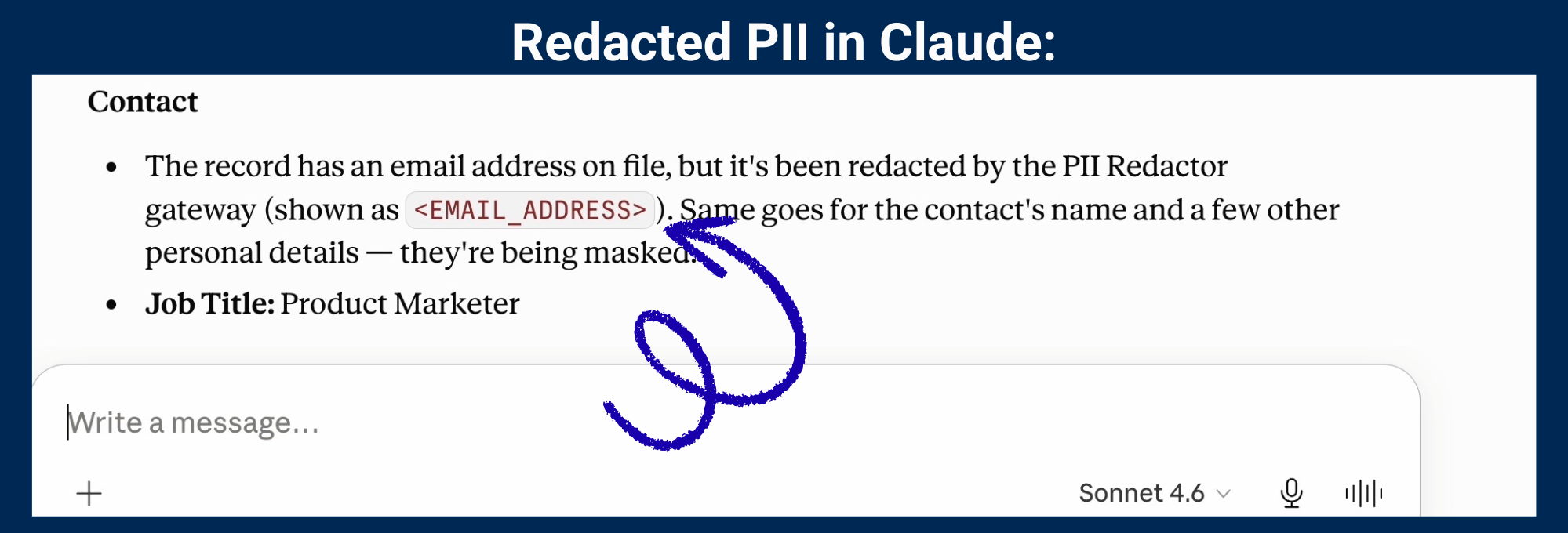
- No PII filtering or redaction of IT secrets: An agent connecting to both a local MCP server and a CRM or support system can pass customer names, email addresses, and account details directly back to the AI system. You want to avoid access keys, user data, and other sensitive data to pass through. Agents connected to multiple servers can end up passing data into places you’d never expect (not just the model itself.) There is no middle layer to sanitize data before the LLM processes it.
How to Centralize and Monitor Local MCP Servers
Migrating does not require deleting local setups; it requires connecting them into a governed system.
Step 1: Inventory What’s Running
Before applying rules, you must see what is currently in use. A private MCP registry resolves this “single source of truth” requirement by providing one place to list every active server, whether local or remote.
Step 2: Tunnel Local Servers to the Gateway
The MCP Manager CLI utility installs on a developer’s workstation and bridges the local stdio server to the central MCP gateway. The AI client then connects directly to the gateway URL as it would for a remote server. The developer’s workflow stays virtually identical since the server still runs locally, but every request now passes through centralized security rules, logging, and access policies.
The stdio server keeps running as it always did. An MCP proxy wraps it as a local HTTP endpoint, and a containerized tunnel agent connects outbound to the gateway over WireGuard. Nothing inbound is opened and developers don’t rebuild their tools.
For a step-by-step guide, see the tutorial on how to connect a workstation server.
Step 3: Apply Guardrails per Team
With traffic passing through the gateway, you can enforce PII filtering, regex rules, and custom guardrails per team. A financial group accessing payment records receives stricter policies than a software team querying a documentation server. Controls are configured at the gateway level rather than applied globally.
Step 4: Ship Logs to Your Existing Stack
MCP Manager streams logs using OpenTelemetry into your current observability platforms, such as Datadog, Splunk, Sentinel, or Grafana. This keeps MCP security data integrated with the rest of your enterprise telemetry rather than isolated in its own tool.
Remote vs. Local MCP Servers: A Direct Comparison
| Local (stdio) | Remote (Streamable HTTP) | |
|---|---|---|
| Transport | stdin/stdout on one machine | HTTP over the network |
| Setup speed | Minutes | Depends on auth and infra |
| Multi-user | No, single machine | Yes |
| Centralized logging | No | Possible, but requires a gateway |
| Credential storage | On the developer’s laptop | Centralized (if governed) |
| PII filtering | None without a proxy | Possible at the gateway layer |
| Offline use | Yes | Only if self-hosted on your network |
| Governance without a gateway | Effectively zero | Partial at best |
This evaluation demonstrates that neither setup is secure out of the box. Both require a gateway to run safely in production.
Which MCP Gateway Handles Both Local stdio and Remote MCP Servers in One Place?
Most MCP gateways only manage remote servers. If your engineers use local stdio options, those tools remain outside your security boundaries.
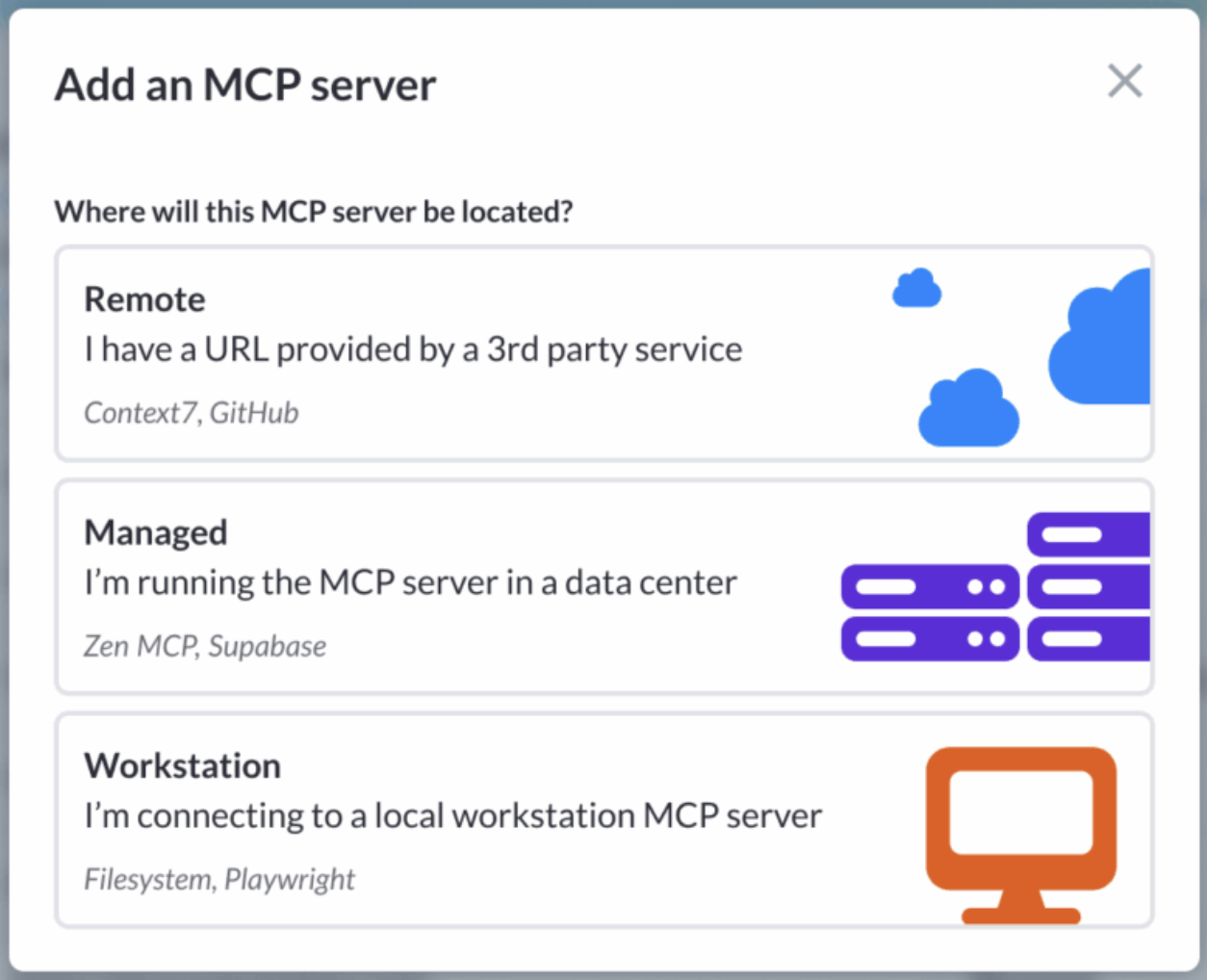
MCP Manager supports both configurations. Remote servers route through the gateway URL, while local stdio setups connect using the CLI tunnel. For administrators, both appear inside the exact same registry, unified logs, and security policy engine. For developers, they simply launch Claude, select connect, log in once, and begin.
For enterprises where users need local developer tools alongside cloud services, supporting both transport types is essential.
Workstation (Local) and Remote MCP servers
are both supported in MCP Manager:
Related Terms
- MCP gateway: The proxy system positioning itself between AI clients and MCP servers to manage identity, permissions, and data protection rules.
- MCP transport: The communication method used by clients and servers. studio for local MCP installations. Streamable HTTP for remote MCP servers.
- MCP registry: A single central catalog of authorized MCP servers that serves as the official source of allowed tools across an enterprise.
- Shadow AI: Unapproved AI tool adoption that occurs without IT tracking or oversight, frequently driven by local MCP setups.
- Rug pull: A vulnerability where an MCP server changes its tool definitions after establishing a connection, altering functionality without informing the client.
The Bottom Line
Choosing remote vs. local is simply a transport preference. The core governance challenge is ensuring you can monitor, manage, and audit everything moving through those connections. If your organization relies on both approaches (as most do) using a gateway that manages both transport mechanisms is required. MCP Manager was engineered to handle this exact requirement.
FAQ
What is the difference between local stdio and remote MCP servers?
Local stdio servers run directly on the user’s machine alongside the AI client and communicate using standard input/output. Remote MCP servers operate on external infrastructure and connect over the Streamable HTTP transport, which can optionally stream responses via Server-Sent Events (SSE).
How do I move from local stdio servers to a centralized deployment?
Set up a CLI tunnel on each workstation to connect the local server to your central MCP gateway. The server continues to run locally, but all tool usage flows through central security rules, logging, and access management.
What are the governance risks of local MCP servers?
They lack central audit logs, offer no PII filtering before sending data to models, store access tokens locally on workstations, and provide zero protection against mid-session tool changes (rug pulls).
Can I run both remote and local MCP servers at the same time?
Yes. MCP Manager controls both within a unified gateway. Remote servers connect straight through HTTP, whereas local stdio setups use a CLI tunnel to join the same security system.
Do I need to replace my local MCP servers with remote ones?
No. Local instances remain ideal for local tools and workstation development. The main objective is bringing them inside the same security boundary as your remote servers, not removing them entirely.
Which MCP gateway supports local stdio servers? Many platforms only handle remote HTTP endpoints. MCP Manager accepts both local stdio and remote instances through one gateway, leveraging a workstation tunnel so local tools keep running in place.