
MCP Gateway Registry: A Source of Truth for Approved Servers




Most teams searching for an MCP gateway registry are dealing with this dilemma: MCP adoption picked up fast amongst employees while IT has no clear, enforced picture of what’s actually approved or what tools agents are calling. They might have a spreadsheet, a Jira ticket queue ,or a shared doc that someone updates when they remember to.
However, none of those “solutions” work at scale, and most teams know it. But many organizations don’t know what to replace these systems with.
The answer starts with understanding that there are two very different things people mean when they say “MCP registry” — and only one of them actually governs anything.
Key Takeaways
- Public MCP registries like Anthropic’s official registry, mcp.so, and Smithery are discovery directories. They show you what servers exist. They don’t govern what your organization is allowed to use.
- A private MCP registry is your org’s approved list: the servers that have been vetted, reviewed, and sanctioned for use by your teams.
- An MCP gateway is what enforces that list at runtime. Without the gateway, the registry is just a document. Without the registry, the gateway has nothing to enforce.
- Most teams managing MCP access today are doing it manually: spreadsheets, Jira ticket queues, shared docs. That process breaks as adoption accelerates.
- MCP Manager ships a private registry and MCP gateway together as a SaaS product, with an approval workflow built in.
What Is an MCP Registry?
An MCP registry is a catalog of MCP servers. It answers a basic question: what servers exist, and what can they do?
Public MCP registries are discovery tools. GitHub’s curated MCP registry, mcp.so, and Smithery all serve this purpose: they let developers browse thousands of community-built and vendor-published MCP servers. With MCP adoption accelerating and the most popular MCP servers (such as GitHub, Slack, and Atlassian) becoming part of many teams’ AI workflows, employees look at these public MCP registries to find out whether an MCP server exists for a tool their team uses.
That’s useful. But the utility stops there.
While a public registry tells you what’s available, it doesn’t tell you what’s approved for use in your organization. It also doesn’t enforce anything. And it has no concept of your security requirements, your compliance obligations, or which servers your IT team has actually reviewed.
Public MCP Registry vs. Private MCP Registry
A private MCP registry is your organization’s sanctioned list. It contains only the servers that have been reviewed, vetted, and approved for use inside your environment. Think of it less like a directory and more like an allowlist.
| Public MCP Registry | Private MCP Registry |
|---|---|
| Community discovery directory | Your organization’s approved server list |
| Open to anyone | Internal to your org |
| Thousands of servers | Only vetted, sanctioned servers |
| Informational only | Operationally enforced |
| No approval workflow | Servers reviewed before use |
| No compliance context | Aligned to your security requirements |
The distinction matters because the behavior is completely different. You can browse a public registry and still connect to whatever you want. A private registry, when properly enforced, means that isn’t possible.
Why an MCP Gateway Is What Enforces the Private MCP Registry
A private MCP registry on its own is just a list. Without something enforcing it, developers can still configure their own MCP connections, agents can still call unapproved servers, and your list becomes a policy document with no teeth.
An MCP gateway is the enforcement layer. When MCP traffic routes through a gateway, the gateway checks every connection against the private registry. If a server isn’t on the approved list, the connection doesn’t go through.
This is why gateway and registry aren’t two separate problems. They’re two halves of the same control plane:
- The registry defines what’s approved.
- The gateway enforces it at runtime.
Without the gateway, the registry has no enforcement. Without the registry, the gateway has nothing to enforce.
What the Problem Looks Like in Practice
When organizations adopt MCP without a private registry and gateway in place, the pattern is predictable.
IT manages MCP servers through a spreadsheet or a ticket queue. The process is manual, static, and point-in-time: it reflects what was approved at the moment someone reviewed it, not what’s actually running now. Two new vendor MCP servers appear overnight. An engineer in Cursor connects to a server they found on GitHub. A developer adds a custom one for a local SaaS integration. The attack surface gets larger and no one has full visibility.
At organizations running AI at scale, the gap is even more acute. When hundreds of users can connect to any MCP server from their IDE with no technical guardrails in place, the platform team has no way to know what’s live, no way to catch when a server’s tool schema changes, and no quick way to revoke access if something goes wrong.
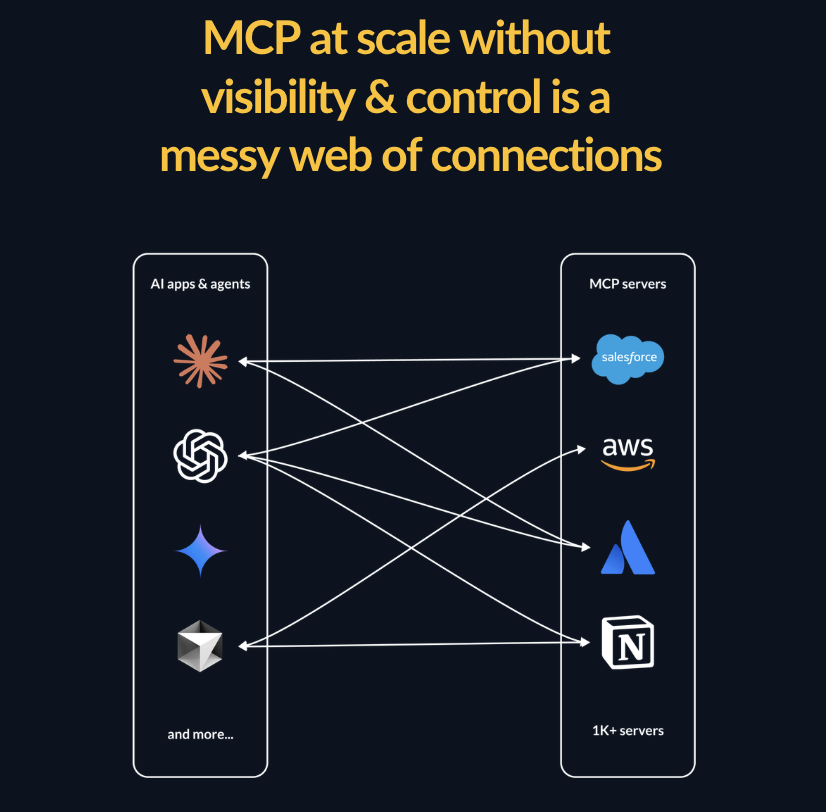
For teams in regulated industries, like finance, healthcare, and insurance, this creates a direct MCP observability and governance problem. “Who approved this MCP server, and when?” shouldn’t require a manual audit to answer.
Security teams describe the ideal state differently depending on their context, but the core need is consistent: a single place to manage what’s approved, a process for vetting new servers before they’re used, and a technical control that enforces both.
What a Private MCP Registry with a Gateway Actually Gives You
When the registry and gateway work together, the control model shifts from reactive to proactive. Instead of discovering what’s already connected, you define what’s allowed to connect.
Prevent shadow IT with easy approvals
Employees can ask for approval of MCP servers and go through the authentication process before a server ever gets added to a gateway. If you want to prevent shadow MCP from having, you can have client-side URL allowlists, which prevent any MCP servers from connecting to clients like Claude or Cursor, that aren’t from your gateway’s URL (e.g., http://app.mcpmanager.ai).
Runtime enforcement and admin controls
The gateway checks every connection against the registry in real time. If a server isn’t approved, the connection fails. If a previously approved server gets removed from the registry or an MCP gateway, access is revoked immediately. MCP Manager offers admins the ability to eliminate connections as needed.
Visibility into who’s using what
Because all MCP traffic passes through the gateway, you get a full record of which users and agents connected to which servers, and when. For organizations with compliance requirements, this audit trail and MCP logging matters. Many compliance requirements require you to provide logs immediately upon request. Failure to do so is a compliance failure.
A single source of truth
Instead of every developer maintaining their own local MCP configuration, the private registry becomes the org-wide canonical list. New team members and AI agents connect to one gateway URL and get access to exactly the servers they’re permitted to use — nothing more.
How MCP Manager by Usercentrics Solves This
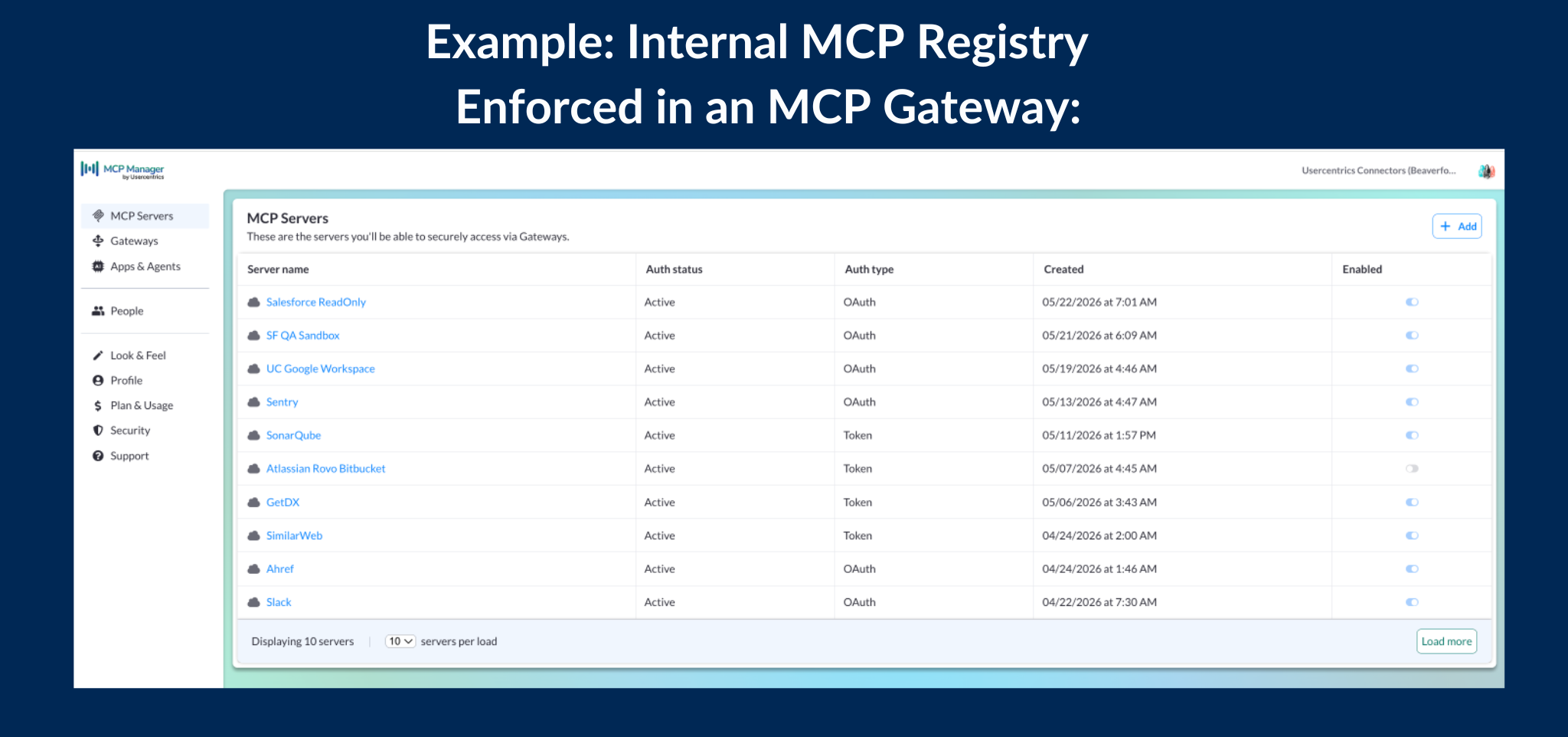
MCP Manager by Usercentrics is an MCP gateway with a private registry built in. It ships both halves of the control plane as a SaaS product: no infrastructure to stand up, no identity provider to configure, no self-hosting project to maintain.
Organizations connect their AI clients, such as Claude Desktop, Cursor, VS Code, or any MCP-compatible tool, to an MCP gateway. MCP Manager handles authentication, enforces the private registry, and logs every call. Security teams get an approval workflow for bringing new servers onto the approved list. IT gets visibility into what’s running without needing to instrument anything themselves.
For teams managing MCP governance through spreadsheets or manual ticket queues today, MCP Manager replaces that manual process with a technical control that enforces your approved server list automatically, across every AI tool your teams use.
MCP Gateway Registry FAQs
What is the difference between a public MCP registry and a private MCP registry?
A public MCP registry is a discovery directory that lists available MCP servers so developers can find tools to use. Examples include Anthropic’s official MCP registry, mcp.so, and Smithery. A private MCP registry is your organization’s internal approved list: only servers that your security team has reviewed and sanctioned are included. The private registry governs what your agents and users are actually allowed to connect to.
Do I need an MCP gateway to have a private registry?
You could maintain an approved list without a gateway. But without a gateway to enforce it, the registry is just a policy document. An MCP gateway is what makes the registry operational: it checks every incoming connection against the approved list and blocks anything that isn’t on it.
What is an MCP allowlist?
An MCP allowlist is another term for a private MCP registry: the set of approved servers your organization has sanctioned for use. Some teams call it an allowlist, others call it a registry or a server inventory. The function is the same — it defines which MCP servers are permitted, and the gateway enforces that definition at runtime.
Can’t I just build my own MCP gateway registry?
You can. There are open-source projects that combine a gateway and registry into a self-hosted system. The tradeoff is that you own the infrastructure: deploying and maintaining the stack, configuring an identity provider, managing the database, and keeping up with changes to the MCP protocol. For organizations that want governed MCP access without taking on that engineering project, a managed SaaS option like MCP Manager handles it out of the box.
How does an MCP gateway registry support compliance?
A private MCP registry with gateway enforcement gives compliance teams two things they need: documented approval decisions (which servers were approved, by whom, and when) and a runtime audit trail (which agents and users called which tools, and when). For regulated industries where MCP adoption is growing but governance frameworks are still catching up, this is often what determines whether an organization can adopt MCP at all.
What’s the difference between an MCP gateway and an LLM gateway?
An LLM gateway governs the model layer: which models your org uses, how requests are routed, rate limits, and prompt-level controls. An MCP gateway governs the tool layer: which MCP servers your agents and users can connect to, what tools they can call, and how those calls are authenticated and logged. They operate at different points in the stack and typically run alongside each other rather than replacing one another.
If your organization is managing MCP server access through a spreadsheet or manual ticket process today, that process will break as adoption scales. A private MCP registry enforced by a gateway is how you get ahead of it. MCP Manager gives you both.