Shadow MCP: How to Prevent Unapproved Servers




Imagine this scenario: a senior engineer at a Series B startup connects Claude to their company’s Slack, Notion, and GitHub via MCP servers without telling IT. Within hours, they’ve automated their weekly reporting. Within days, three other engineers got inspired and started to do the same. By the time IT discovered the unauthorized MCP servers, sensitive business data had been accessible to AI agents for two weeks.
This is shadow MCP, and it’s happening at companies right now.
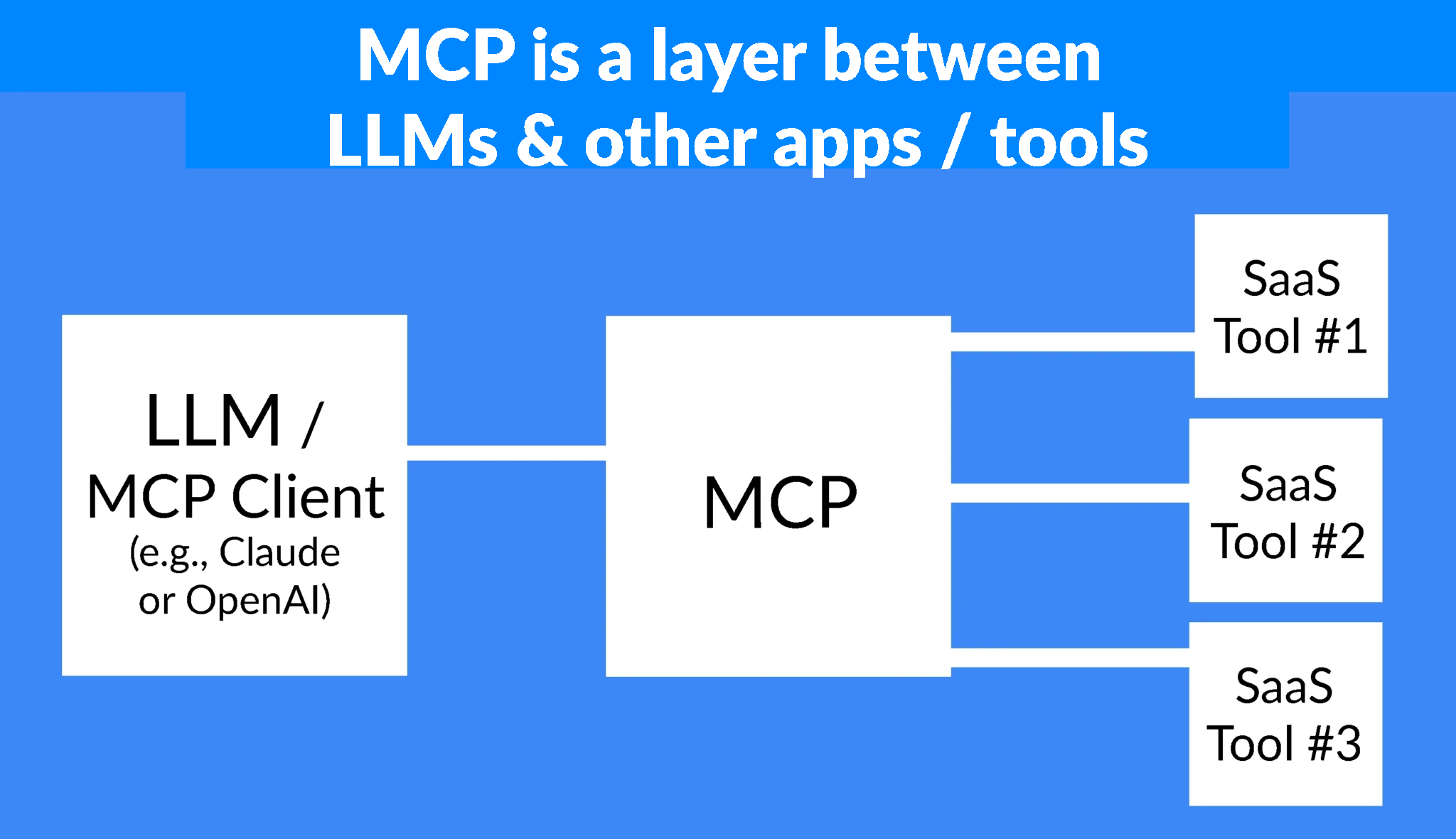
Model Context Protocol (MCP) servers let AI agents connect to your company’s tools and data sources. MCP adoption is accelerating and the most popular MCP servers are what technical teams need to fulfill the C-suite’s mandate to increase productivity. But when engineers install these connections without oversight, organizations face real MCP security risks: prompt injection attacks, data leaks, and overly privileged agents that can access far more than intended.
IT teams and engineering leaders don’t want to stop innovation. They, too, want teams working efficiently. And by creating a framework where AI tools can be used safely, they allow just that to happen.
This article will show you how IT and engineering teams can prevent shadow MCP without blocking the productivity gains everyone wants.
Why Shadow MCP Happens In the First Place
MCP presents IT and engineering leaders with an uncomfortable choice: wait and see what happens, or block it entirely. Neither approach works.
When an agent has access to multiple MCP servers, the security risks are real. Prompt injection attacks can manipulate agents into exposing data. MCP rug pulls (where malicious servers masquerade as legitimate tools) can compromise systems. And overly privileged connections create straightforward data leak risks. If an agent connects to Slack, Notion, and Zendesk simultaneously, a single compromised prompt could make confidential information public.
Faced with these threats, IT teams typically choose one of two paths:
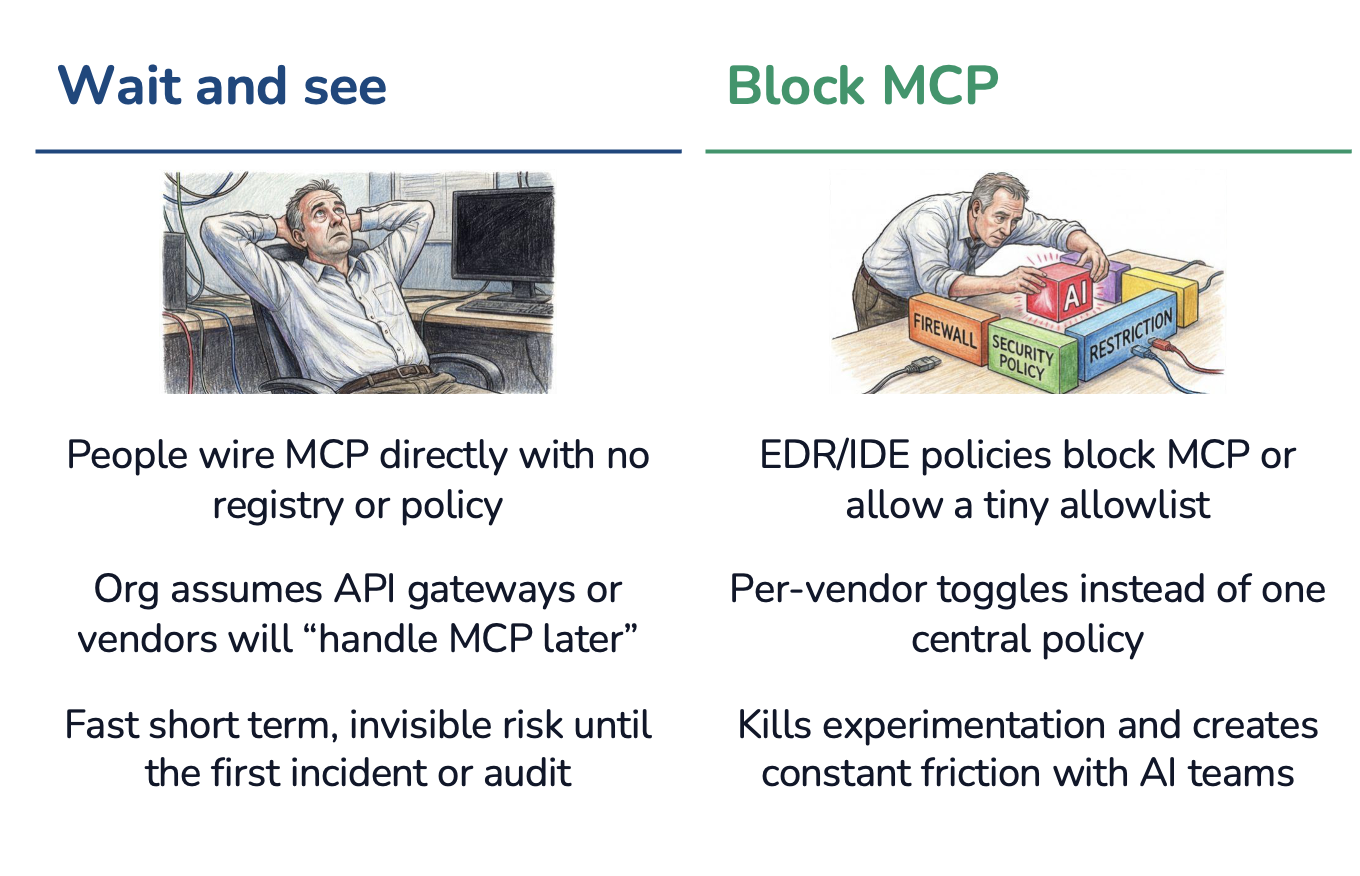
Path #1: Wait and see
Organizations assume API gateways or individual vendors will “handle MCP later.” Engineers wire MCP directly with no registry, policy, or oversight. Risk accumulates invisibly until the first incident or audit reveals the scope of shadow MCP in the organization.
Path #2: Block MCP
EDR/IDE policies block MCP outright or permit only a tiny allowlist of approved servers. This approach requires per-vendor toggles instead of one central policy, creating administrative overhead. More importantly, it kills experimentation and creates constant friction with AI teams who are under pressure to deliver productivity gains.
What We Recommend, Instead
Both approaches guarantee shadow MCP. When you wait, engineers install whatever they need without asking. When you block, engineers find workarounds—personal devices, unapproved accounts, proxy services—because they’re still being evaluated on how well they’re using AI to move faster.
The solution isn’t choosing between these extremes. It’s building a third path, which we cover below.
How to Prevent Shadow MCP
Shadow MCP happens when the official process is harder than going rogue. If requesting approval takes weeks or requires navigating bureaucracy, engineers will simply skip it. The solution is making approved MCP servers easier to use than shadow ones.
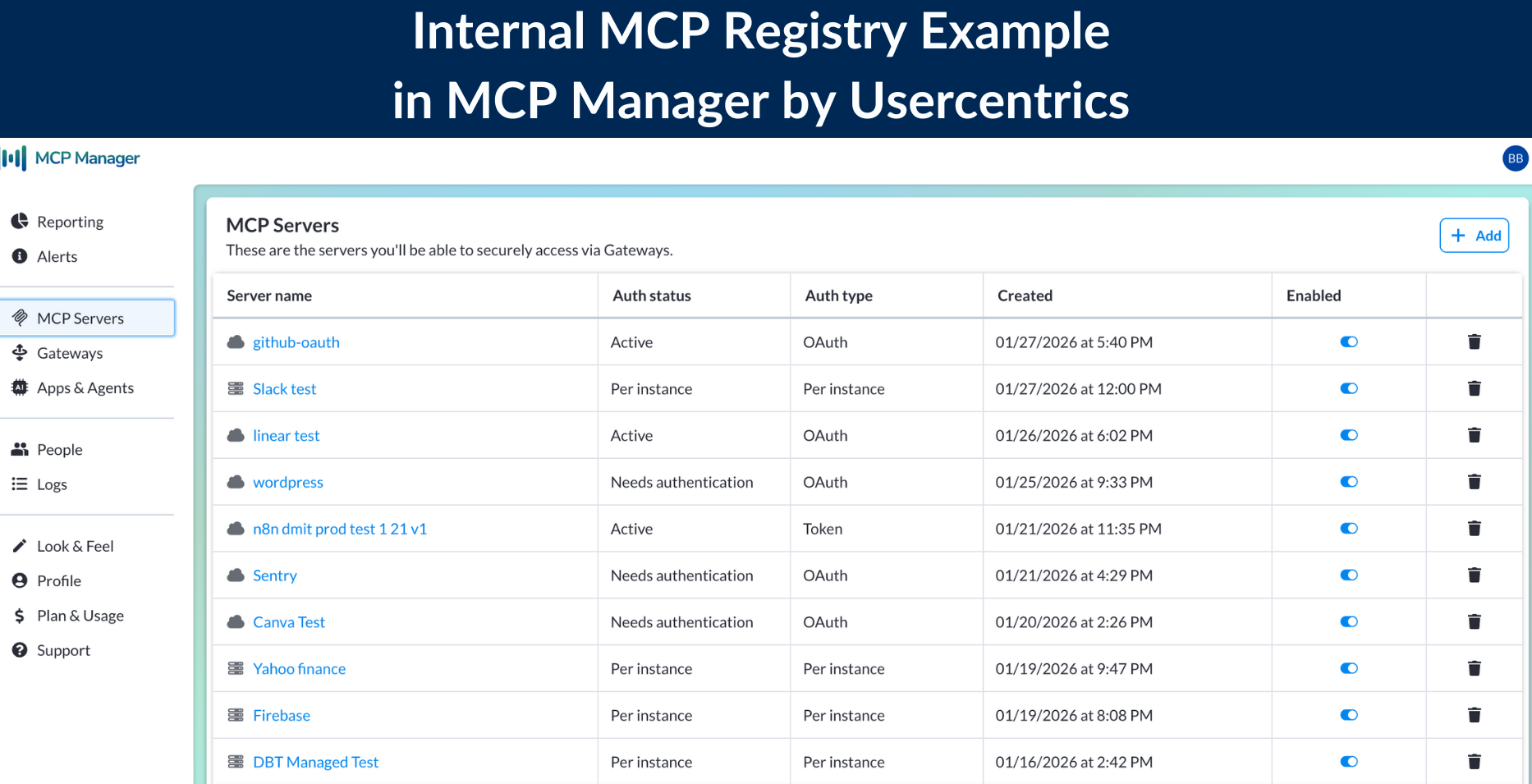
Create an Internal MCP Registry
Engineers need visibility into what IT has already approved. Without a clear list, they’ll assume nothing is available and install servers themselves. An internal registry acts as your organization’s MCP catalog, showing teams which servers are vetted, configured, and ready to use.
This eliminates the most common excuse for shadow MCP: “I didn’t know there was an approved option.”
Establish a Simple Approval Process
Once you have a registry, you need an intake process for new server requests. The key here is to keep it simple.
Create a lightweight workflow using tools your team already has, such as a dedicated Slack channel, a Jira form, or even a shared document. The goal is to make asking for permission easy and not annoying to follow.
When engineers can get approval in hours instead of weeks, shadow MCP becomes unnecessary.
Implement Team-Based Provisioning
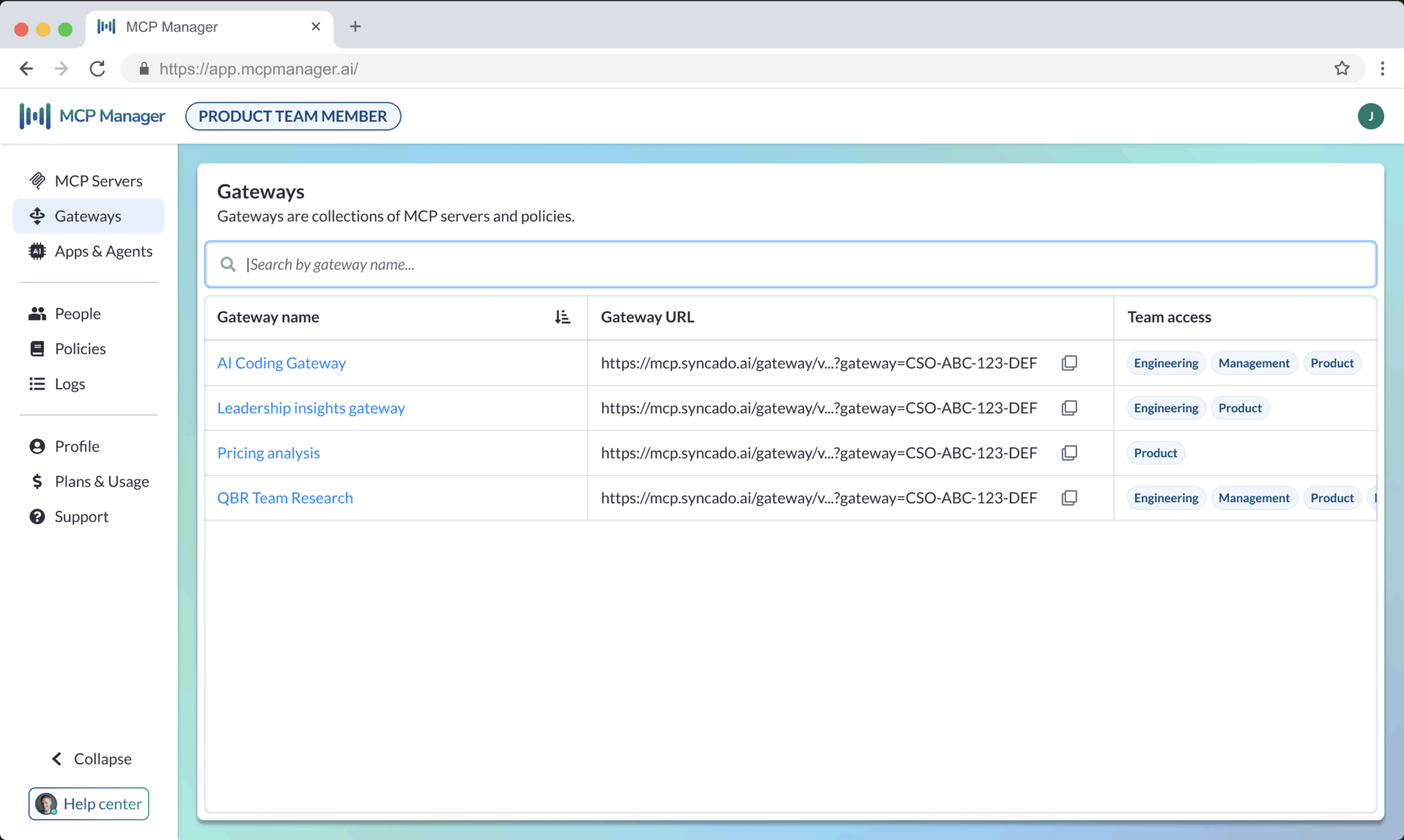
Not every team needs access to every server. Your data science team might need database connections, while your marketing team needs CRM access. Team-based provisioning lets IT maintain control without micromanaging individual developers.
The technical implementation is straightforward: provide each team with an MCP gateway URL that connects to their approved servers. In Claude and other MCP clients, team members simply paste the URL without doing any manual configuration.
This works regardless of MCP deployment type. Whether you’re using remote servers, managed servers, local servers, or a mix of all three, the gateway approach gives teams clarity on which servers are theirs to use. (For organizations using local and managed MCP servers, you’ll need infrastructure to help teams spin these up. MCP gateways also help with that.)
MCP Team Provisioning in MCP Manager by Usercentrics:
Configure Tool-Level Permissions
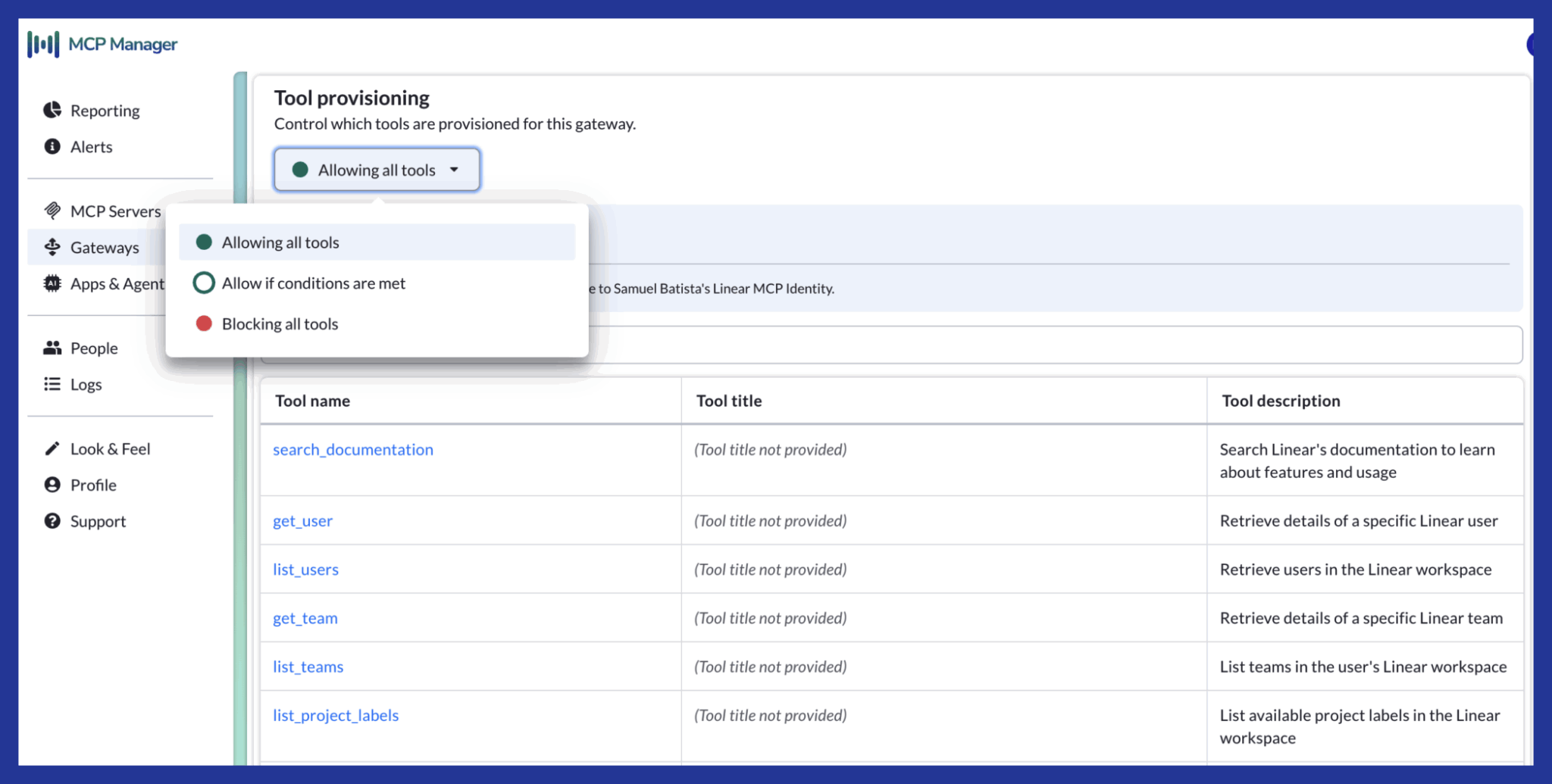
Server-level access isn’t granular enough. Within a single MCP server, you may want to restrict specific tools or actions. For example, your team might need read access to your database but shouldn’t be able to execute write operations through an AI agent.
Tool-level provisioning accomplishes two things: it reduces security risk and it improves AI performance. LLMs become less accurate when overwhelmed with unnecessary context. By limiting tools to only what teams need, you’re not only following MCP security best practices but are also making agents more efficient.
Tool Permissions & Provisioning in MCP Manager by Usercentrics:
Maintain Visibility with Dashboards and Audit Logs
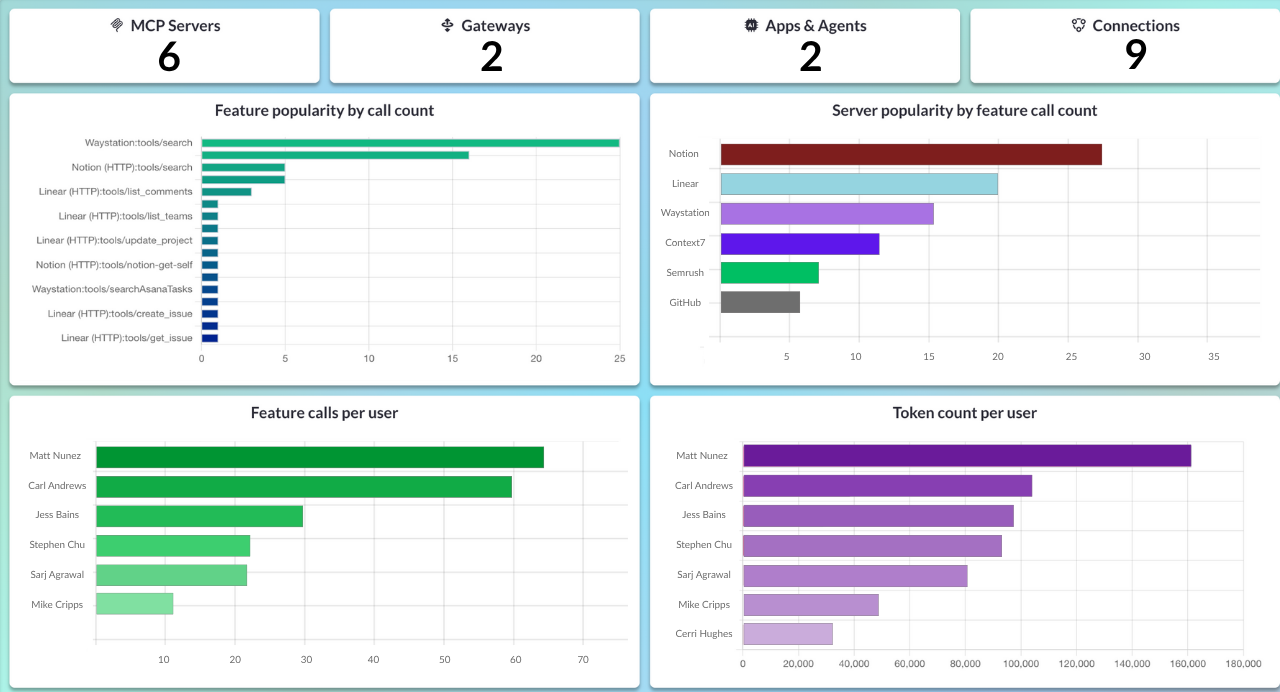
Approved doesn’t mean unmonitored. IT needs continuous visibility into how MCP servers are being used: which tools are called most frequently, which teams are most active, and whether any unusual patterns emerge.
Real-time dashboards and MCP audit logs let you spot problems early. They also provide the usage data you need to refine your MCP governance and prove useful when stakeholders or regulators ask for data.
MCP Observability Dashboard in MCP Manager:
Making It Work
These capabilities can be built in-house or implemented through an MCP gateway solution like MCP Manager. The specific tooling matters less than the principle: make secure MCP usage frictionless, and shadow MCP loses its appeal.
Stop Shadow MCP Before It Starts
You now have a framework for preventing shadow MCP: make approved servers easier to use than unauthorized ones. The question is implementation.
Building an MCP or AI gateway in-house means weeks of engineering time for infrastructure that doesn’t differentiate your product. MCP Manager by Usercentrics gives you production-ready MCP governance today:
- Central registry for all approved servers
- Team-based provisioning with single-URL access
- Tool-level permissions to control what AI agents can do
- Audit logs and dashboards for complete visibility
- BONUS: PII redaction to protect sensitive data before it reaches models
Watch the 2-minute demo to see how companies are deploying secure MCP in hours instead of months.
If you want to try out MCP Manager by Usercentrics yourself, you can sign up for a free 2-week free trial after booking an onboarding a call with us.