AI Security Tools: The 2026 Landscape




AI security tools shield the information, models, and links powering your AI systems from risks that traditional security software was never designed to stop. If your company uses LLMs, agents, or MCP servers, your exposure extends beyond what firewalls and endpoint agents can see.
This article outlines today’s AI security tool categories, explains what each one protects, and provides a simple guide to choosing the best setup for your environment.
Key Takeaways
- AI security tools are divided into distinct groups: model scanning, runtime guardrails, red-teaming frameworks, agent and MCP security, and governance platforms. No single tool handles every layer.
- The fastest-growing gap sits between AI agents and the business systems they connect to, where prompt injection, tool poisoning, and PII exfiltration occur at machine speed.
- Open-source resources like OWASP materials and Microsoft Presidio handle specific tasks well, but enterprise teams require centralized policy enforcement, audit trails, and identity-aware access control.
- Selecting AI security tooling starts by mapping your actual attack surface rather than reviewing vendor shortlists.
- MCP gateways are the emerging category for teams needing to control what agents access, log every tool call, and redact sensitive data before it reaches a model.
Why Traditional Security Tools Miss AI-specific Threats
Most security stacks were built for human-initiated, request-response traffic. An agent calling forty MCP servers in a loop, reading every accessible file, and sending that content to a model looks completely different from what a SIEM rule expects.
Limitations of Legacy DLP and EDR
The gap is specific. Traditional DLP monitors network traffic for patterns like credit card numbers in outgoing emails. It does not inspect the payload an MCP server returns to an agent before that data reaches the LLM. Endpoint detection tracks process execution on a laptop. It cannot tell that a developer’s local MCP server received a rug pull attack that altered its behavior after the initial connection.
Industry Adoption vs. Security Readiness
According to the Cloud Security Alliance’s 2026 State of Modern Application and AI Security report, organizations are still early in handling these AI-native risks. The Stanford HAI 2026 AI Index Report tracks the rapid spread of AI across industries, expanding the gap between what is deployed and what is defended.
Core AI Threat Vectors
The main threats here rely on terms your team likely uses already
- Rug pulls, where a server alters its actions after connecting to an agent
- Tool poisoning, where a malicious MCP server hides instructions in the tool descriptions and metadata
- Prompt injection, where content read by an agent manipulates its choices
- PII exfiltration, where an agent transmits personal data to a model with no way to pull it back
Traditional tools fail to stop these issues because they operate at the wrong layer.
What Categories of AI Security Tooling Exist?
AI security tools fall into six functional categories. Some overlap, but none of them are enough on their own.
Model and Pipeline Scanning
These tools check models, training data, and ML pipelines for weaknesses before deployment. They work like static analysis for AI, finding data poisoning in training sets, backdoors in model weights, and supply-chain risks in model registries.
Examples include open-source projects listed in community repositories like the OWASP GenAI Security Project alongside commercial software in the broader AI security market. These tools matter most if you train or fine-tune your own models. If you only use models via APIs, your attack surface here is smaller, though still present.
Red-teaming and Adversarial Testing
Red-teaming tools test LLMs and agents for flaws like jailbreaks, prompt injection weaknesses, and hallucination rates under hostile inputs. They represent the offensive side of AI security.
The OWASP Top 10 for Large Language Model Applications acts as the primary checklist for testing. Tools range from open-source fuzzers testing prompt resilience against varied attacks to commercial platforms running automated campaigns against live models. Red-teaming is essential, but it offers a point-in-time check. It shows what failed during testing, not what is failing right now.
Runtime Guardrails and Output Filtering
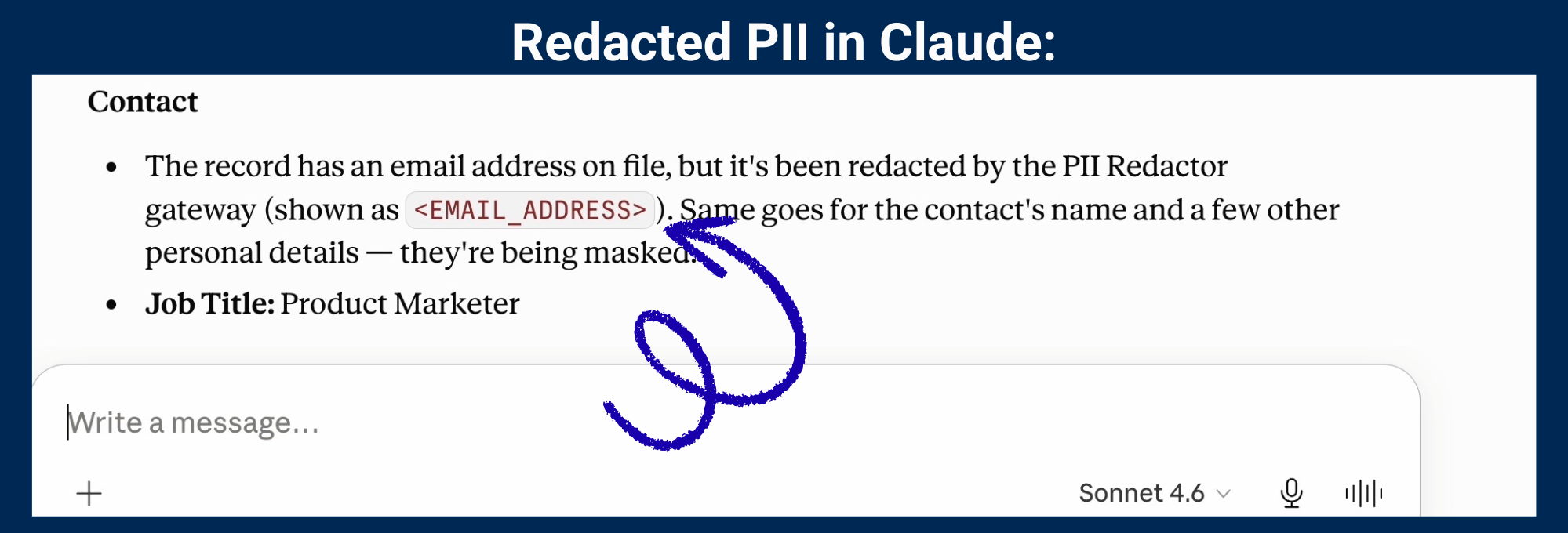
Runtime guardrails sit between the model and the user (or downstream systems) to enforce rules on incoming and outgoing content. Finding and removing PII is the most common use case. Pattern matching (regex), entity recognition libraries like Microsoft Presidio, and LLM-as-judge classifiers fit into this group.
The key distinction: guardrails that only scan the user prompt (input) miss the primary danger, which is what returns from the tools and databases an agent queries. If an MCP server returns a customer’s Social Security number, input filtering will not catch it. You need guardrails checking data moving between agents and servers, not just the text typed by users.
AI Governance and Compliance Platforms
Governance platforms manage policies: who can use specific AI tools, what data categories are allowed, what gets logged, and who reviews those records. They address organizational rules rather than technical exploits.
This group handles audit trails, role-based access control, and compliance reporting. For regulated sectors, governance is mandatory. DORA, the EU’s financial-sector resilience regulation, requires audit trails tied to named individuals. HIPAA demands that protected health information only reaches systems covered by a business associated agreement (BAA), or is de-identified first. GDPR’s right to erasure becomes difficult to honor once PII enters an AI system provider’s retention.
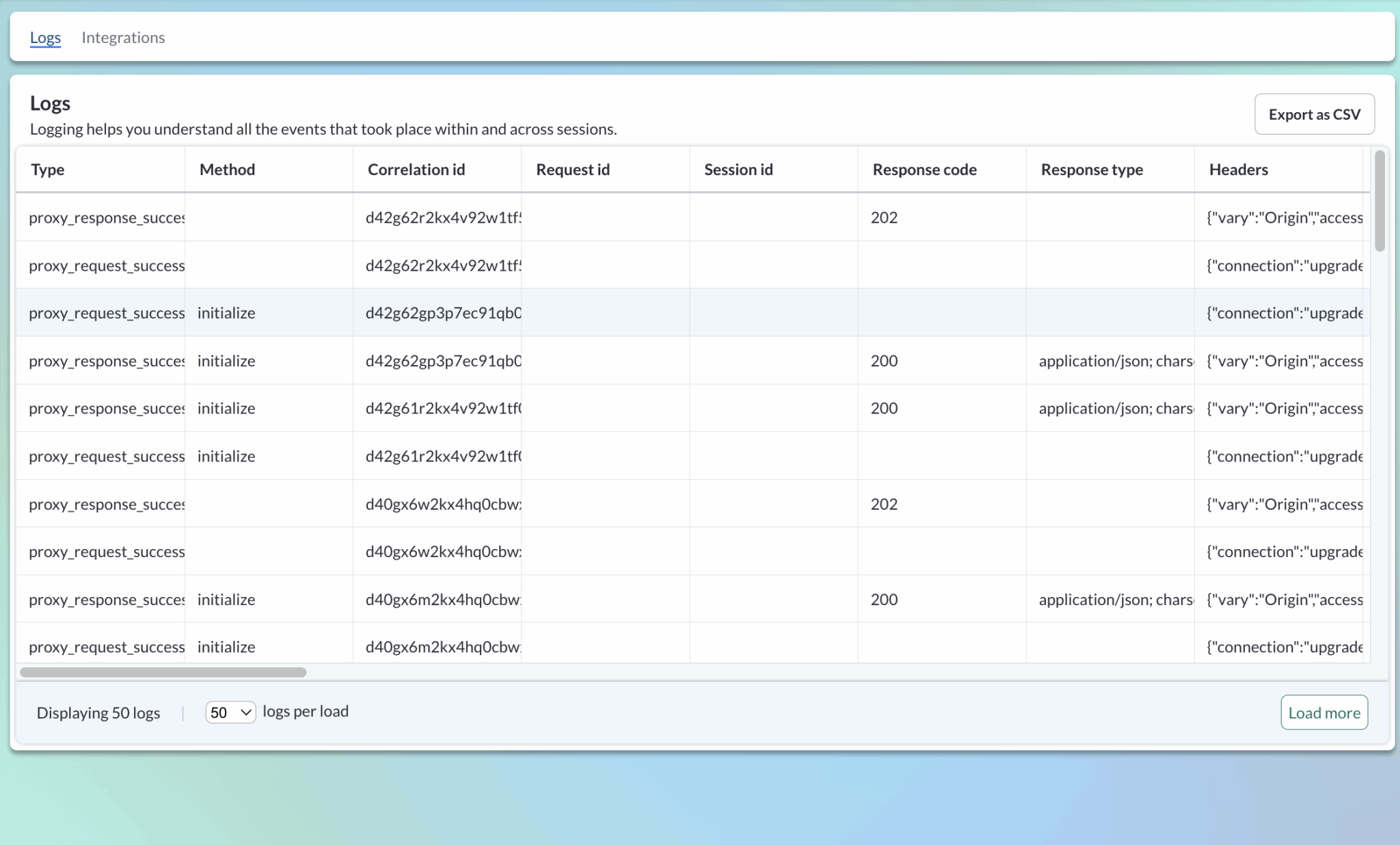
Audit logs aren’t just good for observability, some regulators require them:
Network and Cloud AI Security
Cloud-native AI security tools expand current cloud security posture management to handle AI tasks: model endpoints, inference pipelines, and training setups. Vendors like Wiz and Palo Alto Networks have built AI modules that map models, pipelines, and inference workflows across cloud environments.
These tools help if your AI runs on your own cloud resources. They are less relevant if your main risk involves staff connecting Claude or Cursor to outside MCP servers, as that risk sits in the connection layer rather than your cloud.
Agent and MCP Security
This is the newest and fastest-changing category. Agent security tools control what AI agents can access, what data passes through those paths, and what happens when issues occur.
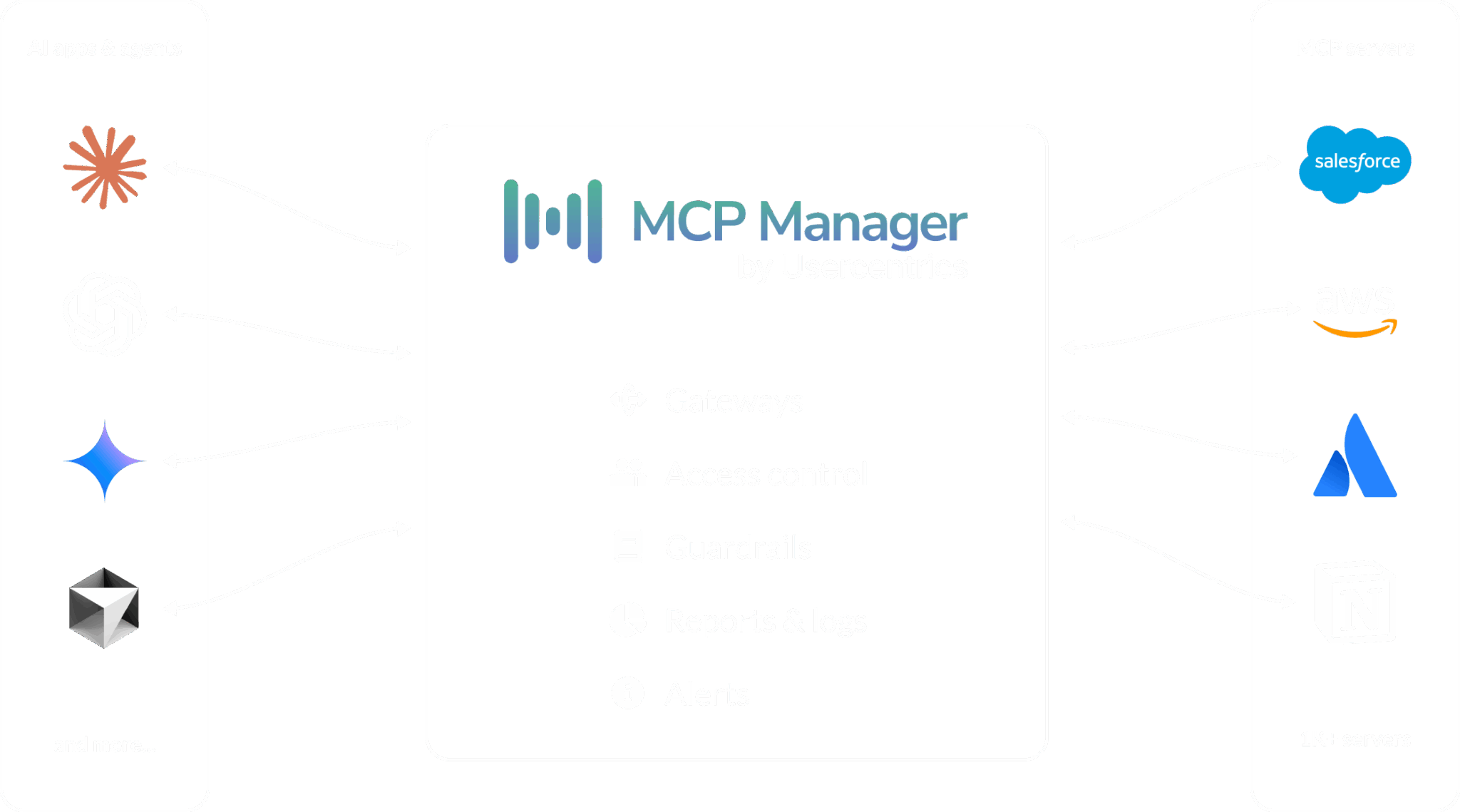
MCP gateways serve as the primary solution here. Sitting between AI clients and MCP servers, they enforce access rules, run data guardrails on active traffic, log every tool call, and supply visibility that the MCP protocol lacks on its own.
Standard MCP logs help with debugging, but they fall short for forensic audits, compliance proof, or identifying which employee’s agent accessed specific customer records at 2 AM last Tuesday. A gateway provides those capabilities.
What Tools Secure AI Agents and MCP?
The connection between agents and tools contains today’s most serious AI security gaps. Here is what is available and what each method covers.
Open-source MCP Security Resources
The community has created helpful starter elements. The OWASP GenAI Security Project maintains threat maps and risk guidelines. Microsoft’s Presidio library handles PII detection. Individual MCP server creators release their own auth methods.
The downside: these are individual pieces, not a full system. You can connect Presidio to a proxy, write a custom auth layer, and assemble a logging setup. Building this exact setup in-house frequently fails due to complex auth handling and communication differences between servers. For instance, GitHub relies on Personal Access Tokens, whereas Atlassian uses Dynamic Client Registration. Because every server requires unique settings, maintaining a custom gateway to support them all becomes increasingly difficult as new servers are added.
Commercial MCP Gateways
MCP gateways are designed specifically to control agent-to-server traffic. This category includes MCP Manager, MintMCP, Bifrost, Stacklok, Composio, and others. Their capabilities vary widely.
Key features to compare:
- Local and remote server support: Most gateways only support remote MCP servers. If developers run local STDIO servers on their laptops, those remain unmonitored unless the gateway tunnels local traffic. MCP Manager covers both: its workstation agent tunnels local servers to the gateway over and encrypyed outbound connection, keeping laptop MCPs secured.
- Guardrail depth: Some gateways offer simple allow/block rules. Others use multi-layered engines combining regex pattern matching, Presidio entity recognition, and custom webhooks for services like AWS Bedrock Guardrails, Azure AI Foundry, or Google Model Armor. Setting distinct rules per team (strict for HubSpot, relaxed for Jira) matters more than applying one global policy.
- Audit trail quality: Basic MCP logs show that a tool was called. Detailed audit logs record which person started the action, what data returned, whether a guardrail triggered, and send that record to your SIEM using OpenTelemetry. For companies under DORA rules, showing a specific employee triggered an action instead of a generic service account marks the difference between passing or failing an audit.
- Identity integration: Does the gateway connect to your current IdP? Single Sign-On through Okta, Entra ID, Google Workspace, and Keycloak is important. SCIM support for automated user setup and removal matters even more, so an employee’s agent access ends the moment their account is closed.
LLM Gateways Expanding into MCP
Portkey, Kong, TrueFoundry, and Envoy AI Gateway began as LLM traffic tools and are now adding MCP support. They focus on model-level controls like rate limits, token tracking, and model routing. However, LLM gateways often offer less coverage for MCP-specific needs like server auth management, tool-level access controls, and handling the protocol details that distinguished MCP governance from standard API management.
Kong, for example, functions as an API gateway. It does not natively support stdio MCP servers. If your primary goal is controlling LLM API calls, these tools work well. If you need to manage what agents connect to and what data returns, you need an MCP-native solution.
How to Choose AI Security Tooling
Selecting AI security tools begins with reviewing your attack surface rather than comparing products.
Step 1: Map What You Actually Have
Before choosing software, answer three questions:
- Which AI clients do your employees use?
- Which MCP servers (approved or unapproved) are connected?
- What types of data move across those connections?
Most teams cannot answer the second question. One security company found over 20 unapproved MCP setups through endpoint detection before they began testing gateways. A private MCP registry offers a clear list of approved servers while making unauthorized connections easy to spot.
Step 2: Identify Your Compliance Requirements
Your compliance rules establish your minimum required tools.
- HIPAA mandates that PHI is de-identified or covered by a BAA before it enters a model.
- DORA demands audit logs linked to individual users.
- GDPR’s data minimization rules mean PII should not reach a model’s context unless it needs to be there.
If you operate in a regulated industry, prioritize tools that meet your specific legal duties. If you are not regulated but sell to regulated companies, their security checks will enforce those requirements on you anyway.
Step 3: Evaluate Against Your Actual Stack
Does the software support all your AI clients through one gateway URL, or does every client need its own setup? Does it connect with your IdP, SIEM, and cloud guardrail tools?
MCP Manager connects all MCP-compliant AI systems (e.g., Claude, ChatGPT, Cursor, Copilot, Gemini, and VS Code) to your MCP servers using one gateway URL It exports logs through OpenTelemetry to Datadog, Splunk, Sentinel, Grafana, and other platforms. It also links to AWS Bedrock Guardrails, Azure AI Foundry, and Google Model Armor via webhooks. These connections matter because software that does not fit your current stack creates extra work.
Step 4: Test with a Real Use Case, Not a Demo
AI security tools often fail in the gap between a sales demo and actual use. Test candidates using a real MCP server, actual data, and real team members. Set up a guardrail, review the logs, and see if non-technical staff can connect without filing support tickets.
Step 5: Plan for What You Can’t Control
No single tool blocks every shortcut. An engineer holding API keys can bypass a gateway. An automated script blocked from an MCP server might try accessing tools via Chrome developer settings instead. AI security requires multiple layers: combine a gateway with endpoint software, network rules, and client admin policies like Claude Enterprise allow-lists.
Choosing AI Security Tools Is a Stack Decision, Not a Product Decision
The right AI security tools depend on where your actual risks live. If you build models, focus on pipeline scanning. If you deploy LLMs, prioritize red-teaming and runtime guardrails. If employees link AI agents to internal systems through MCP, select a gateway that delivers visibility, access management, and data controls for that connection.
Leading companies are not simply buying the most products. They identify their attack surface, select tools for specific threats, and establish guardrails that help their teams build quickly without causing security incidents.
If your biggest exposure sits between agents and tools, test MCP Manager with a proof of concept. Start a free trial, set up a guardrail, and observe how your agents interact with your systems.
FAQ
What are AI security tools?
AI security tools safeguard AI applications from risks specific to machine learning and LLMs, including prompt injection, data poisoning, tool poisoning, PII leakage, and unauthorized agent connections. They defend layers that traditional cybersecurity tools were not built to handle.
What is the difference between AI security tools and traditional security software?
Traditional security software monitors network traffic, physical endpoints, and standard user behavior. AI security tools monitor prompt inputs, model outputs, agent-to-tool paths, training pipeline safety, and rapid automated data transfers between agents and external systems.
What categories of AI security tools exist?
Six main categories exist: model and pipeline scanning, red-teaming and adversarial testing, runtime guardrails and output filtering, AI governance platforms, network and cloud AI security, and agent/MCP security (including MCP gateways).
What is an MCP gateway and why does it matter for AI security?
An MCP gateway sits between AI clients and MCP servers to control access, apply data rules, and record every tool interaction. It matters because MCP’s built-in auth and logging are operational features. Nothing ties a tool call to a named employee, and admins have no single place to set policy or review usage.
How do open-source AI security tools compare to commercial solutions?
Open-source options like OWASP frameworks and Microsoft Presidio manage individual tasks effectively. Commercial solutions add centralized rule enforcement, single sign-on links, enterprise audit logs, and support for the varied auth standards across MCP servers that break custom setups.
How do I prevent PII from reaching an LLM through MCP?
Use a gateway featuring runtime guardrails that inspect data returning from MCP servers before it reaches the model. Pattern matching (regex), entity detection (Presidio), and connected services (AWS Bedrock, Azure AI Foundry) can spot and remove PII during transit.
What should I look for when choosing AI security tools for agents?
Look for support covering both local and remote MCP servers, flexible guardrail systems with team-specific policies, user-linked audit logging, connections to existing IdP and SIEM systems, and a straightforward testing process rather than a basic product demo.
Can one AI security tool cover everything?
No. Securing AI requires a multi-layered approach: model scanning for pipelines, red-teaming for finding flaws, runtime guardrails for data safety, and an MCP gateway to control agent interactions. Each tool covers a different part of your environment.
Is MCP Manager an AI security tool?
MCP Manager is an MCP gateway that protects the agent-to-tool connection layer through access controls, PII removal, audit logging, and guardrails for agents using business systems via MCP. It does not handle model scanning or red-teaming.