
MCP Manager by Usercentrics
Video Overview
Watch your video overview below, and schedule time with our team to get access to MCP Manager by Usercentric.
The MCP Manager by Usercentrics Control Plane Provides Audit Logs, Alerts, and More
Stop rogue AI agents before they create havoc.
MCP Manager by Usercentrics is the governance and security layer for AI.
How to Block PII from Hitting LLMs
Security & Governance Features
MCPs offer a wide-open connection. Gain control and security with MCP Manager by Usercentrics.

Audit Logs for Visibility
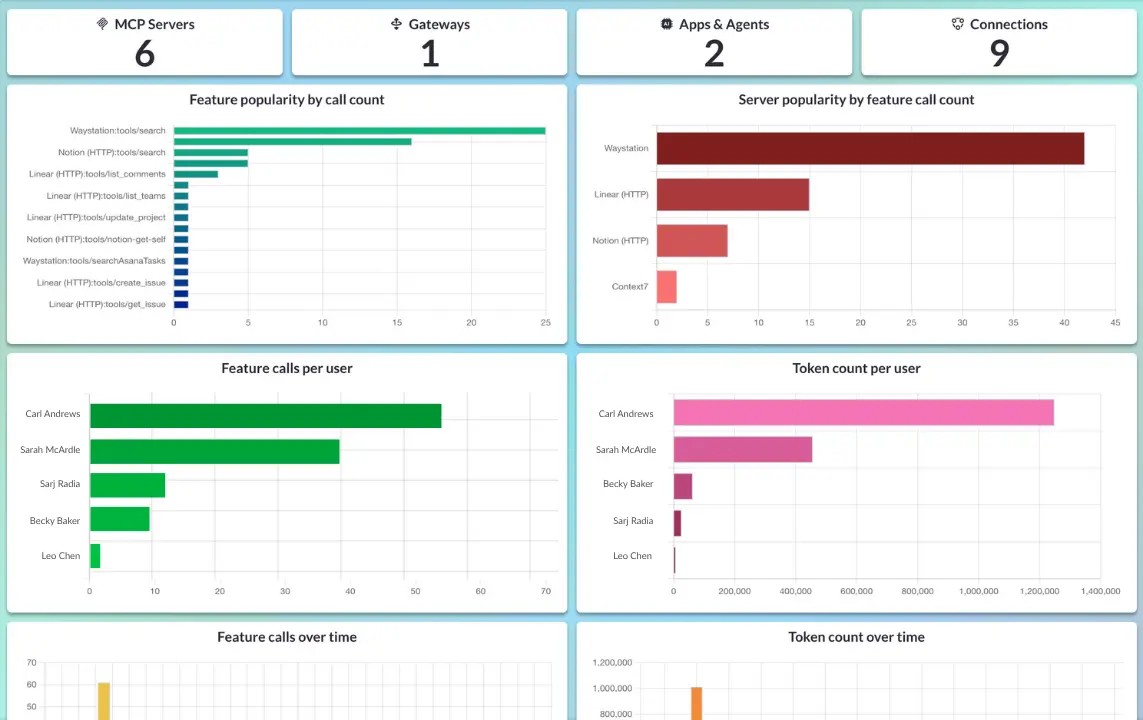
Gain visibility by getting a real-time record of every tool call. Always know which agent did what, and when. Export logs or filter them right in MCP Manager.

Enterprise Grade Security
Built to fit your existing identity stack — with Okta, Entra, and more. MCP Manager works with your identity management for both people and AI agents.

Tool Call Restrictions
The default for MCPs is a wide-open connection. MCP Manager gives you the ability to choose what tool calls you do and don’t want.

Approval Enforcement
Security and governance has always relied on human intervention and approvals. AI security should be no different.

Zero-Code Setup
MCP Manager is easy to setup. Connect the MCP servers your teams need to use without losing precious development time.

Alerts and Monitoring
Get alerts if suspicious activity takes place and monitor what agents are accessing what tools. Rest easy knowing MCP Manager keeps your connections secure.
Why Teams Cannot Wait to Address MCP Security Risks
#1: Teams Are Using MCP Servers Today (Without Security)
Teams at your organization (and your competitors) are unlocking the power of AI with MCP tools. You likely have risks you are not aware of happening today. You must provide oversight or risk serious harm to your data and organization.
#2: Rogue AI Agents Can Cause Serious Damage
It’s not just bad actors who can tap into the wide-open connections that MCP servers initiate by default. Confused and uncontrolled AI agents can unintentionally leak, corrupt, or exfiltrate sensitive data. Avoid destructive tool calls, PII exposure, and unauthorized actions.
#3: The C-Suite Expects AI Adoption
Executives expect teams to use MCP servers and AI to do more with less. And they expect you to de-risk it. Waiting for a breach isn’t a strategy. Start today.
#4: You Can’t Respond to What You Can’t See
Traditional logging doesn’t cover agent behavior. Without visibility into AI tool calls, incident response becomes guesswork — leaving your organization exposed.
#5: MCP Risks Are Silent Until They’re Catastophic
A single unapproved tool call can damage systems or leak sensitive information. Many of these risks don’t surface until it’s too late — unless you proactively monitor and control agent behavior.