The MCP Governance Gap: How to Secure AI Data Flows at Scale




Model Context Protocol (MCP) is a transformative technology that brings external data and capabilities into LLMs and AI-driven workflows. However, MCP also introduced an extraordinary AI governance gap that teams must figure out.
Most teams are racing to adopt AI agents (or risk obsolescence). Agents are more powerful when they can access tools, capabilities, and context from the 5,000+ MCP servers available. However, IT lacks visibility and control of these capabilities, making MCP governance mission critical for companies that want to unblock AI innovation.
In this post, we’ll cover how IT and engineering leaders can securely deploy MCP at scale. We’ll also go over:
- Core MCP governance & security challenges
- Governance solution architecture
- Essential MCP governance capabilities
- Implementing your MCP governance framework
- Measuring governance success for MCP at scale
Understanding the MCP Governance and Security Landscape
MCP is a protocol, not a product. And while this protocol enables more connective AI systems and agents, it also can create a lack of oversight and many MCP-related security risks.
It’s worth noting that MCP doesn’t only allow agents to read external context and data; it also allows agents to have enhanced capabilities. For example: when connected to HubSpot’s MCP server, an agent can not only look at customer data but could also edit that data.
This enhanced power creates risk when left unmitigated because there are so many open connections that can be exploited and numerous opportunities for agents to become overly privileged. This creates room for bad actors to exploit vulnerabilities and scenarios where agents simply go rogue and do things you’d never want them to.
MCP Data Flows Are Chaotic When Ungoverned:
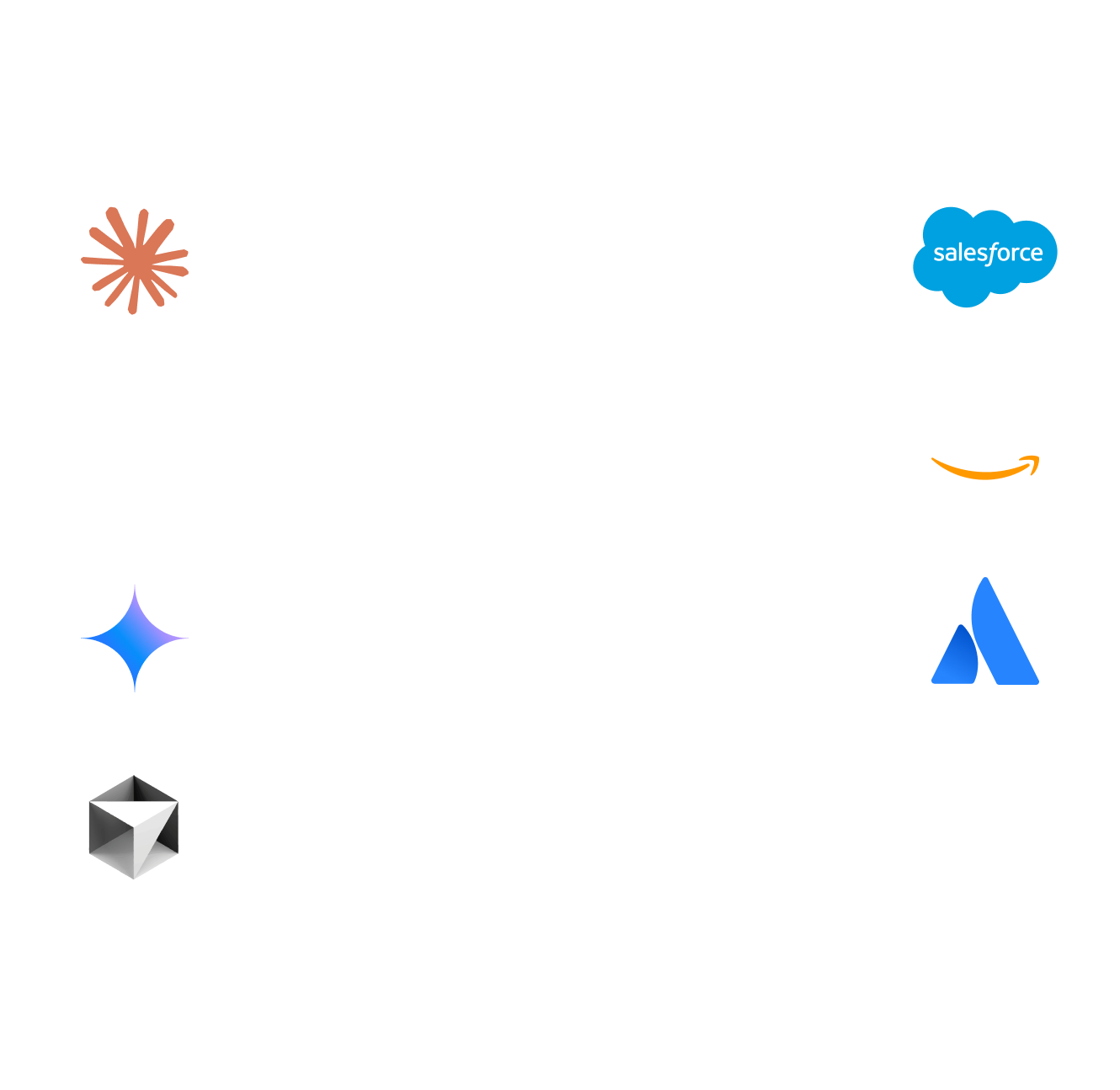
The abundance of data flows that MCP supports create critical threat vectors, such as prompt injection attacks, MCP rug pull attacks, tool poisoning, and PII/data leaks. Teams must figure out how to mitigate these risks before deploying MCP at scale.
In addition, MCP doesn’t offer much visibility by default. Shadow MCP also runs rampant in most organizations, which is when when IT has no idea what servers are being used by whom. In addition, users must figure out how to get verbose audit logs and oversight on their own; MCP doesn’t automatically provide observability.
Lastly, teams need control over what data flows. Unfettered access to external data and capabilities quickly turns chaotic at scale.
To deploy MCP confidently, safely, and at scale, teams must bridge the MCP governance gap. Otherwise, they risk introducing significant security vulnerabilities to their organization.
The Core MCP Governance Challenges
At the heart of the MCP governance gap is a lack of centralized visibility and control. Data and privileges flow in many directions without proper oversight.
A lack of proper controls causes security exposure. A lack of audit logs and oversight make it unclear what gaps even exist. And a lack of role-based access controls make it challenging for IT to provision servers to different teams and control tools within those servers.
Most companies face a technical expertise gap. It’s difficult to deploying all three MCP types (local, remote, and managed servers) at scale. With thousands of servers available to users, IT must create guardrails around which servers which teams can use, while maintaining control over the tools that those servers expose.
However, what ends up happening is that IT either blocks MCP altogether (which, in turn, blocks AI innovation) or allows ungoverned MCP.
Many IT Teams Respond to MCP in One of Two Ways:
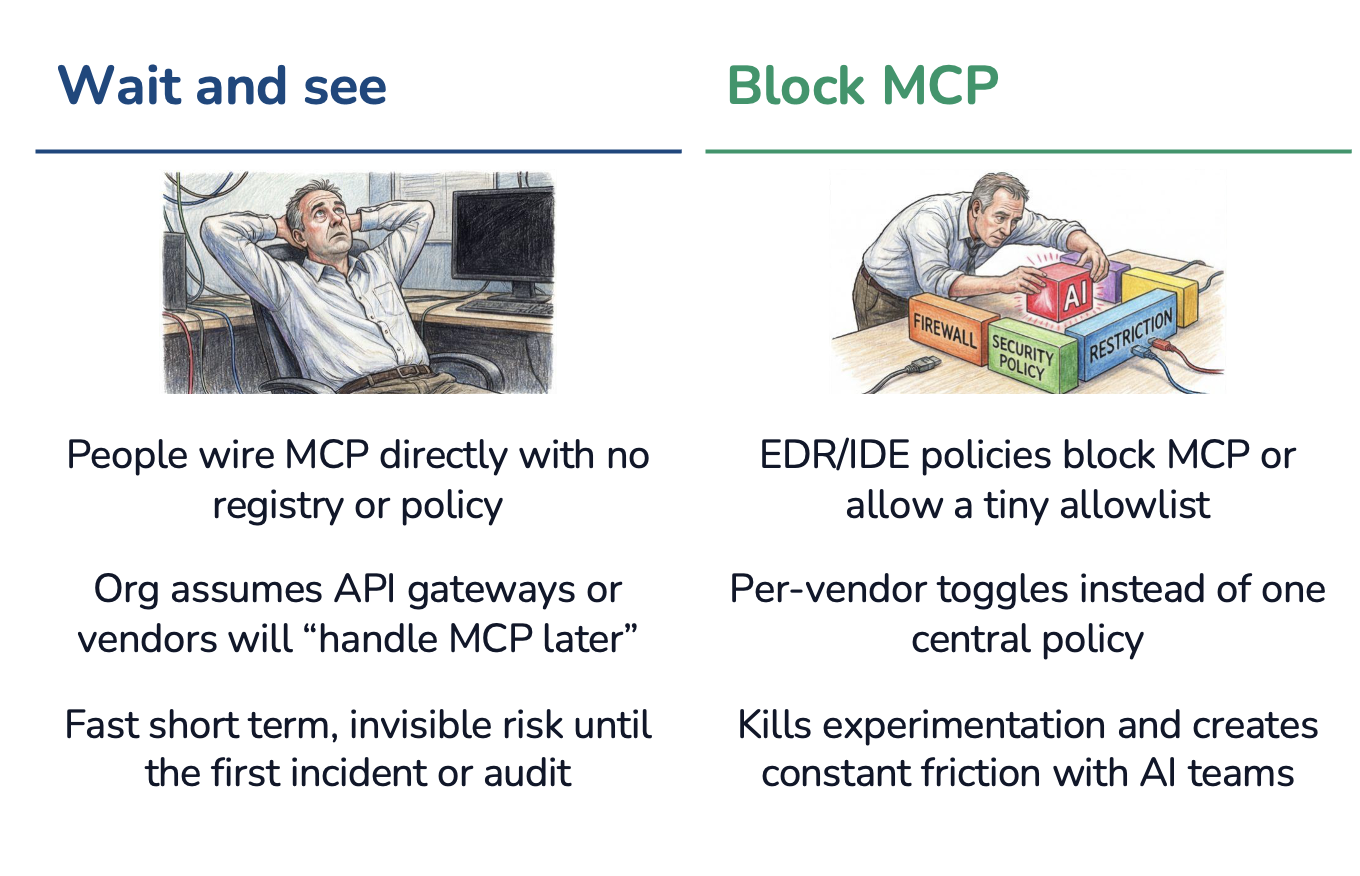
A better approach for IT teams is to centralize control of MCP.
The Governance Solution Architecture
We’ve laid out all the security problems and governance gaps that MCP introduces. Luckily, there is a solution: a centralized control plane.
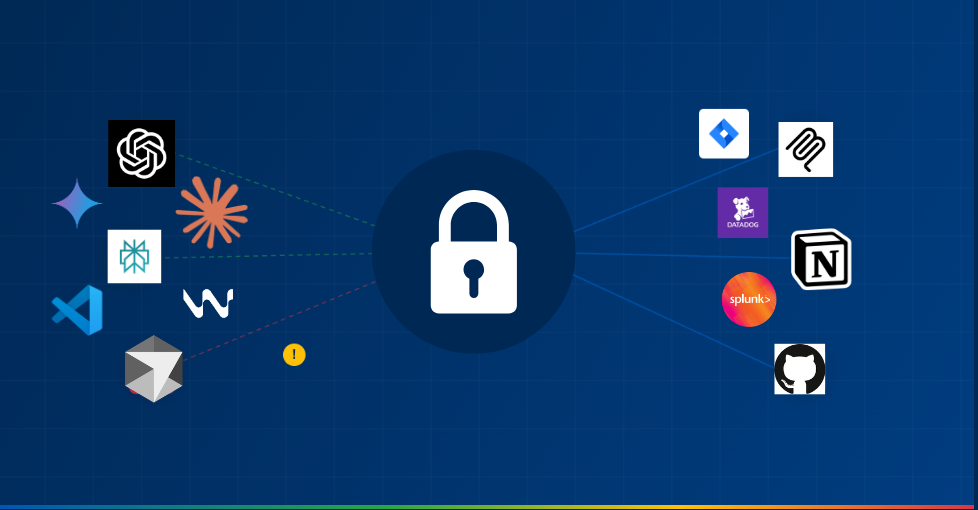
An MCP gateway is the centralized trust layer that monitors and controls all data flowing between MCP servers and AI systems.
MCP Gateways Provide a Central Layer to Control Data Flows:
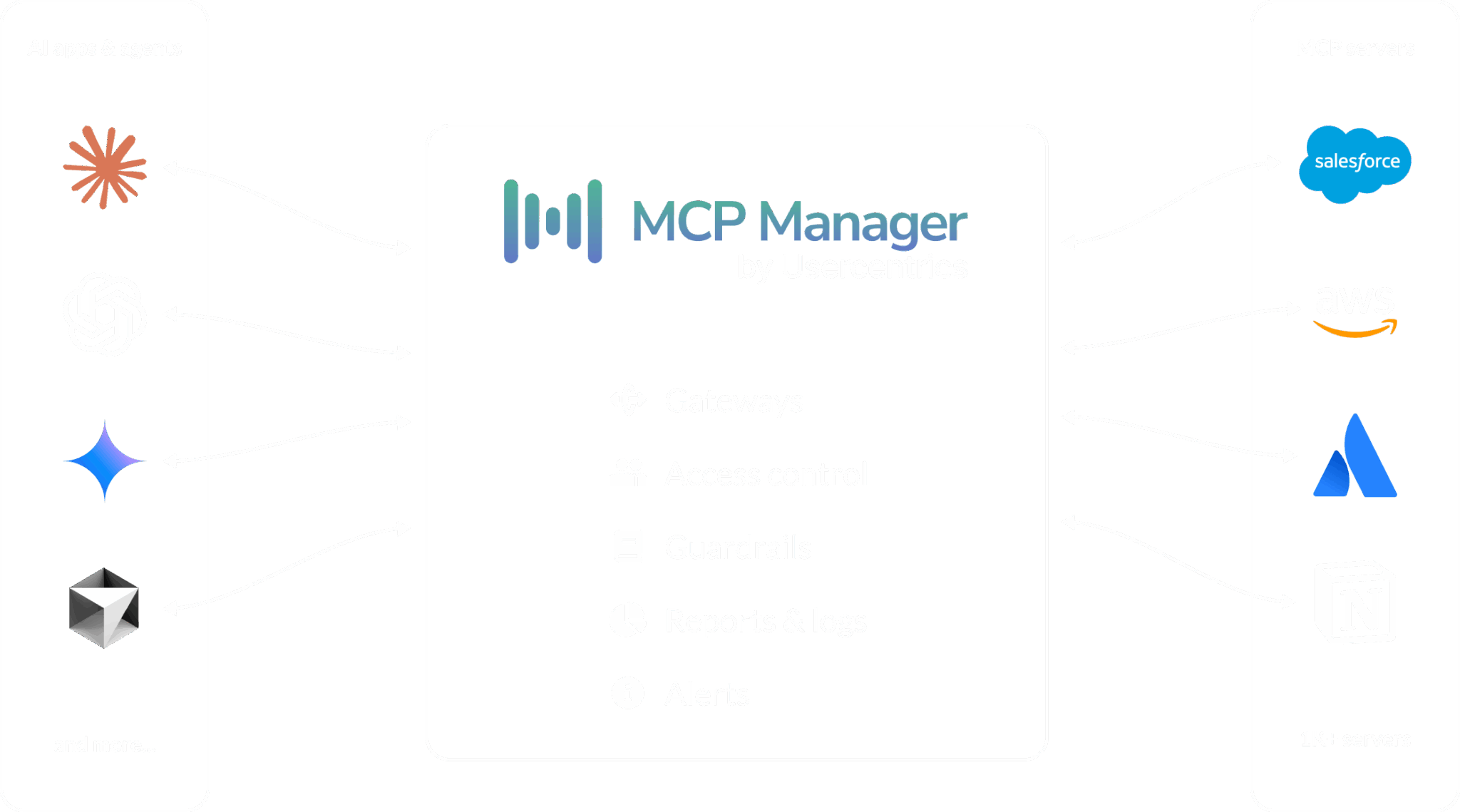
MCP gateways allow IT to safely and confidently unblock AI innovation.
MCP Manager by Usercentrics is one such gateway, offering key architectural components that MCP (as a protocol) doesn’t inherently offer. Admins can not only clearly see how data flows but also control what servers and users can access.
Gateways bridge the MCP governance gaps by offering:
- Private MCP registry
- Runtime guardrails and policy enforcement
- Enterprise-grade RBAC
- Logging and alerting systems
- PII detection
- Tool-level provisioning
- Integration points with existing enterprise systems
You can see an MCP gateway in action in the demo video below. MCP gateways are easy to set up and work with all MCP clients. They provide order, control, and visibility to an otherwise shadowy and chaotic web of connections.
Essential MCP Governance Capabilities
This list of features will help you when assessing the right gateway to fulfill your MCP governance requirements. MCP gateways worth their salt should be able to do the following.
MCP Enablement
- Support all MCP deployment types: Gateways should work with remote, managed, and local servers. This also makes spinning up servers easier and more secure
- One-click MCP installation: MCP gateways should provide a URL that users can place in the MCP client (e.g., Claude, Cursor), installing multiple servers at once
- OAuth flow: OAuth is the recommended (but not required) auth flow. Therefore, not all servers offer it. Your MCP gateway should enable OAuth even when individual servers don’t provide it
- Enterprise integration: SSO, SIEM (via OpenTelemetry), AWS Bedrock, and other system connections
MCP Control Plane & Guardrails
- Identity management: Centralized user authentication and authorization that integrates with your existing identity providers (Okta, Azure AD, etc.)
- Security mitigation: Prevent attacks like MCP rug pulls, prompt injection, and tool poisoning
- Access control: Enterprise-grade RBAC to define who can access which servers and capabilities
- Team provisioning: Control what teams can use which servers based on their roles and responsibilities
- Tool provisioning: Stop overly privileged agents from accessing more capabilities and data than they need; this also decreases token costs and attack surface
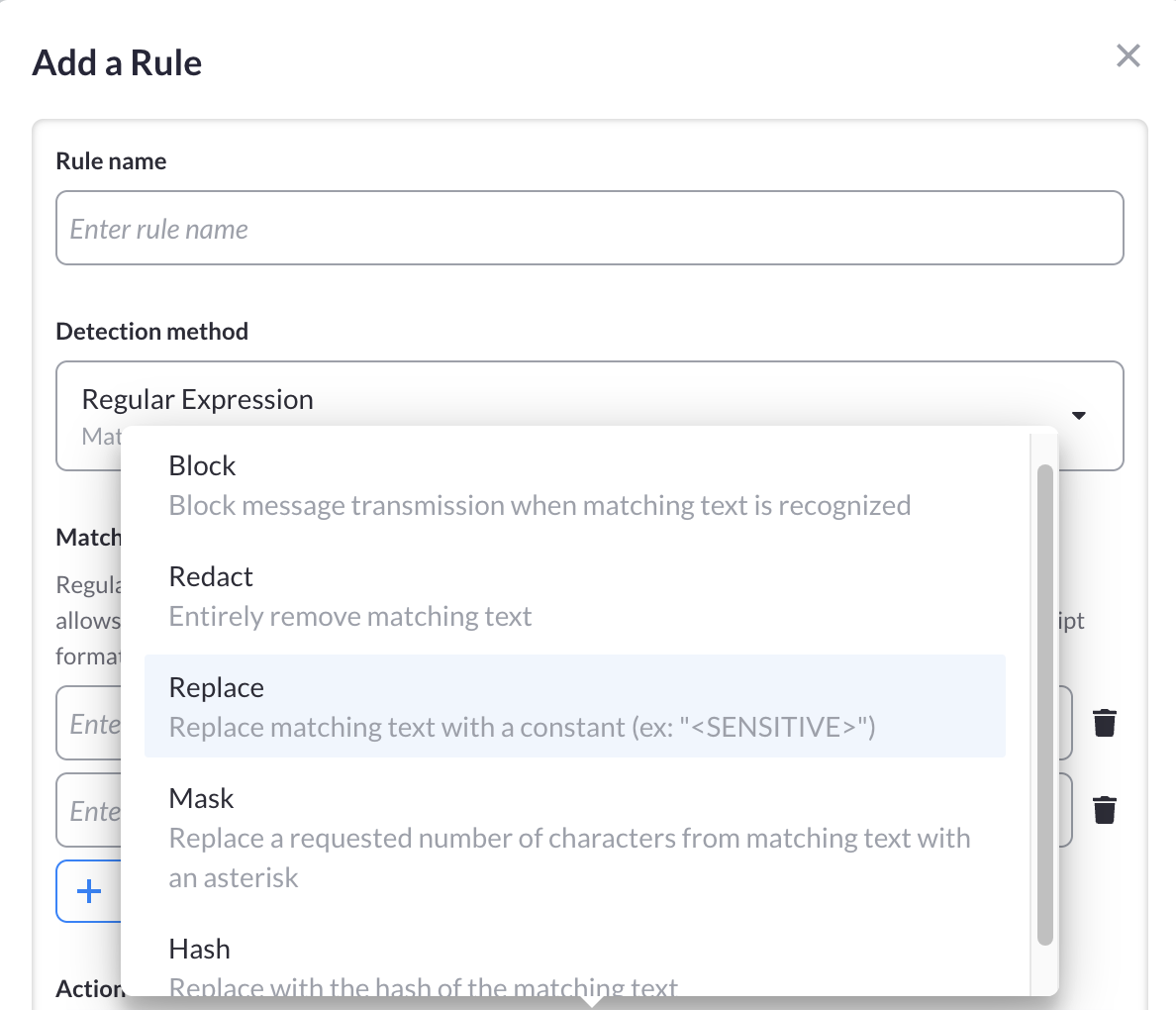
- PII detection: Regex-based and NLP-based filtering ensure that sensitive data never reaches your models.
MCP Manager by Usercentrics makes PII redaction for MCP servers easy:
MCP Observability & Monitoring
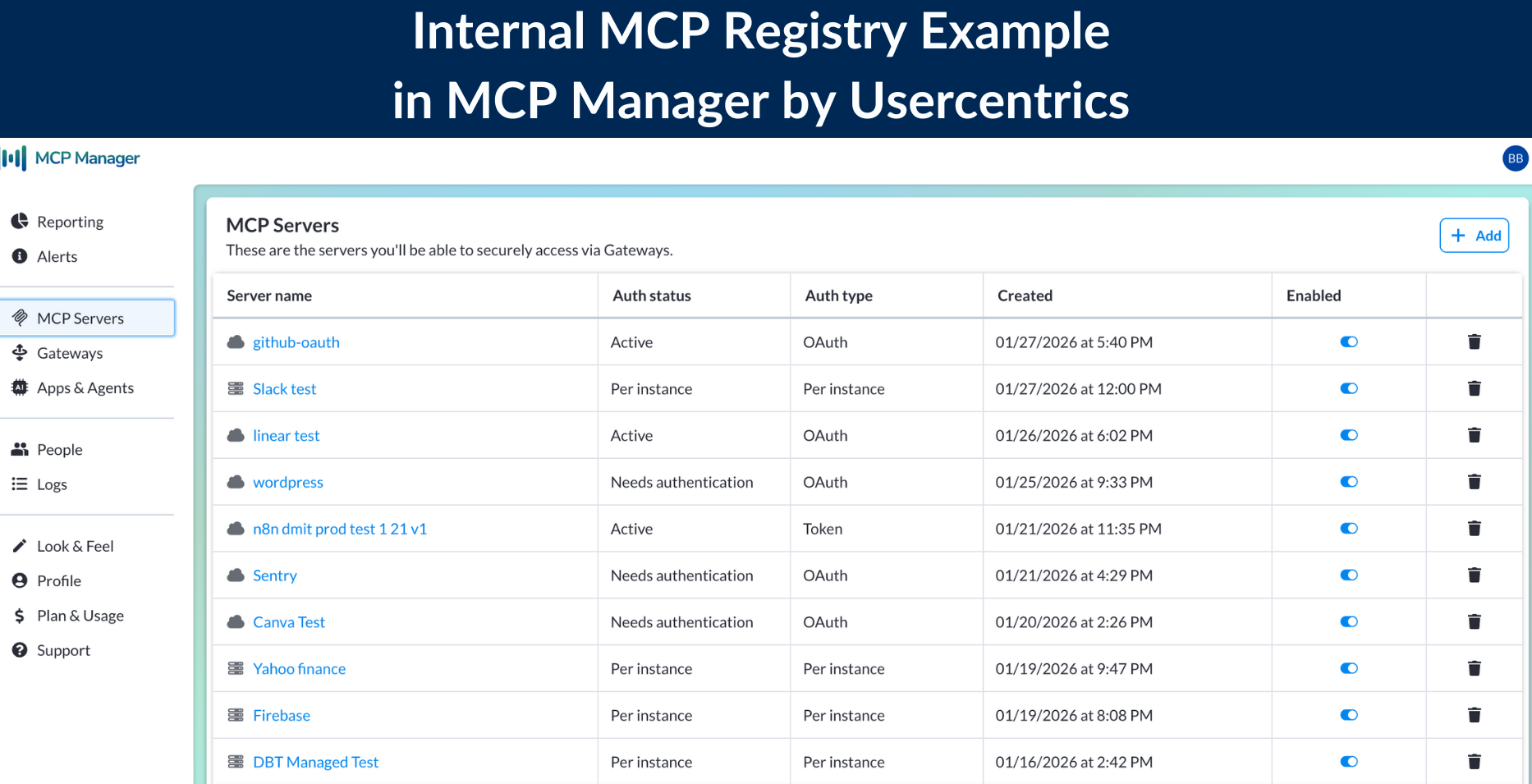
- Private, internal MCP registry: A list of approved MCP servers that team members can access; this helps reduce shadow MCP use
- Verbose MCP audit logs: End-to-end observability with contextual metadata around what data, messages, prompts, and resources flowed between servers, agents, and humans
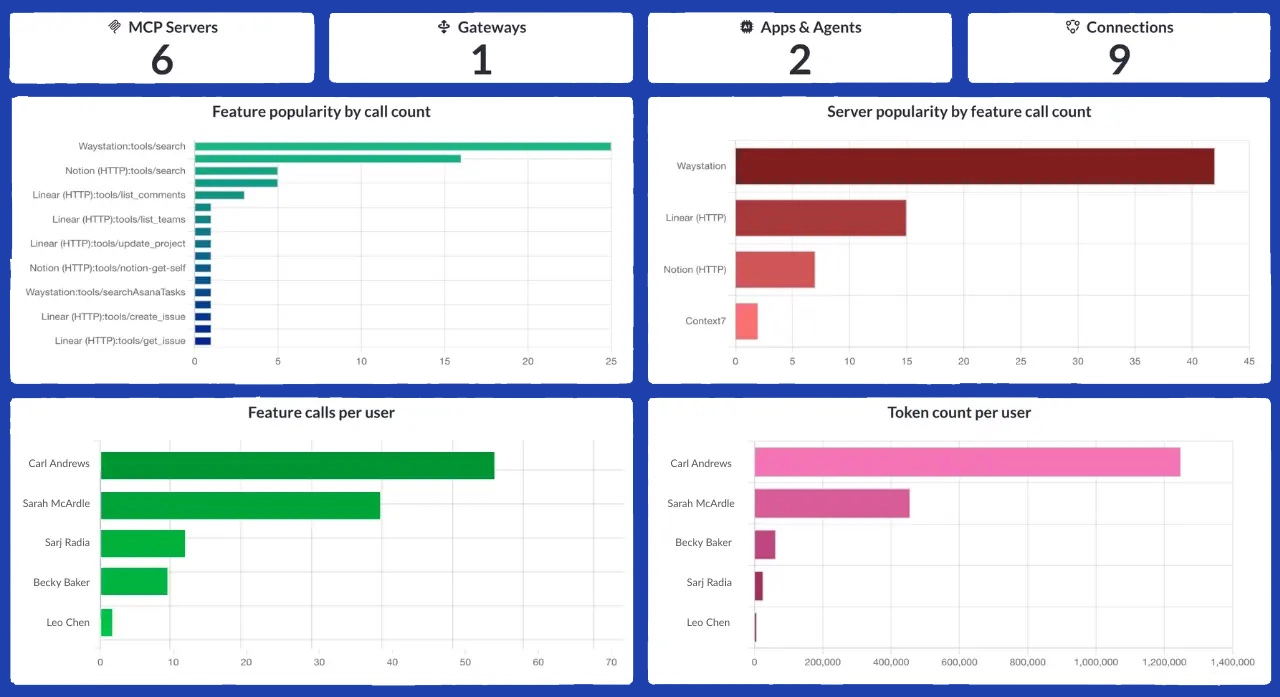
- Real-time dashboards: Immediate insight into things like token use, server use, and connection patterns
- Monitoring and alerts: Gateways can flag when abnormal behavior is happening or even when a user has provisioned a server to additional team members
You can also check out the webinar we did on MCP observability to explore the blindspots MCP introduces in many organizations.
Implementing Your MCP Governance Framework
Rolling out MCP governance doesn’t have to be overwhelming. Here’s a practical approach to implementation that balances security with team productivity.
Step 1: Assess Your Current MCP Landscape
Before implementing governance, understand what you’re governing. Conduct an audit to identify:
- What MCP servers are currently in use (including shadow MCP)
- Which teams are using AI agents and for what purposes
- What data sources agents are accessing
- Existing security incidents or near-misses related to AI tools
This assessment will help you prioritize which governance controls to implement first and identify quick wins that demonstrate value.
Step 2: Define Your MCP Governance Policies
Create clear policies that balance innovation with security. Your policy framework should address:
Data Classification Policies
- Define what data can be accessed by AI agents (public, internal, confidential, restricted)
- Establish rules for PII handling and data retention
- Create guidelines for cross-border data flows if applicable
Server Approval Policies
- Define criteria for approving new MCP servers (security review, vendor assessment, compliance requirements)
- Establish a review process with clear timelines
- Create an expedited path for vetted, commonly-used servers
Usage Policies
- Define acceptable use cases for MCP servers and AI agents
- Set expectations around human oversight and review
- Establish boundaries for automated actions vs. human-in-the-loop workflows
Step 3: Deploy Your MCP Gateway
Start with a centralized gateway that all MCP traffic routes through. This gives you immediate visibility and control:
Technical Implementation
- Deploy the gateway in your infrastructure
- Configure integration with your SSO provider for authentication
- Set up connections to your SIEM for security monitoring
- Enable PII detection and other security guardrails
Initial Server Configuration
- Populate your private registry with approved MCP servers
- Ensure your gateway enables OAuth flows for all servers
- Set up default RBAC policies based on team structure
- Enable comprehensive audit logging from day one
Step 4: Establish Approval Workflows
Create clear, efficient workflows for provisioning new servers and tools:
For Standard Servers
- Create a self-service catalog of pre-approved servers
- Enable one-click installation through your gateway
- Automatically apply appropriate access controls based on user role
For New Server Requests
- Build a lightweight request form (what server, why needed, what data accessed)
- Define review criteria and SLA (e.g., 48-hour turnaround for standard requests)
- Assign ownership to a cross-functional team (security, IT, business stakeholders)
- Document approval decisions for future reference
For Tool-Level Provisioning
- Review which tools within each server should be available to which teams
- Implement least-privilege access by default
- Create a process for requesting additional tool access
Step 5: Configure Monitoring and Alerting
Set up proactive monitoring to catch issues before they become problems:
Dashboard Configuration
- Create role-specific dashboards (executive overview, security operations, team leads)
- Track key metrics in real-time (active connections, data transfer volumes, error rates)
- Set up scheduled reports for regular governance reviews
Alert Thresholds
- Unusual data access patterns (volume, timing, or scope)
- PII detection triggers
- Failed authentication attempts or authorization violations
- New server connections outside the approval process
- Token usage spikes that might indicate runaway agents
Response Procedures
- Define escalation paths for different alert types
- Create runbooks for common incident scenarios
- Establish communication protocols for security events
Step 6: Roll Out to Teams with Training
Governance only works if teams understand and follow it. Invest in enablement:
Training Programs
- Create onboarding materials explaining why governance matters
- Provide hands-on tutorials for using the gateway
- Share best practices for prompt engineering with governed tools
- Conduct regular office hours for questions
Change Management
- Start with a pilot team that’s eager to adopt AI safely
- Gather feedback and iterate on your governance approach
- Celebrate early wins to build momentum
- Gradually expand to additional teams
Ongoing Support
- Maintain clear documentation on approved servers and policies
- Create feedback channels for governance improvement suggestions
- Regularly communicate new servers added to the registry
- Share anonymized case studies of governance catching issues
Step 7: Iterate and Improve
MCP governance isn’t set-it-and-forget-it. Build feedback loops:
- Stay current on new MCP security best practices and research
- Review governance metrics monthly with stakeholders
- Survey teams on what’s working and what’s slowing them down
- Update policies as new use cases and risks emerge
Ready to Bridge Your MCP Governance Gap?
Don’t wait until a security incident forces your hand. MCP Manager by Usercentrics provides the trust layer your organization needs to scale AI safely.
Get started today with our 2-week free trial. You just have to set up an onboarding call to unlock your free account. We’ll help you deploy governance in days, giving you full feature access to features like PII detection, RBAC, audit logs and more.
If you want to explore more, we also have tons of MCP resources. Check them out or watch our webinar recording on why MCP gateways are critical to AI deployments.