The Best MCP Gateway Options for Atlassian MCP Server




Atlassian’s remote MCP server is one of the most popular MCP servers in 2026. It gives AI agents direct access to Jira projects, Confluence pages, and Atlassian user data, enabling workflows that teams have wanted for years: reading sprint backlogs, creating and updating issues, pulling documentation into context, and automating the administrative overhead that bogs down engineering and ops teams alike.
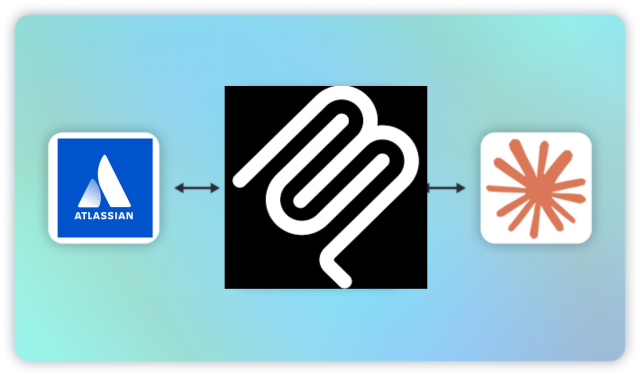
The Atlassian MCP server is a remote server, which means it operates over a persistent network connection that Atlassian hosts rather than running locally on a developer’s machine. Remote servers are easier to configure but they don’t offer the security, observability, and control that you’ll want. That’s why you’ll need an MCP gateway for your Atlassian integration. In addition, MCP gateways help solve some known issues with Atlassian’s MCP server, which have surfaced in the Atlassian community forums.
This guide breaks down the best MCP gateway options for teams running Atlassian’s MCP server — and how to choose the right one for your environment.”
Why You Need an MCP Gateway for Atlassian Integration
Running Atlassian’s MCP server without a gateway is workable in a prototype. In production, it creates a category of problems that compound as your usage grows.
To Fix Atlassian MCP Server Auth Issues
In production, teams quickly run into real problems: Atlassian’s auth tokens expire frequently, forcing repeated re-authentication. Different MCP clients handle this inconsistently; some prompt you to log back in, while others just fail. And as usage grows, questions around access control, data visibility, and context management become impossible to ignore.
MCP gateways abstract away that client-specific behavior. Instead, they manage token refresh at the infrastructure layer, maintain the connection on behalf of clients, and eliminate the repeated re-authentication that makes the server impractical for agentic workflows and automation tools.
Security
Atlassian data is sensitive. Jira projects contain roadmaps, customer issues, internal escalations. Confluence pages hold architecture decisions, financial planning documents, HR processes. Without a gateway, every agent that connects to the Atlassian MCP server has unscoped access to whatever your Atlassian account can see. A gateway enforces tool-level RBAC so the agent running your sprint standup summary doesn’t have write access to your HR Confluence space.
Observability
Without a gateway, you have no centralized record of what your agents are doing with Atlassian data. A gateway gives you per-tool-call audit logs — which agent invoked which tool, with what parameters, at what time, with what result. That matters for debugging, for compliance, and for the moment IT asks what your AI agents have been doing in production Jira.
Context Bloat Prevention
The Atlassian MCP server has a known issue where field filtering via the API isn’t respected. Tools return full issue payloads even when specific fields are requested. For LLMs with limited context windows, this causes failures fast. A gateway with tool permission scoping can filter what gets passed to the model, preventing context overload before it reaches the client.
Governance and Control for Scaling AI
As Atlassian MCP usage spreads across teams, IT and security need visibility into what’s happening. Without a gateway, there’s no centralized place to manage who has access to which Jira projects or Confluence spaces, no way to enforce consistent policies across agents, and no audit trail if something goes wrong. A gateway gives IT a single control point for access policies, permissions, and logs in one place, all without requiring changes to every agent or client configuration.
MCP Manager by Usercentrics: Best for AI Governance at Scale
MCP Manager is purpose-built for enterprise MCP governance. It ships with the controls that production Atlassian deployments require. In addition, it’s easy to use and offers workflows that make it easy for employees to ask for MCP server approvals.
For teams running the Atlassian MCP server specifically, MCP Manager solves the core production pain points:
- Authentication: Token refresh and connection persistence handled at the gateway layer — agents connect to MCP Manager, which maintains the Atlassian session and handles re-authentication transparently. The short-lived token problem disappears from the client’s perspective.
- Granular access control: Tool-level RBAC so you can scope which agents have access to which Jira projects, Confluence spaces, or Atlassian tools — without modifying agent code.
- Context bloat prevention: Context filtering to prevent full Jira issue payloads from hitting your LLM’s context window when only a subset of fields is needed.
- Audit logs: Every Atlassian tool call logged with full context — agent identity, tool invoked, parameters, response — for debugging and compliance.
- PII detection: PII detection to prevent sensitive Atlassian data from being passed to models in contexts where it shouldn’t be.
- Observability: Dashboard visibility into all MCP server activity across your organization.
MCP Manager is built by the team behind Visor, one of the most widely used Jira apps in the Atlassian Marketplace. You can also check out MCP Manager’s Atlassian Marketplace listing. That background matters: our team has a deep familiarity with how Atlassian’s infrastructure behaves in enterprise environments, and MCP Manager reflects that.
MCP Manager is available for a free trial. Learn more and get started.
Kong AI Gateway: Best for Teams Using Kong Infrastructure
Kong is a mature API gateway platform that has extended its infrastructure to support MCP. For organizations already running Kong to manage their API layer, adding MCP support is a natural extension. It offers same platform, same operational patterns, lower net-new tooling overhead.
- Kong handles authentication, and traffic management at scale.
- Kong knows how to deal with complex routing
- It’s well-suited for large organizations with dedicated platform teams who want to consolidate MCP traffic management within existing Kong infrastructure.
What to expect if you’re evaluating Kong for Atlassian MCP specifically: Kong wasn’t originally built with MCP in mind. It can sit in front of MCP traffic, but it doesn’t natively understand the stateful, multi-turn nature of MCP connections the way purpose-built MCP gateways do. The short-lived token behavior from Atlassian’s server requires custom handling that you’ll need to configure yourself. Teams not already invested in Kong will find the adoption overhead significant relative to purpose-built alternatives.
Amazon Bedrock AgentCore Gateway: Best for AWS-Native, Serverless Infrastructure
Amazon Bedrock AgentCore is a fully managed AI infrastructure platform that includes MCP gateway functionality as part of a broader agent stack. For teams already running AI workloads on AWS Bedrock, the MCP access layer integrates cleanly with IAM, CloudWatch, and CloudTrail.
- AgentCore supports OAuth-based authentication and semantic tool discovery
- AgentCore is serverless, so there is no gateway infrastructure to manage.
- For Atlassian MCP specifically, it provides a managed connection layer that handles some of the authentication complexity.
What to expect: AgentCore’s MCP capabilities come bundled with the full Bedrock platform; it’s not something you drop into an existing stack. If you’re multi-cloud or using Atlassian alongside SaaS tooling outside the AWS ecosystem, you’ll hit friction. Teams evaluating a dedicated MCP gateway rather than a full platform commitment will find more purpose-built options elsewhere on this list.
Docker MCP Gateway: Best for Local MCP Servers
Docker’s MCP Gateway is an open-source gateway that ships as part of Docker Desktop’s MCP Toolkit. It handles server lifecycle, credential injection, OAuth flows, and routing. It’s worth nothing that it supports both local containerized MCP servers and remote MCP servers, including the Atlassian MCP server.
- For an individual developer who wants a free, familiar tool to get started quickly, Docker is a reasonable option.
- Docker handles OAuth for remote servers and provides basic observability through built-in logging and call tracing.
Where it falls short for Atlassian at scale: there’s no organization-wide RBAC, no centralized dashboard for team-level access control, and no compliance-grade audit logging. It’s designed for developer-level use and is well-built for that job, but not an enterprise control plane. Teams that need to govern which agents or users can access specific Jira projects or Confluence spaces, or that need to hand off visibility to IT, will outgrow it quickly.
Build Your Own MCP Gateway: A Cautionary Note
Building a custom MCP gateway is technically feasible, and some teams attempt it when they can’t find an off-the-shelf option that fits. For the Atlassian MCP server specifically, this means building an MCP proxy layer that handles OAuth token refresh, connection persistence, and routing between your clients and the Atlassian endpoint.
The core challenge isn’t the initial build; it’s everything that comes after. Token rotation logic. Handling the edge cases in Atlassian’s auth flow that differ between client types. Keeping pace with MCP protocol updates. Building observability from scratch. Managing secrets securely. None of these are unsolvable, but the cumulative maintenance burden is significant.
Teams that go this route typically find that by the time they’ve replicated the core features of a purpose-built gateway, they’ve spent engineering time that would have been better directed elsewhere. Build your own makes sense if your requirements are genuinely unusual and no commercial option addresses them. For most teams, it’s the wrong tradeoff.
How to Choose the Right MCP Gateway for Atlassian
The right gateway depends on where your project is headed, not just where it is today. Map your situation to the criteria that actually matter:
| Your situation | What matters most | Best fit |
| Governance, compliance, or IT handoff required | RBAC, audit trails, PII detection, token management | MCP Manager by Usercentrics |
| Already running Kong for API management | Platform consolidation, familiar tooling | Kong AI Gateway |
| Running AI workloads on AWS Bedrock | AWS-native, serverless, IAM integration | Amazon Bedrock AgentCore |
| Local dev or individual developer getting started | Fast setup, open source | Docker MCP Gateway |
| Unusual requirements, strong platform team | Full control, custom logic | Build your own (with caution) |
The pattern that emerges: the Atlassian MCP server is a production-grade remote service. The further your deployment moves from local prototyping toward real workloads — with real Jira data, real agents, real teams — the more the gateway decision becomes a governance and reliability decision.
See It in Action: Atlassian MCP Gateway Demo
The video below shows MCP Manager’s gateway running a secure multi-server Claude setup using the Atlassian MCP server alongside GitHub and Notion, demonstrating how a gateway manages authentication, access control, and routing across multiple remote MCP servers simultaneously.
The demo uses real Jira data via the Atlassian remote MCP server, with MCP Manager handling the connection and governance layer.
How to Fix Atlassian MCP Server Authentication Timeouts
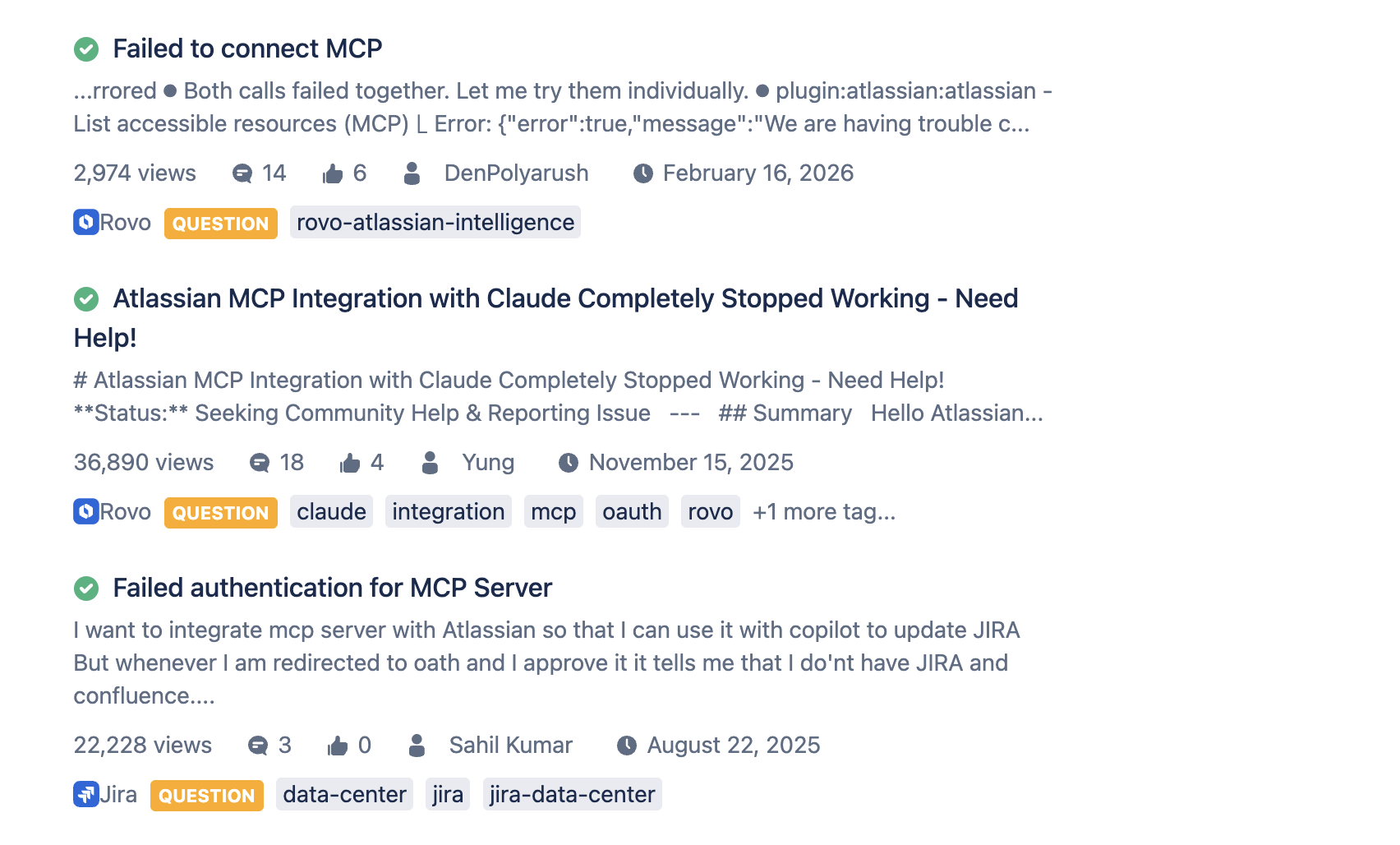
The Atlassian MCP server’s short-lived OAuth tokens are one of the most-reported pain points in the Atlassian community. Here’s what’s happening and how to address it.
What’s causing the problem
Atlassian’s MCP server issues OAuth tokens with relatively aggressive expiration windows. MCP clients (e.g., Claude Desktop, Cursor) are built around standard timeout assumptions. When Atlassian’s token expires faster than the client expects, one of two things happens: the connection drops and the user has to re-authenticate manually, or in non-interactive environments like n8n, the workflow breaks entirely because there’s no re-auth flow to trigger.
This is a client-gateway mismatch problem. The clients aren’t wrong. Atlassian isn’t necessarily wrong. But without an abstraction layer between them, every client hits the edge case differently.
What the Atlassian community is saying
“The auth tokens are very short lived. I have to re-authenticate a lot, at least every day, when I work with it extensively from Cursor. Also integrating the MCP inside flows like n8n is not an option due to the short-lived tokens.” — Atlassian Community member, Dec 2025
“At least that is the plan but unfortunately the auth seems to be so spotty the MCP is practically unusable. I am hoping these issues get resolved soon because this workflow would be a huge time saver for me.” — Atlassian Community member, Dec 2025
“Are there known issues with connecting MS Copilot and the Atlassian MCP Server? We are seeing authentication issues. We are NOT having issues with the GitHub connectivity.” — Atlassian Community, February 2026
How a gateway fixes it
MCP Manager handles token refresh at the gateway layer. Rather than your MCP client managing the Atlassian OAuth session directly, MCP Manager maintains the connection, handling token expiry, refresh, and re-authentication transparently. Your client connects to MCP Manager, which holds the persistent session with Atlassian. When the token expires, MCP Manager refreshes it without interrupting the client connection.
The practical result: no more daily re-authentication in Cursor. n8n and other non-interactive automation tools can use the Atlassian MCP server reliably. The client-gateway mismatch is resolved at the infrastructure layer rather than requiring each client to implement custom token handling logic.
Other timeout mitigations (if you’re not using a gateway)
- Check your Atlassian OAuth app settings — ensure you’re requesting offline_access scope if available, which enables refresh tokens.
- For Cursor specifically, the MCP connection config can be restarted more gracefully with a script that handles re-authentication on startup.
- For n8n and other automation tools, the Atlassian MCP server is effectively unusable without a gateway or a custom token management layer — there’s no workaround for non-interactive re-auth.
FAQs for Atlassian MCP Gateway Options
What is an MCP gateway and why do I need one for Atlassian?
An MCP gateway is a control layer that sits between your AI agents and your MCP servers. For the Atlassian MCP server specifically, it handles token refresh, enforces access controls, provides audit logging, and prevents context bloat — all the things that make the server practical to run in production rather than just in a prototype.
How does an MCP gateway fix the Atlassian token timeout problem?
Instead of your MCP client managing the Atlassian OAuth session directly, the gateway maintains the connection on your behalf. When the token expires, the gateway handles the refresh transparently — your client never sees the interruption. This is how MCP Manager addresses the daily re-authentication issue that Atlassian community members have reported with Cursor and other clients.
Can I use the Atlassian MCP server with n8n or other automation tools without a gateway?
Not reliably. Non-interactive tools like n8n can’t trigger the OAuth re-authentication flow that Atlassian’s short-lived tokens require. Without a gateway managing token refresh at the infrastructure layer, automation workflows will break when the token expires. A gateway is effectively required for any non-interactive Atlassian MCP integration.
Does MCP Manager work with both Jira and Confluence?
Yes. MCP Manager connects to the Atlassian remote MCP server, which provides access to both Jira and Confluence. You can scope access at the tool level — so specific agents or users can be restricted to Jira-only or Confluence-only access if needed.
What’s the difference between the Atlassian MCP server and an MCP gateway?
The Atlassian MCP server is the integration layer that exposes Jira and Confluence data to AI agents via the Model Context Protocol. An MCP gateway sits in front of that server — it handles authentication, access control, observability, and policy enforcement. The server provides the tools; the gateway governs how those tools are used.
How do I know which agents have access to my Atlassian data?
Without a gateway, you don’t. There’s no centralized record of which agents are connecting or what they’re doing. With MCP Manager, every tool call is logged with agent identity, tool invoked, parameters, and result. Access is scoped by RBAC policies that you define, so you always have a clear view of what has access to what.
Can I use multiple MCP servers alongside Atlassian through a gateway?
Yes, and this is one of the core benefits of a gateway. MCP Manager lets you connect Atlassian alongside GitHub, Notion, Slack, and other MCP servers through a single control plane. The demo video above shows exactly this — Atlassian, GitHub, and Notion running together through MCP Manager with shared access controls and logging.
Is MCP Manager available in the Atlassian Marketplace?
Yes. MCP Manager is available in the Atlassian Marketplace. It’s built by the team behind Visor, one of the most widely-used third-party Jira apps.
Want to get started?
Try MCP Manager free for one week — no configuration required. Or explore MCP Manager in the Atlassian Marketplace. Get started at mcpmanager.ai.