The Best MCP Gateway Options for IT Teams




IT teams are met with an impossible task: block AI innovation OR accept ungoverned risk.
Complicating this task is the fact that there is a lot of shadow AI and shadow MCP deployments happening without IT’s involvement. Engineers connect agents to GitHub, Slack, databases, and internal APIs using MCP. IT either ignores this or attempts to block this type of activity altogether. Neither option works.
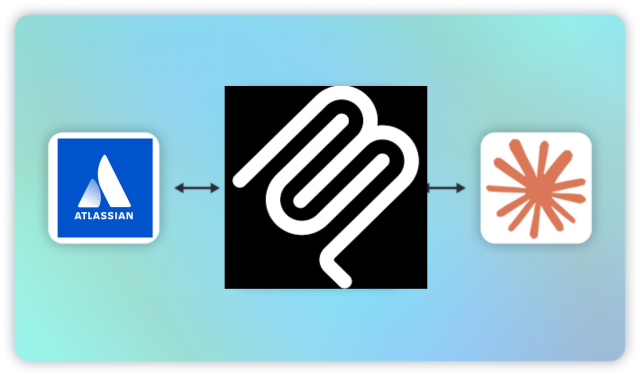
That’s why MCP gateways are necessary for IT teams. An MCP gateway gives IT the control plane it needs.
MCP gateways sit between every AI agent and server/tool they access, centralizing:
- auth flows
- access controls
- observability
- policy enforcement
- alerting and audting
For IT teams, the gateway is how you go from “we have no idea what agents are doing” to “we can see, govern, and audit every tool interaction across the organization.”
This guide covers the best MCP gateway options for IT teams and how to choose the right one for your environment.
Why IT Teams Need an MCP Gateway
IT teams are responsible for security, compliance, and operational visibility across the organization. AI agents create new categories of risk in all three areas. And without a gateway, IT has no consistent mechanism to address any of them.
MCP Gateways Help Stop Shadow MCP
When engineers deploy MCP servers and connect agents to production tools without IT oversight, it creates the same blind spots that shadow IT created a decade ago with unauthorized SaaS adoption. Except the stakes are higher: these agents aren’t just accessing data, they’re taking actions.
An MCP gateway gives IT a centralized registry of approved MCP servers and enforces that all agent traffic routes through a governed endpoint. Instead of discovering unauthorized agent deployments after an incident, IT can establish guardrails before deployment happens.
Compliance Frameworks Require Audit Trails You Don’t Have
SOC 2, HIPAA, GDPR, and an increasing number of industry-specific frameworks require organizations to demonstrate who accessed what data, when, and through what mechanism. AI agents introduce a new layer to that question: which agent accessed which tool, with which parameters, authorized by which human, and what was the result?
For example: GitHub’s audit log tells you what changed in a repository, while your SIEM tells you about network events. However, neither tells you which agent invoked which MCP tool with which input, or which human enabled that agent to act. An MCP gateway captures that full chain with all the contextual metadata that you need, tool call by tool call. This trail creates the compliance record that auditors and regulators expect.
Org-Wide MCP Deployments Need RBAC
While engineers manage their own Personal Access Tokens, API keys, and agent configs, access control is decentralized. Developers create tokens with broader scopes than necessary. Credentials get shared across projects. Rotation policies get ignored.
In addition, non-technical teams are increasingly using MCP. And they typically need less access than more technical teams.
An MCP gateway imposes centralized, role-based access controls (RBAC) on top of whatever native access mechanisms each tool provides. IT defines who can access what at the tool level, the team level, and the operation level.
MCP Gateways Providing Alerts, Monitoring, and Security
Threats like rug pull attacks, data exfiltration, prompt injection and tool poisoning are pervasive. MCP gateways help mitigate these threats by offering abnormal behavior monitoring, alerts, and other protections that allow IT to enable AI safely.
MCP Gateway Overview
An MCP gateway is the central layer that sits between AI agents and the MCP servers they connect to. Gateways provide the visibility and control IT leaders need to safely deploy MCP and AI in production. You can learn more in the video below.
MCP Manager by Usercentrics
Best MCP Gateway for IT Teams That Need Governance and Access Controls
MCP Manager was built for the governance use case from the ground up, which is why it’s the most natural fit for IT teams. Where other gateways started as developer tools or infrastructure platforms and added governance later, MCP Manager’s entire product is organized around the questions IT teams actually ask: who has access to what, what are agents doing, and can we prove it to an auditor?
Many MCP gateways carry enterprise price tags north of $25,000 ayear. MCP Manager’s pricing is based on the capabilities you actually use, making it viable for organizations that need real governance but aren’t operating at Fortune 500 scale.
What IT teams get with MCP Manager:
- Private MCP registry with one-click installation: IT can maintain an approved catalog of MCP servers and deploy them across clients like Claude and Cursor without requiring developers to configure each one manually. MCP Manager supports remote, local, and managed servers too.
- RBAC and ABAC: Team leads and IT can apply policies at the user, team, agent, tool, and operation level. For example: marketing sees only marketing tools and servers. Engineering sees engineering tools. No one sees or accesses what they shouldn’t.
- Runtime guardrails and threat protection: MCP Manager provides protections against threats like rug pull attacks and data exfiltration. Alerts fire when abnormal patterns are detected, giving IT a security layer that works without constant human monitoring.
- PII and sensitive data detection: A Microsoft Presidio integration catches API keys, credentials, customer data, and other sensitive information before it reaches an LLM. Users can also use Reg-ex based filtering for more predictable patters like social security numbers. For IT teams responsible for data protection, this is a critical control. (Check out the demo below.)
- Audit logs with full contextual metadata: Teams get logs with ever tool interaction recorded , including metadata like date/time, tool name, parameters passed, result returned, and the human who authorized the agent’s access. This is the compliance chain that auditors expect.
- SIEM integration via OpenTelemetry: Export telemetry data to your existing security tooling rather than managing a separate monitoring stack.
- SSO integration: This is crucial for easy onboarding of your entire team to the MCP gateway and makes the team provisioning all the easier and more secure.
- Org-wide dashboards: A single view of all agent activity across every team. IT can see token use, number of agent connects, and even which employees are using which servers.
You can try MCP Manager for free by booking an onboarding call.
Kong AI Gateway
Best for IT Teams Already Operating Kong Infrastructure
If your organization already runs Kong for API management, which many, many enterprises do, extending that investment to include MCP traffic is a natural decision. Your team already knows how to operate Kong, your monitoring pipelines are already configured, and your security policies are already in place.
In addition, Kong’s MCP gateway features have matured into genuine, production-grade functionality. The AI Gateway includes an MCP Proxy plugin that bridges between MCP and HTTP protocols, OAuth 2.1 support through a dedicated MCP OAuth2 plugin, and MCP-specific Prometheus metrics for monitoring. Users can also access an MCP Registry in Kong Konnect that serves as a centralized system of record for approved MCP tools.
For IT teams, the value is operational consolidation. MCP governance lives in the same platform as your existing API governance, monitored by the same tools, managed by the same team, and subject to the same policies.
The tradeoff is scope and cost. Kong’s MCP features are extensions of a much larger API management platform, and the pricing reflects that origin — deployments can exceed $50,000 annually depending on scale and feature tier. IT teams that don’t already run Kong are adopting a significantly larger platform than the MCP use case alone demands. And while Kong’s MCP capabilities are real, they weren’t designed from the ground up for the specific threat models and governance patterns that MCP introduces — like prompt injection detection or tool-level PII scanning.
Obot
Best for IT Teams That Want an Approved MCP Catalog With Open-Source Control
One of IT’s core responsibilities in the MCP era is answering a deceptively simple question: which MCP servers are employees allowed to use? Community-built servers are everywhere, and many of them connect to enterprise systems with zero security review, no update cadence, and no accountability.
Obot addresses this directly. On top of offering an MCP gateway, Obot offers an open-source MCP platform that includes a curated catalog of vetted MCP servers, a searchable registry for approved tools, a gateway routing layer, and a built-in chat client. IT administrators can onboard the catalog out of the box, register additional internal or third-party servers, and control exactly which users and groups can discover and access which tools.
The open-source edition integrates with GitHub and Google for identity. The Enterprise Edition adds support for Okta and Microsoft Entra. Therefore, if you want the full enterprise IdP integration, you’ll need to get the paid tier. However, basic identity management is available out of the box.
The gateway layer enforces authentication and proxies all MCP traffic, while a companion shim alongside each server handles authorization, audit logging, and OAuth token exchange. Secrets and credentials live in the shim and are never exposed to the MCP server itself.
Obot is Kubernetes-native and designed for enterprise deployment; this means that the platform engineering team must have operational ownership. Self-hosting on Kubernetes means your team owns deployment, scaling, patching, and monitoring. For IT teams with platform eng support and a preference for open-source infrastructure, this is a strength, as Obot offers full data control without vendor lock-in. For IT teams without Kubernetes expertise or dedicated infrastructure staff, the operational burden may offset the benefits.
Amazon Bedrock AgentCore Gateway
Best for IT Teams Running on AWS
For organizations where AWS is the foundation of the technology stack, AgentCore Gateway fits into an ecosystem IT already manages. It’s a fully managed service without infrastructure to provision or maintain. In addition, it plugs directly into the AWS tools IT teams already use for governance: IAM for authorization, CloudWatch for monitoring, and CloudTrail for audit logging.
AgentCore Gateway converts existing REST APIs and Lambda functions into MCP-compatible tools with zero custom code, which is valuable for IT teams that want to make internal services available to agents without building separate MCP server implementations.
A particularly useful feature for IT teams managing tool sprawl is semantic tool discovery. As organizations scale to hundreds or thousands of tools, agents need a way to find the right tool without loading every available option into context. AgentCore Gateway provides a built-in search capability that lets agents discover relevant tools semantically, reducing both context bloat and the risk of incorrect tool selection.
AgentCore Gateway also integrates with AgentCore Guardrails to intercept tool calls in real time, helping enforce boundaries without requiring changes to individual agent configurations. Policies can be defined in natural language and converted to Cedar policy language automatically.
The tradeoff is platform commitment. AgentCore Gateway isn’t a standalone product you drop in front of your existing setup. Rather, it’s a managed service within the broader Bedrock ecosystem. If your organization is multi-cloud or uses non-AWS tooling extensively, you’ll face friction integrating MCP workflows that span beyond AWS boundaries. IT teams evaluating MCP gateways as standalone infrastructure, rather than as an extension of an existing AWS investment, will find more flexible options elsewhere on this list.
TrueFoundry
Best for IT Teams That Want to Consolidate AI Infrastructure Into One Platform
IT teams managing AI deployments often inherit a patchwork of tools: one system for model routing, another for agent deployment, separate infrastructure for MCP governance, and independent monitoring across all of them. Each system has its own credentials, its own access model, and its own dashboard. That fragmentation creates operational overhead and governance gaps.
TrueFoundry collapses that sprawl into a single platform. It combines LLM routing across 250+ models, MCP gateway capabilities, agent orchestration, and observability behind one unified API and one control plane. For IT teams, the appeal is straightforward: fewer systems to manage, fewer vendor relationships to maintain, and one place to enforce access policies and monitor activity.
The MCP gateway within TrueFoundry includes a centralized registry for MCP servers, OAuth 2.0 with federated identity support through enterprise IdPs like Okta and Azure AD, and RBAC that scopes tool access per team and per role. Virtual MCP Servers allow IT to compose curated tool sets from multiple underlying servers — exposing only the specific tools each team should see, without giving anyone access to the full capability set of every connected server.
TrueFoundry deploys within your VPC, which addresses data sovereignty requirements for organizations that can’t allow AI traffic to leave their controlled infrastructure. The platform reports sub-10ms gateway latency and 350+ requests per second on a single vCPU, and maintains SOC 2 Type II and HIPAA/GDPR compliance for its managed infrastructure.
Pricing starts with a free trial and scales through $499 and $2,999/month tiers before enterprise pricing.
The tradeoff is that TrueFoundry is an AI platform that includes MCP governance, not a dedicated MCP governance product. IT teams whose primary requirement is deep, specialized MCP security — runtime threat detection, prompt injection defense, tool poisoning prevention — should evaluate how TrueFoundry’s MCP-specific capabilities compare to purpose-built MCP gateways. TrueFoundry is strongest for IT teams that want to solve the AI infrastructure consolidation problem and the MCP governance problem simultaneously.
Choosing the Right MCP Gateway for Your IT Team
The right gateway depends on your existing infrastructure, your compliance requirements, and how much operational ownership you’re willing to take on.
- If governance is the primary requirement and you need a purpose-built solution: MCP Manager by Usercentrics was designed around IT’s governance needs from the group-up; this includes RBAC, audit trails, PII detection, SIEM integration, and real-time monitoring. MCP Manager’s budget also doesn’t require enterprise-tier budget approval. You can learn more about MCP Manager and book a free trial.
- If your organization already runs Kong for API management: Extending Kong to include MCP traffic consolidates governance into a familiar platform, though the pricing and platform complexity may exceed what the MCP use case alone requires.
- If you want to maintain a curated, approved catalog of MCP servers with open-source control: Obot gives IT a searchable registry, enterprise IdP integration, and full data ownership — with the operational tradeoff of self-hosting on Kubernetes.
- If your infrastructure runs on AWS: AgentCore Gateway integrates natively with IAM, CloudWatch, and CloudTrail, giving IT governance capabilities through tools they already operate. The commitment to the broader Bedrock ecosystem is the key consideration.
- If reducing the total number of AI systems IT manages is the priority: TrueFoundry consolidates model routing, MCP governance, and agent orchestration into one platform, reducing operational sprawl at the cost of less specialized MCP governance depth.
No matter what gateway you choose, trust that IT teams need a gateway. Furthermore, you’ll want designed and built governance as a core requirement (not as an afterthought bolted onto a developer tool).
The further an organization moves from experimental AI usage toward production agent deployments, the more the gateway decision becomes an IT decision. This decision not only shapes the organization’s security posture, compliance readiness, but also their ability to scale AI responsibly. Try MCP Manager’s gateway for free to see for yourself what type of governance and controls IT teams can have.